Creating tasks
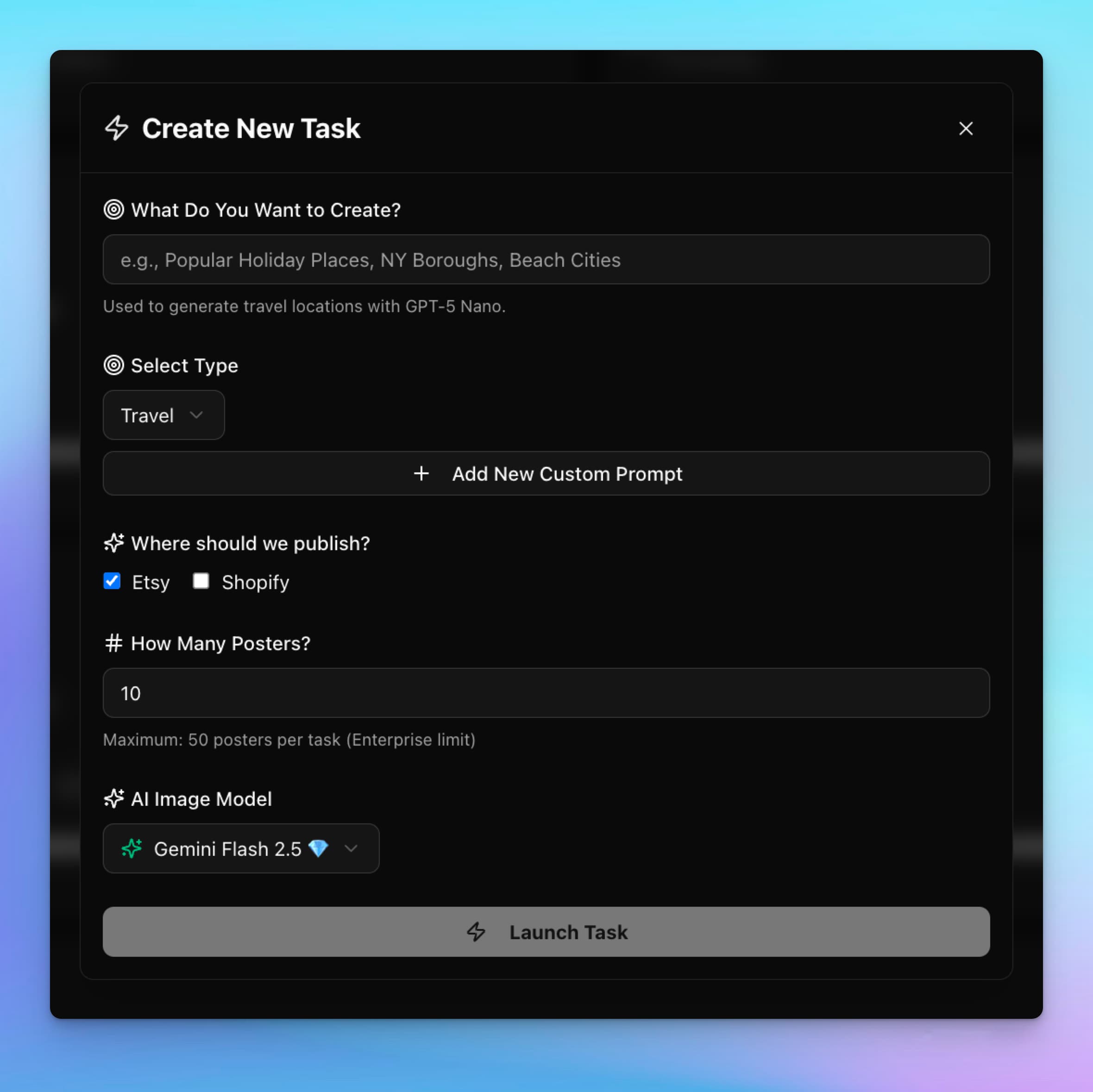
Creating a task is straightforward. Follow this guide to set up your first automated poster generation workflow.
Step 1: Task Name
Enter a descriptive name for what you want to create. This is used by GPT to generate locations or themes:
- Travel: "Popular Holiday Places", "NY Boroughs", "Beach Cities"
- Food: "Spicy Asian Dishes", "Italian Pastas", "Street Food"
- Car Poster: "Supercars", "Classic Cars", "Hypercars"
Step 2: Select Poster Type
Choose from available poster types:
- Travel: Generates travel destination posters
- Food: Creates food-themed posters
- Yayoi Kusama: Artistic posters with Kusama-inspired themes
- Van Gogh Poster: Artistic posters in Van Gogh style
- Car Poster: Automotive posters with customizable options
- Custom Prompts: Use your saved custom prompts (Enterprise only)
Step 3: Set Quantity
Specify how many posters you want to generate. You can create up to 50 posters per task. Start with smaller quantities (5-10) to test your settings before running larger batches.
Step 4: Choose AI Model
Select the AI image generation model:
- Image Models: GPT Image 2, Nano Banana 2, OpenAI GPT Image-1.5, Nano Banana Pro, Grok Imagine, Recraft V4, Seedream 5 Lite, Seedream 4.5, Seedream 4, Google Imagen-4 Ultra, Google Imagen-4, Ideogram v3 Turbo, Ideogram v3 Quality, Ideogram v3 Balanced, and Hunyuan 2.1
- Credit cost: Every image model costs 1 credit per generated image.
Note: Car Poster automatically uses Seedream-4 for best results.
Step 5: Select Destinations
Choose where to publish your completed posters:
- Etsy: Automatically creates listings in your connected Etsy store
Special Options
Yayoi Kusama Tasks
For Yayoi Kusama posters, you can choose to use random subjects or specify a custom subject/theme. If random is enabled, subjects are automatically selected from a curated list.
Car Poster Options
Car Poster tasks support optional fields that enhance the generation:
- Car Color: e.g., "metallic navy"
- Background Scene: e.g., "a green field fading into haze"
- Time of Day: e.g., "soft golden hour"
- Car Angle: e.g., "rear 3/4 view"
All fields are optional—if left empty, the system will intelligently fill them.
Custom Prompts (Enterprise)
If you have Enterprise access, you can select a custom prompt from your saved prompts. When using a custom prompt, you'll need to provide input text (e.g., "McLaren P1", "Beach Cities"). Reference images attached to your custom prompt will automatically be used during generation.
💡 Best Practices
- Start with 5-10 posters to test your configuration
- Use descriptive task names that clearly indicate your theme
- Choose AI models based on your quality vs speed needs
- Verify your Etsy connection before creating tasks
- For Car Posters, provide specific details for better results