Google Sheets vs Artomate for Automating Etsy Listings
Google Sheets vs Artomate for Automating Etsy Listings
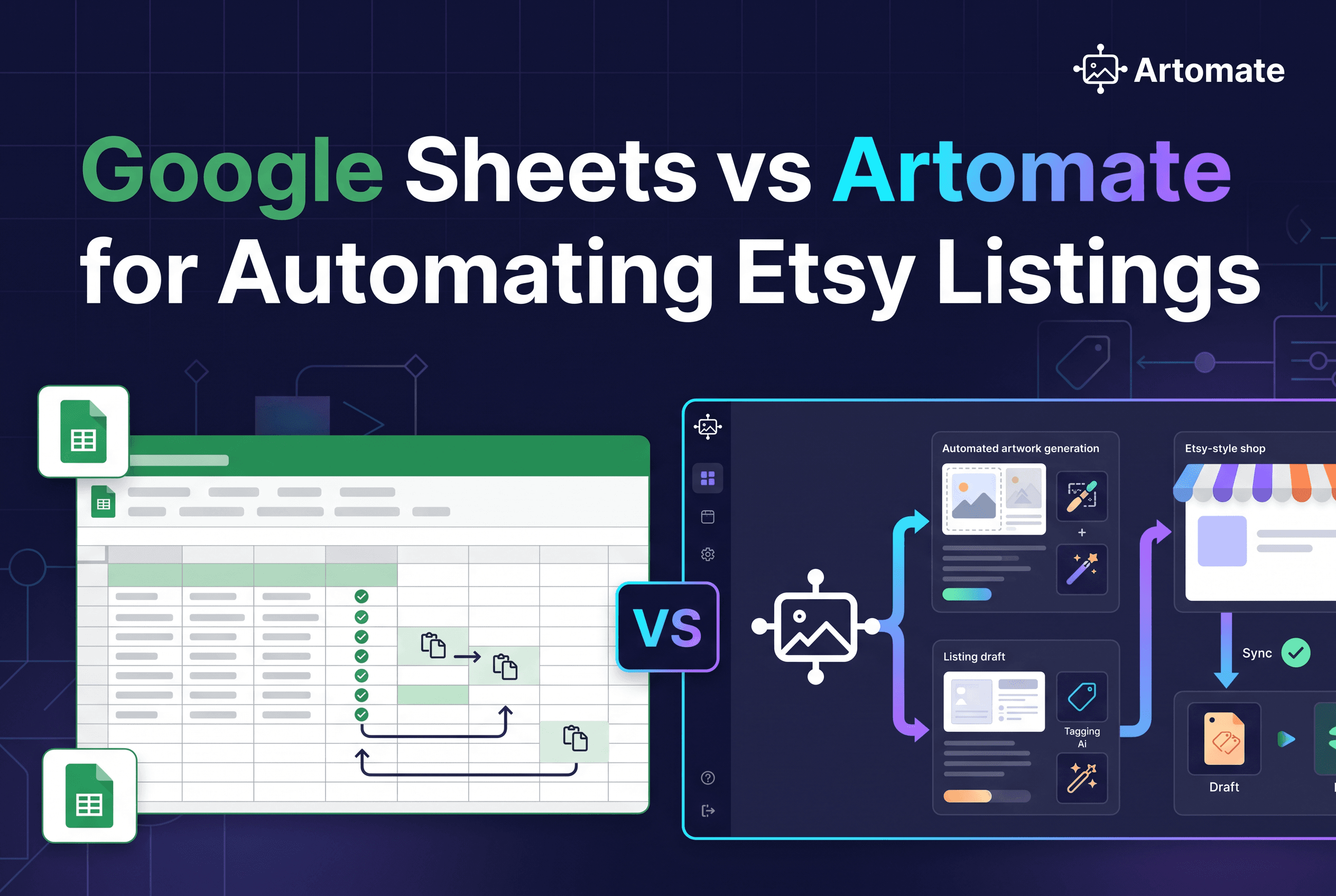
If your bottleneck is filling rows, a Google Sheets workflow for Etsy listings is enough. If it's making the art and mockups behind each row, it isn't. Sheets moves text you already have into draft listings, while Artomate does the research, the poster art and the mockups before it prepares the draft.
This post is for Etsy print-on-demand poster sellers who track listings in a spreadsheet and are deciding between two paths: wiring Google Sheets to Etsy through Make or a script, or using Artomate for the whole route from idea to draft listing. Sheets is a general-purpose spreadsheet, so everything below about it concerns the workflow you build around it, not a product with a listing feature.
Google Sheets vs Artomate at a glance
Google Sheets with an automation tool pushes rows of text you have already written into Etsy as draft listings. Artomate produces the poster, the mockups and the listing copy, then prepares the Etsy draft for you to review.
| Criterion | Google Sheets + Make or script | Artomate |
|---|---|---|
| What it is | A spreadsheet you connect to Etsy yourself | A workflow tool built for Etsy poster sellers |
| Starting point | Finished files, titles, tags, descriptions | A poster idea or your Etsy order history |
| Demand research | You do it elsewhere | Built in, from your paid Etsy order history or platform demand signals |
| Artwork | You supply it | AI poster generation, no Photoshop |
| Mockups | You supply them | Cloud PSD mockups, custom PSD templates supported |
| Listing copy | You write it or add an AI step yourself | Title, description and tags prepared for you |
| Etsy connection | You build it (Make module or API script) | Etsy draft listings via the Etsy API |
| Product types | Anything Etsy sells | Etsy posters |
| Review step | Draft listing you check in Etsy | Draft listing you check before publishing |
The rest of this post covers each row.
What a Google Sheets Etsy listing workflow actually is
A Google Sheets Etsy listing workflow is a spreadsheet of listing fields connected to Etsy through an API-connected tool, because Etsy has no native CSV upload. Sheets itself never talks to Etsy. Something in the middle does.
There are two common ways to build that middle layer.
Make. Connect a Google Sheets trigger to Etsy's listing creation action. Make documents that action as creating a draft, which you then review and publish yourself. You map sheet columns (title, description, price, quantity, category, image information) to the Etsy fields, and you test with one row before running the lot.
A script. Etsy's createDraftListing endpoint is POST /v3/application/shops/{shop_id}/listings. Its required fields are quantity, title, description, price, who_made, when_made and taxonomy_id. Physical listings also need a shipping profile and a readiness state, and the call needs an OAuth token with the listings_w scope plus an API key header. Images are not required just to create the draft, but an active listing needs at least one, and each image is attached with a separate upload call. A hobbyist example of this approach is an open-source pipeline that scrapes product details and generates listing text with Gemini (GitHub: EtsyListingsAutomation).
Zapier is not a reliable native route here. If you want Zapier, expect a custom API setup.
Look at what every one of these does. They move text and image references you already have. If you want AI to write titles, descriptions and tags, you add an OpenAI or Gemini step yourself and map its output into the sheet. If you want the poster and the mockups, you make them somewhere else first. For a deeper look at the Make route, see Make.com vs axiom.ai vs Artomate for Etsy Listings.
What Artomate does instead: research, AI poster art, cloud PSD mockups, Etsy draft listings
Artomate is a workflow automation tool that takes an Etsy poster seller from market research to a finished draft listing. It covers four steps that a Sheets setup leaves to you.
Research. Artomate uses your paid Etsy order history or platform demand signals to find adjacent poster ideas with real buyer intent. This is the step that fills the rows in the first place.
AI poster art. It generates poster designs with current AI image models. You don't need Photoshop or design skills.
Cloud PSD mockups. It creates product mockups in the cloud, from any device, without Photoshop. Custom PSD templates are supported.
Etsy draft listings. It prepares an Etsy draft with the artwork, mockups, title, description and tags, ready for your final review before publishing. It also offers AI title and tag suggestions for SEO.
The pipeline can run on a schedule in the background while you work on the shop. Artomate prepares drafts but does not publish for you. It is also not a print provider. It doesn't print or ship, so you still pair it with your fulfilment partner.
Head-to-head: setup, artwork, mockups, listing copy, review step and control
Sheets wins on flexibility. Artomate wins on how much work disappears before a row exists. Here is how each criterion plays out.
Setup
A Sheets workflow means building and maintaining the connection yourself: OAuth, field mapping, a test row, error handling when Etsy rejects a field. Make lowers the barrier compared with writing a script, but you still own the scenario. Artomate is a web app built around the poster workflow, so there is no connector to assemble.
Artwork
Sheets holds a filename or URL. The art has to exist already, made in Midjourney, Canva, Photoshop or anywhere else. Artomate generates the poster itself. If you already have finished artwork, that gap doesn't matter. If you're still making each poster by hand, it's most of the job.
Mockups
This is where Sheets workflows quietly stall. A row can point at mockup images, but someone has to build them for every design, usually in a PSD template or a mockup site. Artomate creates the mockups in the cloud and supports your own PSD templates.
Listing copy
In Sheets you type the title, description and tags, or you bolt on an AI step. Many sellers wire Make to OpenAI for this. It works, but it's another module to configure and tune. Artomate prepares title, description and tags as part of the draft.
Review step and control
Both routes end in a draft you review before anything goes live. The difference is where your control sits. With Sheets you control every field in every row, down to the exact wording. With Artomate you review a prepared draft and change what you want. If you want to author each cell yourself, that's a strength of Sheets, not a flaw.
For other automation routes compared, see Bulk Upload Etsy Listings: 5 Tools Compared and Zapier for Etsy Listings: 5 Alternatives Compared.
Where Google Sheets is the better choice
Google Sheets is the better choice when you already have finished files and need to push many listings of any product type to Etsy. Here are the cases where it fits better.
- You sell more than posters. Artomate is built around Etsy posters. A Sheets plus Make setup can create a draft for any product Etsy supports.
- You already have finished artwork and mockups. If the creative is done and only the listing data is left, a spreadsheet is a natural place to hold it, and you don't need research or generation.
- You want field-by-field control. Every title, tag and price is a cell you wrote. Nothing is prepared on your behalf.
- You are comfortable maintaining a connector. If you like building scenarios or scripts, the setup cost is a project you enjoy, not a tax.
- You use Sheets as your system of record anyway. Inventory, costs and notes can live next to the listing fields.
If that describes you, Sheets with Make is a reasonable answer to how to automate Etsy listings, and you shouldn't feel pushed off it.
Who should choose Artomate, and what to do next
Choose Artomate if your time goes into making posters, building mockups and writing copy, not into typing rows. Sheets only moves text you already have, so it speeds up the last step of a pipeline whose earlier steps are still manual. Artomate takes on the earlier steps too.
It fits Etsy print-on-demand poster sellers who already create, or want to create, AI poster designs and want to grow a catalogue without rebuilding mockups and listing copy for every design. Check the live pricing page before choosing a plan. There is a pay-per-generation Flex option with no subscription, and monthly plans above it. The first step is simple: run one poster idea through Artomate, look at the draft it prepares, and compare it with the row you would have typed by hand.
Put your time into the art, not the rows
A Google Sheets Etsy workflow is a good delivery truck, but it only carries what you load into it. If the loading is the slow part (research, artwork, mockups and copy), start your first Artomate workflow and review the Etsy draft it prepares for one poster. If you only ever needed the truck, keep your sheet.

George Jefferson
Founder of Artomate
George has generated over £100k selling AI-generated posters on Etsy and built Artomate to automate the entire print-on-demand workflow. He writes about AI art, Etsy strategy, and scaling a POD business.
Learn more about me →