Workflow automations
Workflow automations are repeatable AI agents for your poster shop. They can research demand, decide what to make, generate artwork, create mockups, and prepare Etsy draft listings for review.
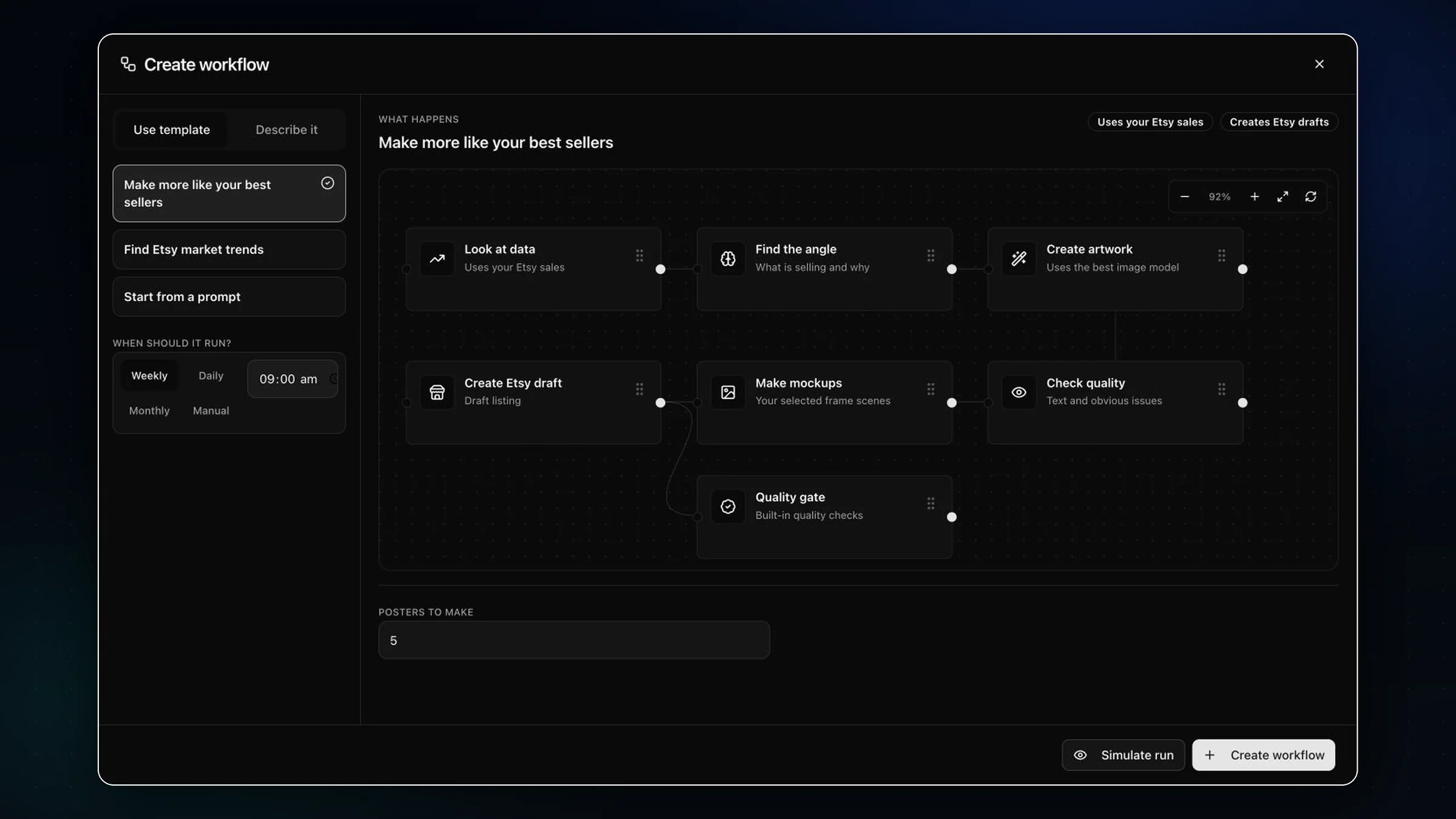
Choose a source
Start from your Etsy best sellers, broader platform demand, or a custom prompt for a repeatable campaign.
Simulate first
Preview the ideas Artomate would make before spending credits or creating drafts.
Run the workflow
Artomate researches demand, generates artwork, checks quality, creates mockups, and prepares Etsy drafts.
Review drafts
Draft listings include images, mockups, titles, tags, and descriptions. Nothing is published live automatically.
Research modes
Make more like your best sellers
Using your own proven demand.
Artomate looks at paid Etsy orders, groups sales by listing, and uses recency and volume to understand what buyers already want from your shop. It then makes adjacent ideas, not a straight duplicate of an existing listing.
Find Etsy market trends
Finding demand outside your own catalog.
Artomate uses Etsy marketplace search signals to understand what kinds of poster listings are currently ranking. This is platform demand evidence, not exact competitor sales data.
Start from a prompt
Turning your own repeatable idea into a workflow.
Use this when you already know the direction, such as a poster series, a niche, a theme, or a specific product line you want Artomate to keep making.
What happens during a run?
Analyze demand
Reads the selected source: your paid Etsy sales, marketplace search demand, or the custom prompt.
Find ideas
Turns the source data into specific poster concepts with a buyer, subject, style direction, and product angle.
Score ideas
Ranks ideas by demand fit, clarity, and how likely they are to become a useful Etsy draft.
Generate artwork
Creates the poster image, then runs quality checks for obvious visual problems before moving on.
Make mockups
Places the artwork into your selected frame scenes so the Etsy draft has product images, not just the raw poster.
Create Etsy draft
Builds the Etsy draft listing with title, tags, description, artwork, and mockups. It stays as a draft.
What gets created?
A completed workflow can produce poster artwork, mockup images, and an Etsy draft listing. Artomate keeps drafts as drafts so you can inspect the listing before it goes live.
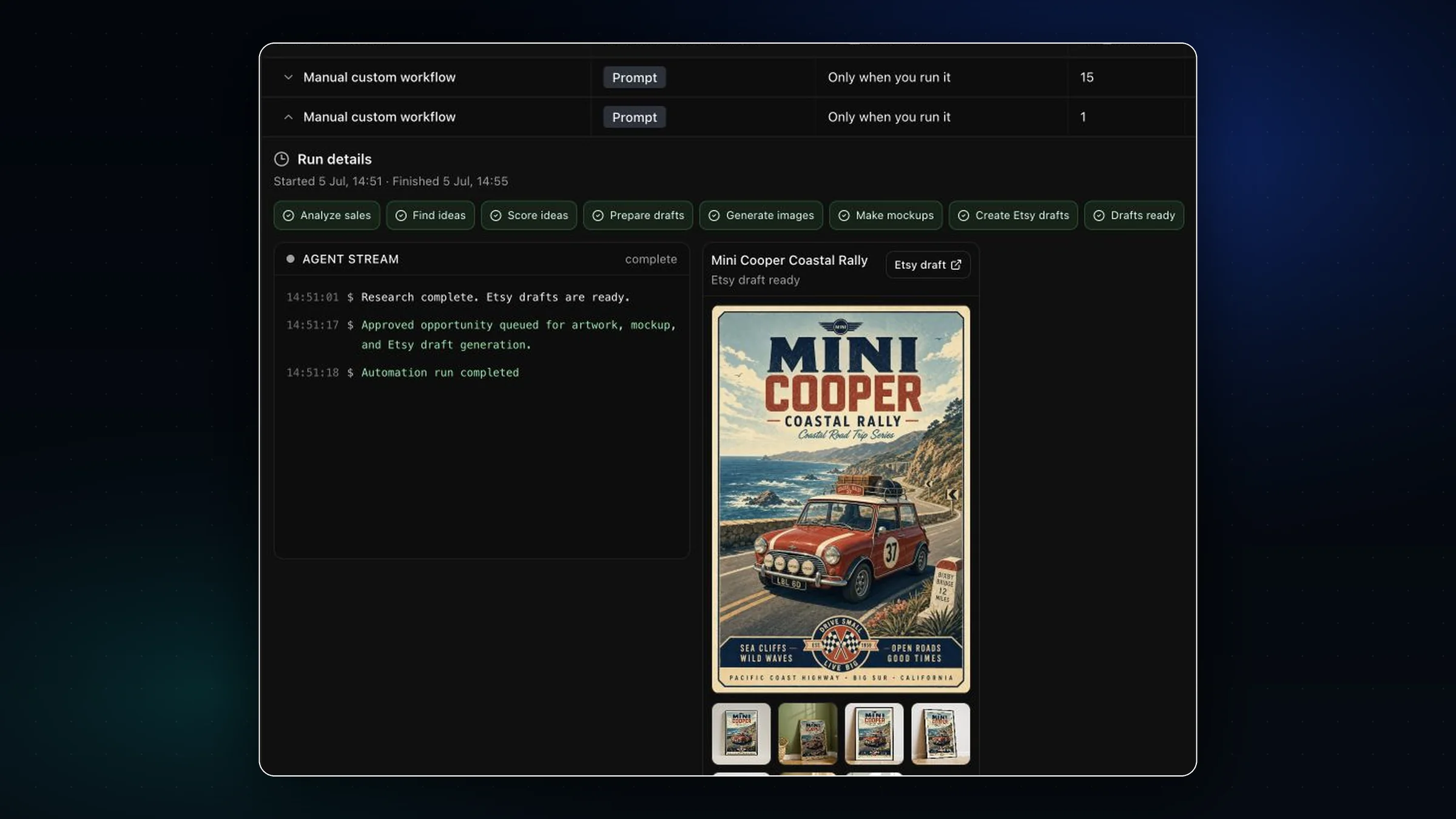
Controls and settings
Run now
Starts a real workflow run. If the workflow creates five posters, it can attempt five Etsy drafts.
Simulate run
Previews what Artomate would do before creating drafts. Use this to sanity-check the workflow direction.
Edit workflow
Changes the source, schedule, number of posters to make, or custom prompt for future runs.
Pause or turn on
Controls scheduled runs. Paused workflows can still be run manually with Run now.
Important behavior
Posters to make is the practical budget control. Set it low for a test run, then raise it when the workflow is making the kind of drafts you want.
Scheduled workflows only run on their schedule when they are turned on. You can still run a paused workflow manually.
Etsy drafts are not live listings. Artomate prepares the draft so you can inspect it in Etsy before publishing.