Custom Prompts Guide
Create and manage your own custom poster prompts with unlimited flexibility
Custom prompts allow you to create reusable templates for generating posters. Use the {{input}} variable as a placeholder where dynamic content will be inserted, enabling powerful AI inference and automation.
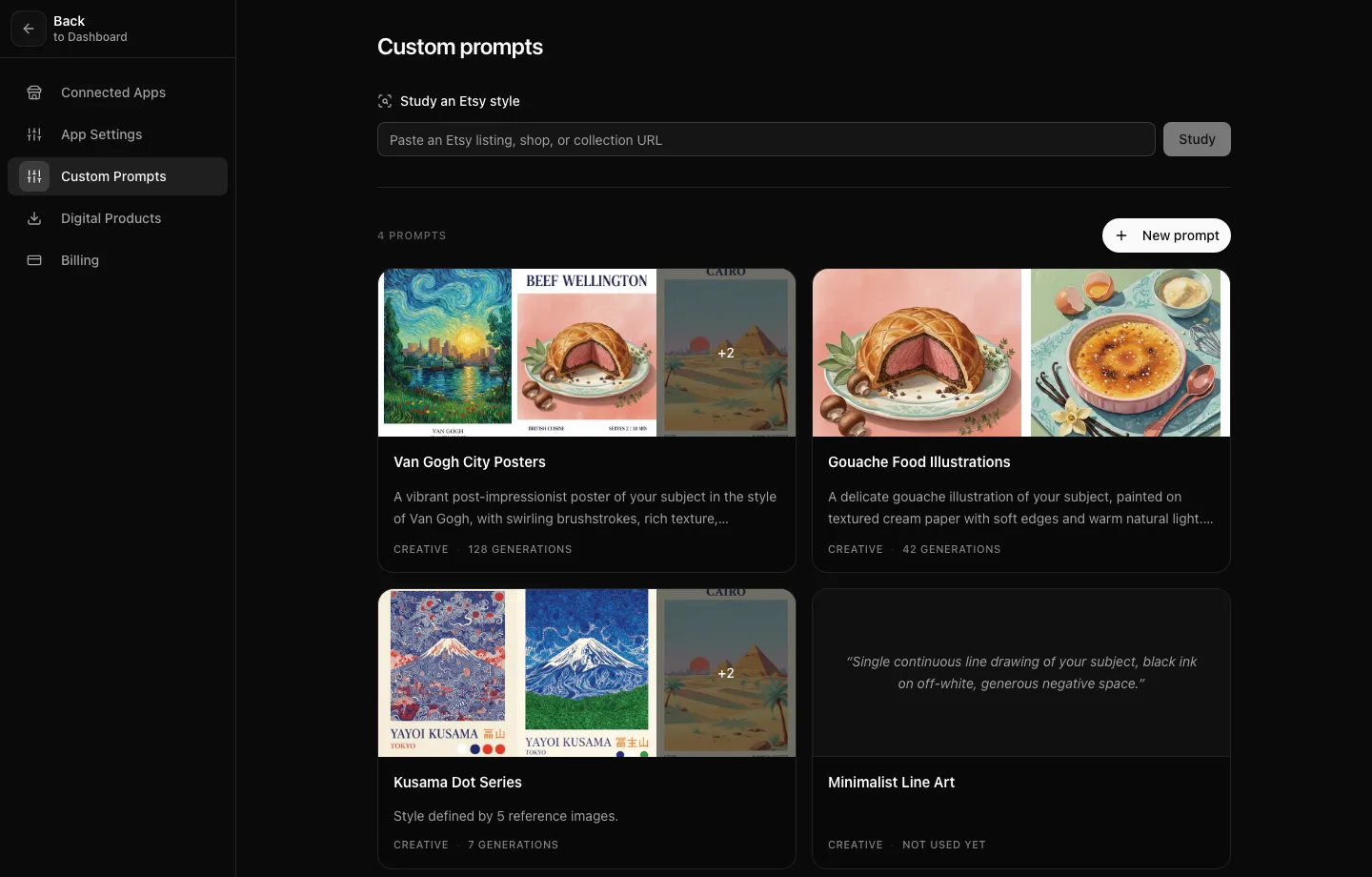
Step 1: Create Your Template
Write a custom prompt template using the {{input}} variable. Design your prompt template with the {{input}} placeholder where dynamic content will be inserted. Example: "A minimalistic poster of {{input}} in van gogh style with bold colors"
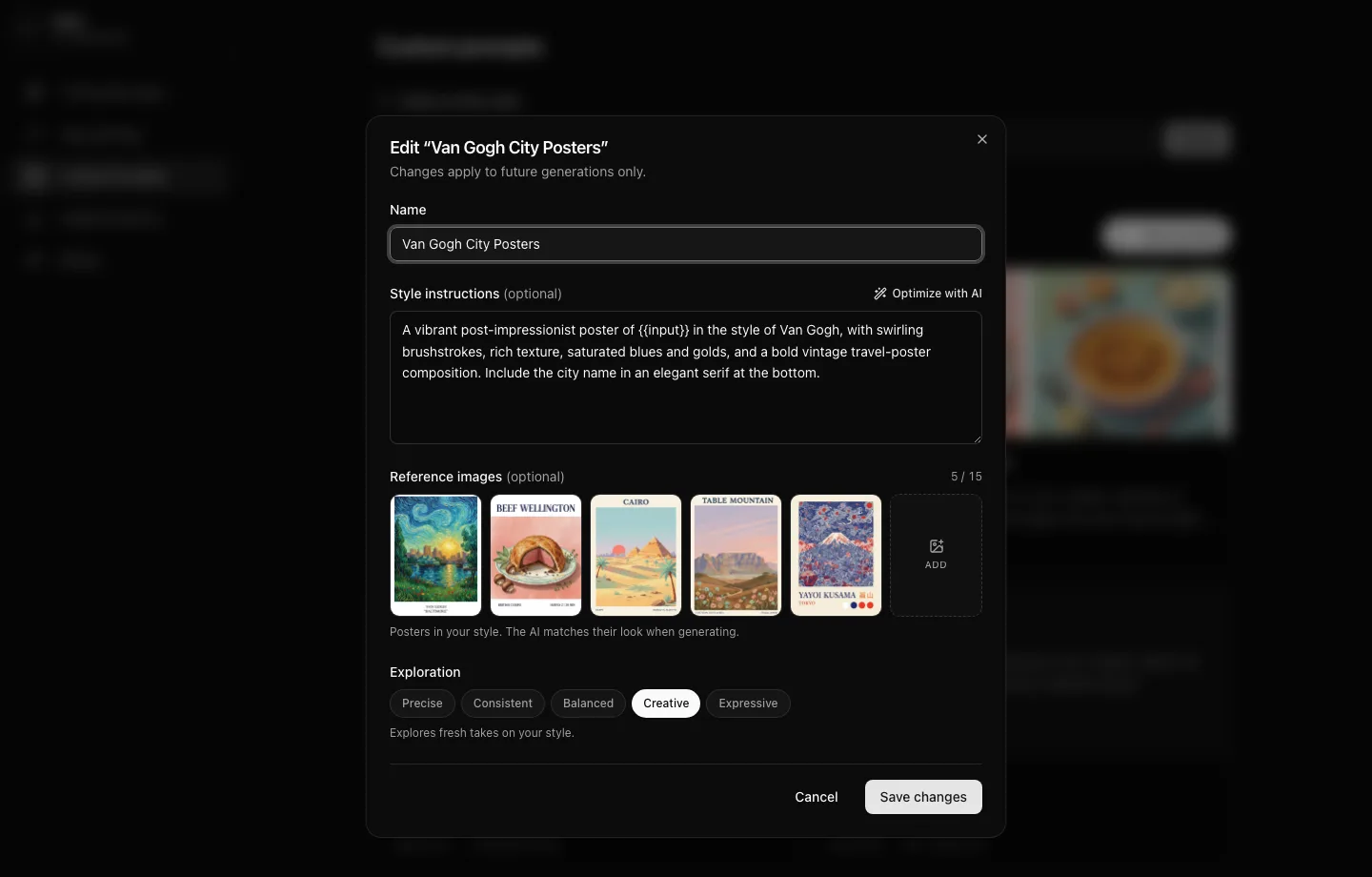
Step 2: Add Reference Posters and Set Exploration
In Settings → Custom prompts, give your prompt a name and add your style instructions. Upload up to 15 reference posters so the AI matches their look, and use "Optimize with AI" to tighten your wording. Then pick an Exploration level: Precise keeps every poster tightly on-style, Balanced works for most shops, and Expressive gives the AI room for loose interpretations.
Step 3: LLM Enhancement
Your custom prompts are enhanced by GPT-5 which can auto-research, add cultural details, make smart layout decisions, and include geographic context automatically.
Step 4: Generate & Iterate
Use your custom prompt to generate posters with any input. Input anything - food items, locations, objects - and your custom prompt will generate contextually appropriate posters with intelligent enhancements.
Custom Prompt Best Practices
- Use {{input}} as a placeholder for dynamic content in your templates
- Every custom prompt is reusable - pick it from the poster type dropdown or use it in automation tasks for consistent branding
- Let GPT-5 do the research - include instructions like "LLM should infer country of origin"
- Turn Exploration up to Creative or Expressive for fresh takes on a style; keep it at Precise or Consistent for a uniform collection
- Test your custom prompts with different inputs to ensure flexibility
- Include cultural context instructions for automatic localization
- Use descriptive style guides like "minimalistic", "vintage", or "modern"
Example Custom Prompt
Here's a simple example to get you started:
"Create a vintage travel poster of {{input}} with retro colors and classic typography"This prompt works with any location - simply replace {{input}} with "Paris", "Tokyo", or any destination, and the AI will generate contextually appropriate posters.
💡 Pro Tip
Start simple with beginner prompts, then gradually leverage LLM inference for enterprise-level automation. Our food prompts automatically research cuisine types, cultural context, and serving details - turning a single word into comprehensive cultural knowledge.