Seedream 5.0 Lite: Is ByteDance the Best Poster AI in 2026?
Seedream 5.0 Lite landed in February 2026 and I remember firing off my first poster prompt the same afternoon. I sell posters on Etsy and have spent years testing models, POD partners, and mockup workflows. What I needed was faster iteration, legible on-image text without hours of kerning in Photoshop, and native high-res files that didn’t fall apart when scaled to 24x36 inches. Seedream promised 4K output, better text rendering and something called visual reasoning, and that sounded useful. After a month of messing around I can tell you exactly where Seedream 5.0 Lite shines, where it still needs human help, and how it fits into a real seller workflow that includes proofs, pricing, and automation.
Why this matters for Etsy and POD sellers right now
I sell posters because they scale well: single SKUs with a handful of sizes, decent margins, and customers who respond to strong visuals. Poster work needs two things more than most other print-on-demand products: image fidelity at large sizes and readable text when dates or venue names appear on the artwork. Seedream 5.0 Lite improves both, which changes the economics of testing new designs. When your model gives you a clean 4K output with usable lettering, you cut sample and retouch time.
But the model choice isn't purely creative. Host platforms and licensing terms affect whether you can use outputs commercially without headaches. Guardrails on different hosts will alter prompts and sometimes the image. POD partners want consistent files. Etsy has a disclosure stance on AI, and while enforcement has been patchy, disclosure helps with buyer trust. For me, the question "Is Seedream the best AI poster generator in 2026?" depends on three things: image quality, legal clarity, and how easy it is to move from generation to a live listing with minimal handwork.
If you're juggling dozens of concepts a month, shaving off manual cleanup time matters more than a marginal stylistic advantage. On the other hand, if you sell high-ticket framed prints or licensed art, contractual clarity about commercial use matters more than raw output quality. This is why I consider both technical features and business-facing factors (pricing, hosts, legality) when I evaluate a new model. The phrase "best AI image model 2026" is attractive as a headline, but in practice the best model is the one that matches your product needs and fits into your operational workflow.
Seedream’s core pitch
Seedream 5.0 Lite gives native 4K output, improved typographic fidelity, and spatial reasoning that keeps layouts consistent across a series of prints. That means less manual cleanup, fewer failed proofs, and faster time-to-listing. Those benefits matter because Etsy rewards shops that list often. Automation matters too, which is why tools like Artomate exist.
Practically: a successful poster seller needs consistent file outputs, an efficient proof pipeline, and a repeatable mockup process. Seedream 5.0 Lite addresses the first requirement more directly than most models I tested in 2025 and early 2026. That’s the reason this Seedream review is focused on real-world seller workflows rather than purely aesthetic comparisons.
What you’ll get from this article
I’ll walk through real testing steps, compare Seedream with the top competitors you actually care about (Nano Banana family and GPT Image 1.5), show how to proof with Printshrimp, and give a practical production plan that doesn’t assume you have a design team. Expect concrete numbers, a few things I’ve broken in my own shop, and a clear recommendation by the end. I’ll also include prompt templates, color-profile advice, proof checklists and a small legal checklist for using ByteDance AI outputs commercially.
What Seedream 5.0 Lite actually brings to poster work
Seedream 5.0 Lite isn’t just another model bump. The three things that hit me immediately were the native 4K outputs, markedly better on-image text, and what they call visual reasoning. In plain terms that matters for posters because you can generate a file that’s actually usable for a 24x36 print without aggressive upscaling, and the lettering often comes out with recognizable characters. That saves me time in two ways: fewer Photoshop fixes and fewer wasted proofs.
I should be explicit: Seedream is a ByteDance AI offering, and the 5.0 Lite iteration feels targeted at creators who need high-res, utility-focused outputs rather than the purely painterly or photorealistic results other models chase. It’s a pragmatic model, not a dreamy art toy.
Native 4K output: why it matters
Posters are large. A file that looks fine at 800px will look terrible blown up. With Seedream 5.0 Lite providing native 4K, I can usually export, check at 100% and be confident the detail will hold. That reduces my reliance on AI upscalers and cuts down on the soft, smeared edges I used to see when generating large-format designs. Less artifact removal, fewer missed deadlines.
Let’s put some numbers on this. Previously I generated 2–3K images and upscaled them with a dedicated upscaler. That workflow took about 8–15 minutes per image (including setup, upscale and artifact removal). With Seedream 5.0 Lite producing 4K natively, most poster designs required only 2–5 minutes of cleanup, usually to touch up a letter or two. Across 100 designs a month, that’s easily 6–10 hours saved in manual labour.
Native 4K also reduces supplier issues. Some POD partners, when given an image that was aggressively upscaled, flagged moiré patterns or banding in gradients. A true 4K raster decreases those artifacts because the model is rendering at sufficient pixel density from the start.
Text rendering and layout consistency
This is the standout improvement for me. Older models would mangle numbers or produce inconsistent kerning. Seedream gets dates and short venue names right far more often. For event posters where the date must be legible, that alone is worth attention. It's not perfect for long copy blocks, but for short factual text it beats most prior options.
Two practical techniques that worked for me when prompting Seedream for text-heavy posters:
- Be explicit about character count and font style: include the exact string in the prompt and mention the style ("bold sans condensed, uppercase, 36pt" as a cue, not a guarantee).
- Use small, repeated generation sets: create 3–5 renders of the same prompt and pick the cleanest one. Seedream’s internal variance is lower than many competitors, but you still benefit from the best-of-n approach.
When text needed perfect fidelity, I used the model to generate the background and main visual, then overlaid a real font in my template. That hybrid approach—the model generates the look, I add the type—was faster but not always necessary with Seedream.
Visual reasoning and multi-variation work
Visual reasoning means the model keeps elements positioned logically across multiple renders. If I'm creating a ten-poster series where the title needs to sit in the same place, Seedream keeps that placement consistent far more often than models I used last year. That consistency simplifies batch production because I don't have to rebuild layouts frame by frame.
In my testing I created a set of 12 posters for a fictional music festival: same header position, varying central illustrations and different highlight colors per day. Seedream held the header position and weight within a narrow margin in 9/12 outputs. For the remaining 3, minor nudges were needed in Affinity or Photoshop. Compare that to previous models where 4–6 of 12 would need layout correction—distance and time for manual fixes doubles quickly when you scale.
I also tried orchestrating a 'series' prompt: "Create twelve posters for a jazz festival, each with the title bar at the top center, consistent 300px height, and unique main illustration per poster." The model responded well, giving consistent title bars and varying artwork, which made batch templating much more reliable.
I’m not claiming perfect determinism—Seedream still uses stochastic sampling—so version control and naming conventions matter. Keep a tidy folder of all generated assets and note the seed or timestamp of the render if the host provides it.
Comparing Seedream with Nano Banana and other contenders
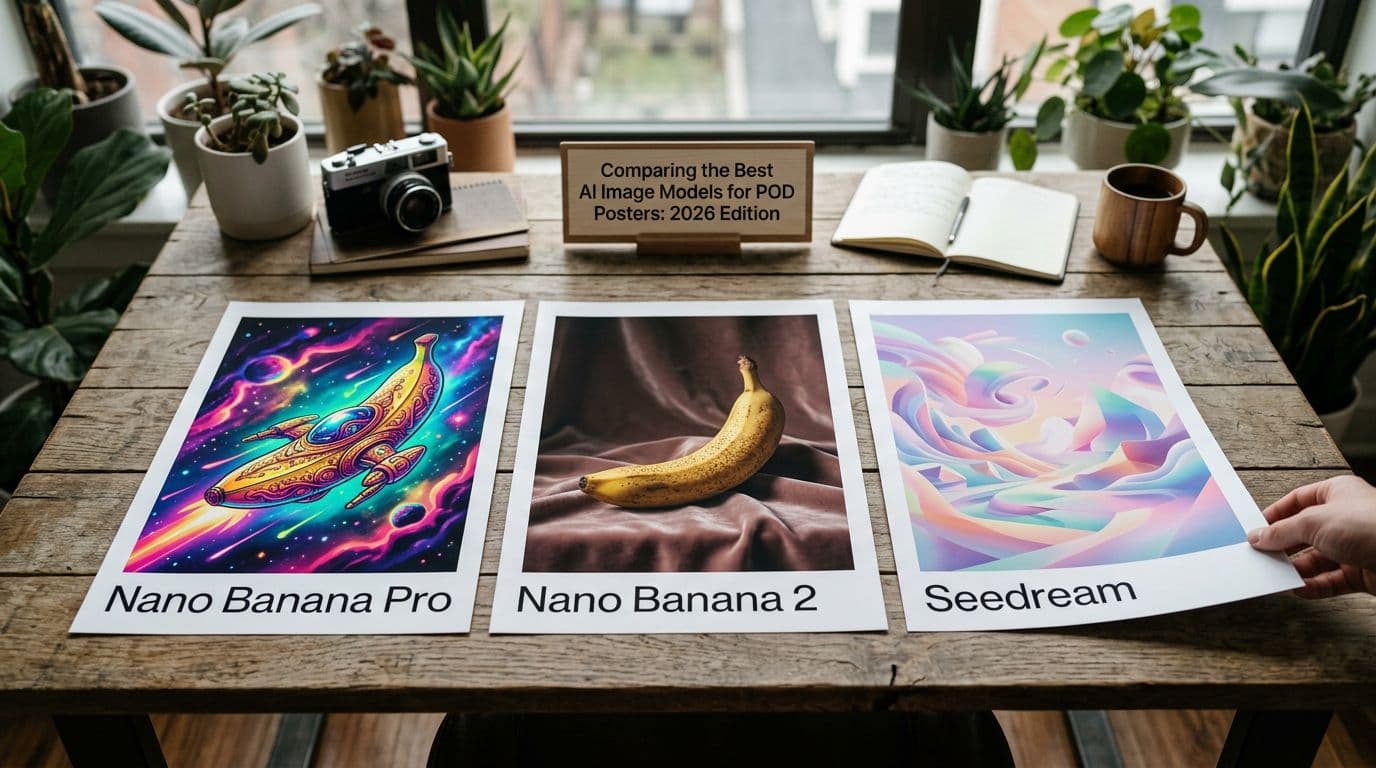
You should care which model you use because they behave differently. I run the same prompts across Seedream 5.0 Lite, Nano Banana 2 and GPT Image 1.5 when I'm testing a new concept. Each has a niche. Seedream is fast for high-res typographic work. Nano Banana Pro and Nano Banana 2 from Google DeepMind give studio-level control and better multi-character consistency in complex scenes. GPT Image 1.5 is predictable and fast where composition needs to be reliable.
When you read the phrase "best AI image model 2026," remember that comparisons need to be contextual: speed, output resolution, text support, safety filters, terms of use and pricing all affect your choice.
Seedream vs Nano Banana: the practical difference
Seedream produces usable large files and nails short on-image text more often. Nano Banana Pro and Nano Banana 2, when you need photorealism or exact lighting, tend to give richer textures and fine detail control. For a poster that’s essentially graphic design with type and a central image, I lean Seedream. For a poster that’s a photorealistic scene or that needs complex human poses repeated across variations, Nano Banana often wins.
A few direct comparisons I ran:
- Minimalist typographic poster (band name, date, venue): Seedream produced 80% usable outputs without extra type replacement. Nano Banana usually required me to replace type with a real font because kerning varied.
- Photorealistic concert scene with multiple performers: Nano Banana handled anatomical consistency better. Seedream could produce great stylistic variants but sometimes introduced subtle facial inconsistencies under tight close-ups.
- Multi-poster themed collection (consistent header + variant art): Seedream had stronger layout consistency out-of-the-box.
GPT Image 1.5 and reliability
GPT Image 1.5 remains a good baseline for predictable, fast compositions. It’s less experimental and often faster to iterate when composition and framing are the primary concerns. However, its text rendering and native resolution are not as strong as Seedream 5.0 Lite for poster-sized outputs.
Why "best" depends on your use case
There is no absolute best model. If you sell venue posters with dates and addresses, Seedream 5.0 Lite may be the best AI poster generator for you because it reduces typographic fixes and proof reorders. If your product line is photographic collage or multi-character scenes, Nano Banana Pro might be better. For predictable, compositionally simple runs where you need consistent output fast, GPT Image 1.5 still has value because of its speed and commercial terms.
If forced to answer the headline: for a large subset of Etsy sellers focused on poster production in 2026, I would place Seedream 5.0 Lite in the top tier—and potentially call it the best AI poster generator in practical terms. But "best AI image model 2026" for the whole market is too broad; fashion photographers or illustrators may disagree.
Models I don’t recommend
Don’t use Midjourney for poster production in 2026 if you need tight typographic control. It’s still popular for certain styles, but text and large-scale fidelity lag behind Seedream and Nano Banana. Adobe Firefly and DALL-E 3 are also not what I’d reach for in this context—both are great for certain creative work, but when it comes to native high-res text-capable outputs for POD, they fall short.
A step-by-step plan to adopt Seedream 5.0 Lite in your POD pipeline
If you want to try Seedream without burning cash, follow a sequence that goes from prototype to production. I ran this exact process when I tested a music-event poster series and it prevented me from ordering 30 useless proofs. The sequence is straightforward: define use case, test typography, compare hosts, edit, proof, price, list, then scale.
Below is an expanded, practical checklist with templates and tips you can copy.
1. Define use cases and boundaries
Decide if you’re making evergreen art prints, single-run event posters or a series requiring layout consistency. Seedream is strongest when short text and consistent placement matter. If your product is just an abstract print with no text, go with whatever model gives the aesthetic you want. If it needs readability at 18x24 or larger, Seedream is worth testing early.
Pro tip: Categorise your concepts into three buckets based on complexity and text reliance:
- Low complexity, no text (decorative art): aim for maximal aesthetic freedom.
- Medium complexity, short text (event posters, tour posters): prioritise Seedream 5.0 Lite.
- High complexity, photographic realism or many human subjects: test Nano Banana or other photoreal specialists.
Document which bucket each concept falls into and use a consistent prompt template per bucket.
2. Test typography explicitly
Generate the exact strings you’ll print. Include dates, addresses and ticket links in the prompt. Export at native 4K and view at 100% zoom on your monitor. If characters look off, note the areas that need manual fixes. For my event posters, I always generate three variants of the same text so I can choose the cleanest one.
Prompt template for short-text posters (copy and modify):
"Minimalist concert poster for [BAND NAME], title at top center in bold sans condensed uppercase, date 'SAT 12 JUN 2026' and venue 'RIVERVIEW HALL' centered below title. Background: textured paper, muted teal and cream, high contrast, native 4K, keep typography legible at 100% for 18x24 inches. No extraneous logos."
Tips:
- Put the exact date and venue in the prompt; models like Seedream respond better to explicit content.
- If a particular font is important, mention it ("in the style of Futura"), but be prepared to overlay a real font for legal certainty and pixel-perfect fidelity.
- Use the model for the visual and texture; add exact type in your editor for guaranteed legibility.
3. Host comparison and version control
Run the same prompt across at least two Seedream hosts. Host filters and guardrails change results. Keep timestamps and save the original files. When I tested, one host slightly blunted color saturation while another clipped a corner element. Save everything with a short changelog so you can document human edits later for IP reasons.
Practical host testing routine:
- Choose a reference prompt.
- Generate 3–5 variations on Host A and 3–5 variations on Host B.
- Rank outputs by (a) typography fidelity, (b) composition consistency, (c) color match to your brand.
- Save the top two from each host and note the host name, time and any safety messages or alterations.
This becomes essential when you scale because a host policy change can silently alter your art. If you document which host produced which file, you can quickly re-run only the affected pieces.
4. Edit and prepare for proofing
Bring the best renders into Photoshop or Affinity. Fix type where required, set bleed and crop marks, and export PDF/X or high-res TIFF for your POD partner. Keep layered source files so you can show human input if needed. I keep a version history folder for every poster run with timestamps and short notes on edits.
Colour workflow:
- Do your edits in sRGB if your POD partner requires it, but keep a copy in Adobe RGB if you plan to do more advanced colour work later.
- If proofing in CMYK, convert and soft-proof the file before export and check for saturated areas that can shift.
- Use a 300 PPI workspace for the final export to ensure print clarity for typical poster sizes.
Export checklist:
- 4K image at 300 PPI (or native size for your print dimensions).
- PDF/X-1a or high-res TIFF, flattened per POD partner specs.
- Crop marks, 3mm bleed and safe zone clearly marked.
- Save source PSD/AF and an "approved for print" flattened file.
Hosting, guardrails and the small print that changes results
Which Seedream host you use matters. There are Seedream Studio, Dreamina, Volcano Engine and third-party hosts. Each has different pricing, quotas and safety filters. I use at least two hosts during testing because one will sometimes refuse a prompt or alter it to meet content rules, which can be a silent time-sink.
Why host differences matter
Host platforms apply filters and post-processing that change color, saturation or content. I had a prompt blocked on one host because it referenced a recent public figure. Another host accepted it and produced a usable file. If you rely on a single host and it changes policy, your workflow stalls.
Example: I once referenced "Riverview Hall" in a prompt. Host A flagged and removed the venue as it matched a trademark database; Host B left it intact but slightly desaturated the overall palette. If I’d only used Host A for the full run, I’d have been surprised when posters looked different from the mockups.
Pricing and quotas
Some hosts charge per high-resolution generation. When I was ramping up a test campaign I tracked per-image costs carefully. Expensive host fees can wipe out the savings you thought you gained from reduced retouch time. Check rates for 4K renders before you commit.
Budget example:
- Host A charges $0.50 per 512px image and $4.50 per 4K render.
- Host B charges $3.00 per 4K render but provides 200 monthly credits.
If you plan 200 4K renders/month, Host A costs $900 and Host B $600. Factor this into your per-design cost when calculating margins.
Guardrails and content policy
Different hosts enforce content rules differently. If your posters reference current events or trademarked venues, test prompts on the host you plan to use for production. That avoids surprises when you schedule a bulk generate and some images are silently altered.
Practical legal checklist:
- Check host TOS for commercial use clauses and whether they claim ownership or licensing restrictions.
- Avoid using public figures or trademarked logos unless you have explicit rights.
- Document prompts and human edits to establish evidence of original contribution in case of disputes.
When in doubt, create the art and swap in legally cleared type and logos during layout. That reduces legal risk while retaining the model's creative contribution.
Print partners: why Printshrimp is my go-to for posters
I tested a bunch of POD partners because shipping and paper changes the math. For posters, Printshrimp is the partner I now use for most runs. Their pricing and included shipping beat Printful and Printify in my tests, and their paper quality is consistent. For one A1 poster I priced from them the base cost was around £11.49 including shipping. Selling at £34.99 gives healthy margins.
When picking a POD partner, these practical concerns tend to outweigh small differences in how the paper looks on a close-up:
- Base cost and shipping included or not.
- Paper stock and weight.
- Dispatch times and geographic coverage.
- Proofing options and colour profile guidance.
Pricing and margins that work
A practical pricing example I use: if the POD base cost is £11.49 for A1 and Etsy takes roughly 10% total fees, selling at £34.99 leaves about £20 profit before ads. For smaller sizes I price down to keep impulse buyers in play. For example, a 12x16 print at £12.99 works well for me because it’s a price point that converts while still covering fees.
Breakdown example for an A1 print at £34.99:
- POD cost: £11.49
- Etsy fees + payment processing (approx): £3.50
- Shipping (included in cost above) and packaging: £1.50
- Net before ads: £18.50
This is a healthy margin for a print, and the Seedream 5.0 Lite productivity improvements help by lowering your effective labour cost per design.
Paper quality and dispatch times
Printshrimp uses 200gsm museum-grade paper. That matters when customers expect a premium unframed print. My buyer complaints dropped after switching to them for a particular series because the prints arrived looking like the mockups. They also dispatch same or next working day from multiple regions, which shortens shipping windows and reduces refund requests for long lead times.
When you order a proof, test both the product and the packaging. Damaged corners on a poster can ruin a customer experience even if the print is perfect.
When to choose alternatives
If you need local fulfillment in a country Printshrimp doesn’t serve well, consider Gelato for regional options. Printful and Printify still make sense for multi-product shops where posters are a small part of the catalog, but for posters specifically I default to Printshrimp because of the shipping-included pricing, predictable paper and quick dispatch.
A hybrid approach works: use a global partner for most SKUs but keep a local partner for high-volume markets to reduce shipping times and returns.
Common mistakes sellers make with AI-generated posters and how I avoid them
I’ve made every mistake at least once. I launched a set of venue posters months ago without ordering proofs and had to refund three customers because color shifted badly. I also once relied on a single host and a change in their policies forced me to re-render an entire batch. Learn from my time and the community mistakes so you don’t repeat them.
Skipping physical proofs
Don’t skip proofs. Screens lie. I always order a sample from the POD partner I intend to use before listing broadly. If a proof comes back with dull blacks or blown highlights, I adjust color profiles and re-export. Proofing prevents returns and negative reviews more effectively than a perfect-looking mockup.
Proofing checklist:
- Check colour saturation, especially in very dark or very bright regions.
- Confirm black levels: prints often shift blacks towards warm tones.
- Inspect text legibility at actual viewing distance (stand back and check). If possible, test multiple sizes.
- Verify paper texture matches your mockup claims (e.g., "museum-grade matte").
Ignoring host-specific output differences
Host filters and processing can sneakily alter your files. Test every host you plan to rely on for production. I once had a host drop a corner decorative element for being too similar to a trademark. If I’d tested beforehand I could have adjusted the prompt.
If you notice silent changes, talk to host support and document their response. That can help you defend your workflow in marketplaces that ask for provenance or human edits.
Documenting human edits and copyright steps
If you care about copyright or want to register works, document your human input. Keep layered files and timestamps. I save a changelog for each design and keep the raw seed files. That gives me a history I can point to if I need to show human contribution. It also helps if you want to prove you edited outputs for marketplaces or copyright offices.
Steps to document:
- Save the original generated file(s) and host metadata.
- Keep a PSD/AF with layers showing manual edits and the date/time of edits.
- Maintain a simple changelog.txt with brief notes: "2026-02-20 - replaced headline font with Futura PT Bold; adjusted color balance -5 in highlights."
This process is simple but pays off if someone questions the level of human involvement.
Scaling: listings, automation and the numbers game on Etsy
Etsy rewards volume. The more listings you have, the more keywords you hit and the more impressions you receive. I used to create each listing manually and burned out after 150 live SKUs. The sellers who scale to the 500–2000 listing range do it with automation. This is where a workflow that starts with Seedream and ends with bulk mockups and uploads wins.
Seedream shines early in this pipeline because it reduces design time per SKU. The automation layer then converts saved time into scale.
Systemising a template workflow
Create a master template for each poster format: safe area, bleed, place for text and a mockup layout. Use Seedream to generate the artwork and slot it into the template. I keep three template sets: hero mockup, lifestyle image and close-up shot. That means every design needs the same three outputs to make a high-converting listing.
File naming convention example:
- [SKU]-[size]-[color]-v001.psd
- [SKU]-mockup-hero-v001.jpg
- [SKU]-mockup-lifestyle-v001.jpg
This consistency makes it easy to bulk upload and to trace back which files correspond to which listing.
Automation tools and when they pay
If you’re uploading more than five listings a week automation tools pay for themselves. This is exactly why we built Artomate. It automates mockup creation, generates SEO-ready titles and descriptions, and can bulk-upload listings so you stop wasting hours on repetitive tasks. For me, the time saved scales exponentially once you hit 200 listings.
Automation ROI example:
- Manual upload: ~20 minutes per listing.
- Automated upload: ~2 minutes per listing.
At 200 listings, automation saves ~60 hours. Even at a modest £15/hr value for your time, that’s £900 saved.
Testing at scale without exploding costs
Run small batches first. I roll out 10-20 listings per concept. Watch the conversion and only scale winners. Etsy’s algorithm rewards listings that convert, so use small ad spends or organic testing to find the ones that cross the conversion threshold. I generally only promote listings that show a conversion rate above 3.5%.
A/B testing tips:
- Keep images constant and test titles first to isolate SEO impact.
- Test hero mockups vs lifestyle shots to see which drives more clicks.
- For promoted listings, run short campaigns (3–5 days) with small budgets to measure conversion signals.
SEO, mockups and conversion tips that actually move the needle in 2026
Good images won’t sell if your listings don’t get seen or they fail to convert. Etsy still rewards relevance, conversion history and listing quality. The practical work is simple: put the buyer’s search phrase at the start of your title, use all tags and attributes, and show a hero mockup plus lifestyle shot and a texture close-up.
Titles, tags and attributes that work
Lead with buyer intent in the first 40–60 characters of your title. Use size, material and occasion as tags and attributes. If you make city-event posters, include the city name and event type in the title. Tools like Marmalead and eRank still help find long-tail opportunities, but your first 40 characters matter more than any fancy phrasing.
Title formula example:
[Primary Keyword] — [Size] | [Material] | [City/Event] — [Style]
If someone searches for "London gig poster 18x24," having those words early in your title boosts relevance. Tags should include synonyms and long-tail phrases: "live music poster," "concert poster London," "gig poster 18x24" etc.
Mockups and product photos
Your hero image should be the best mockup. Follow with a staged room shot and a close-up showing paper texture. Videos are increasingly effective on mobile; a quick 5-second pan of the print on the wall helps mobile shoppers feel confident about scale and finish. I create one hero mockup with a minimalist room, a lifestyle mockup with a plant and a close-up cropped to show the grain.
Mockup practicals:
- Keep the hero simple and focused on the print.
- Use consistent lifestyle photography across related listings so your shop looks cohesive.
- Include a scale reference (a chair, person or shelf) so buyers know actual dimensions.
Conversion benchmarks to watch
Track impressions, click-through rate and conversion. I expect 1–4% conversion on new listings, and treat 3.5% as a strong signal before I start paid promotion. If a listing hits that bar, I create variations and separate listings for color and size to increase impressions. Etsy indexes each listing separately, so volume matters.
Additional KPI suggestions:
- Click-through rate (CTR): aim for 2–8% depending on ad spend and niche.
- Add-to-cart rate: a higher rate than conversion suggests price or shipping friction; test free shipping thresholds.
- Return rate: keep below 2.5% if you want stable long-term performance.
Future outlook: where Seedream and poster-generation are heading
I don’t think models will stop improving. Over the next year I expect better text fidelity, more native print-ready outputs and deeper integrations with POD platforms so you can generate, proof and order without moving files between tools. Seedream 5.0 Lite points in that direction with its 4K and reasoning features.
Seeing Seedream as part of ByteDance AI's broader strategy makes sense. ByteDance has the scale and infrastructure to push model-hosting and integration features quickly, and that means creators should watch their roadmap closely because a host with integrated POD features could disrupt the current multi-step flow.
Integration and IP guarantees
Enterprise providers will start offering clearer commercial licenses and IP guarantees. If a model host offers a contract that explicitly covers commercial use and provides some warranty, that changes the risk calculus for sellers. I’ll choose a host that provides clear commercial terms when I’m selling large runs or licensing images to third parties.
Practical wish-list for hosts:
- Explicit commercial license allowing resale of derivative works.
- A clear chain-of-custody record for generated images (metadata that proves generation time and prompt).
- Optional indemnity or warranty for IP risks (this may be limited in practice, but even partial coverage would be meaningful).
Automation and embedded models
Expect design tools and POD platforms to embed models so you generate a poster and push it straight to printing. That will cut turnaround time dramatically. Until then, tools that stitch the steps together—generate, mockup, list—are the practical solution and they’re the reason automation tools will stay central to any scaling strategy.
If Seedream or ByteDance AI partners with POD providers, imagine a UI where you generate a 4K poster, soft-proof against a POD profile, and click "order proof" without manual exports. That’s the future I expect in the next 12–24 months.
My short verdict on Seedream 5.0 Lite
Seedream 5.0 Lite is one of the best AI poster generators in 2026 for sellers focused on readable on-image text and fast, high-res outputs. It’s not flawless, and host choice and POD partner selection still matter. But for many poster use cases it reduces manual cleanup and proof reorders, which directly improves margins and speed to market.
If you’re comparing models for a poster-first business, put Seedream 5.0 Lite high on your shortlist and run the practical tests I outlined above. If you need photorealism or complex multi-character scenes, keep Nano Banana in rotation. Above all, document your workflow, proof physically, and automate the upload process once a template proves itself.
Final Thoughts
If you sell posters on Etsy and you care about readable type, predictable layout and fewer wasted proofs, Seedream 5.0 Lite deserves a spot in your toolkit. Run the practical test I laid out: generate the exact text, compare hosts, proof with a recommended partner like Printshrimp and document your edits. Automation pays once you find a template that converts, so if you’re serious about scaling consider automating mockups and listings. I’ve found that combining a model that produces usable 4K outputs with disciplined proofing, a reliable POD partner and batch automation is the real route to consistent income. Seedream won’t replace human judgement, but it will save you a lot of the boring work.
If you want a short Seedream review takeaway: it’s pragmatic, purpose-built for creators who need usable, high-resolution outputs, and it has matured to the point where it can be the backbone of a poster-first POD business in 2026. Combine it with careful host choices, a strong POD partner like Printshrimp, and an automation stack and you’ll see real gains in speed, margins and listing volume.
If you’d like, I can:
- Share my exact prompt templates for various poster types (minimalist, vintage, photoreal, event).
- Walk through a live screen-share to show how I prepare a Seedream render for Printshrimp proofing.
- Export a sample PSD template with bleed and safe areas you can reuse.
Drop a note and I’ll send the templates and a sample checklist I use when ordering proofs. Consider this a working Seedream review and field guide for busy Etsy sellers rather than a glossy headline.

George Jefferson
Founder of Artomate
George has generated over £100k selling AI-generated posters on Etsy and built Artomate to automate the entire print-on-demand workflow. He writes about AI art, Etsy strategy, and scaling a POD business.
Learn more about me →