Pinterest for Etsy Poster Sellers: Free Traffic That Actually Converts
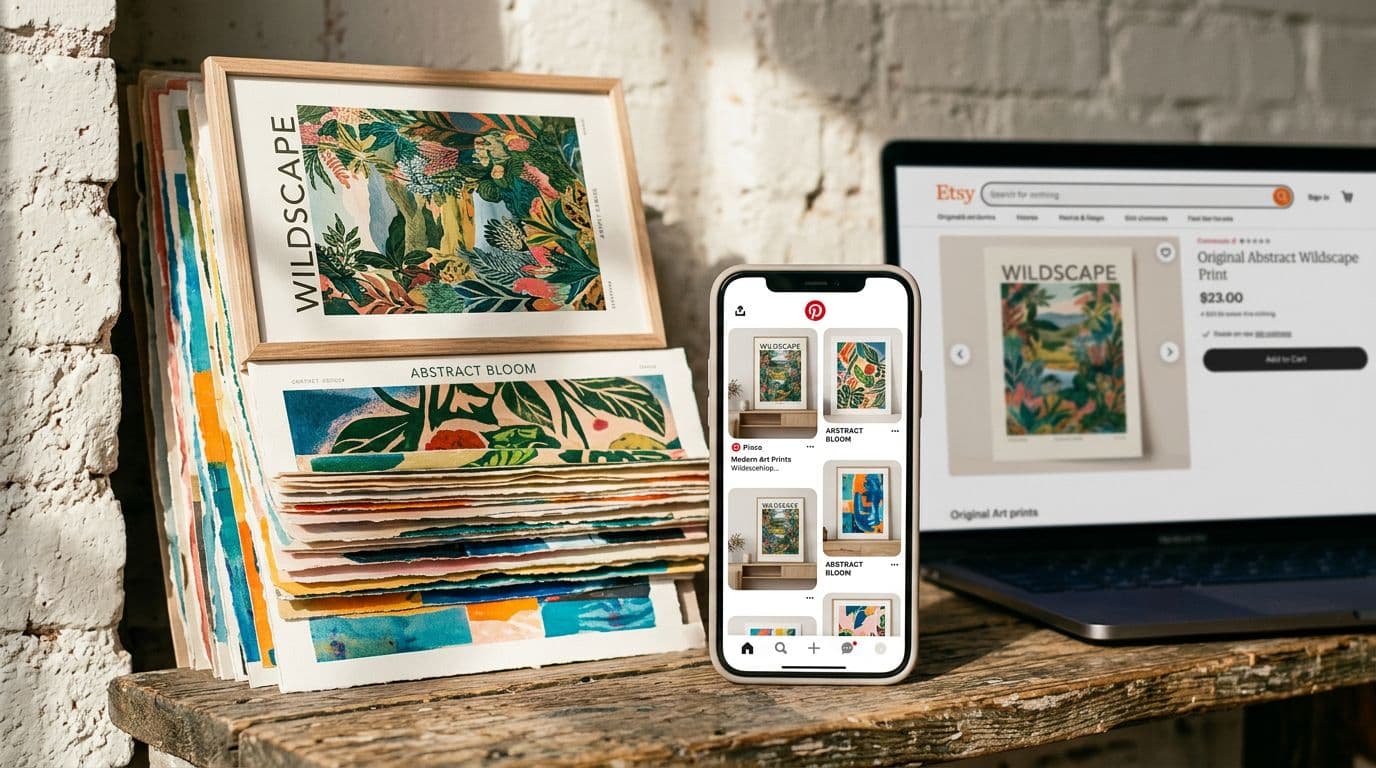
I remember the first time a Pinterest pin sent a steady trickle of buyers to one of my Etsy poster listings. I was skeptical — pins felt like pretty bookmarks more than traffic drivers — but within six weeks that single pin was responsible for almost 20% of that listing's visits and a steady stream of sales. Pinterest isn't magic. It's predictable if you treat it like a visual search engine and a catalog distribution channel, not a place to post whatever looks pretty. For poster sellers using print-on-demand or selling digital downloads, Pinterest offers long-tail, mostly free traffic that compounds over months, and those visits turn into sales when your Etsy listing converts. I built Artomate partly because scaling this process manually is soul-destroying. In this article I’ll share exactly how I set up pins, tracked results, priced posters, and scaled winners — the tactics that actually worked for my shop and for sellers I coach.
Why Pinterest Actually Matters for Poster Sellers
Pinterest is search-first, not social
Pinterest behaves like a search engine more than a social feed. People use it to find home-decor ideas and to plan purchases. That means an optimised pin with the right keywords can surface weeks or months after you post, sending steady free Etsy traffic over time. I treat Pinterest as an extension of my poster SEO strategy — the same keywords I use on Etsy go in my pin titles and descriptions because Pinterest searches for similar terms.
Think about intent: a user typing "mid-century modern poster for living room" is likely in research or shopping mode. Their behavior differs from Instagram scrollers. Pinterest is where ideas are saved for later, boards are curated, and product discovery mimics a shopping path. That’s why Pinterest Etsy synergy exists — pins act as visual product pages that point buyers to your listing when they're ready.
Practical tip: audit your top 10 Etsy keywords and map them into a Pinterest keyword doc. Add variations (e.g., "mid century poster," "midcentury wall art," "mid-century print") and use those in pin titles, descriptions, and board names. This small crosswalk ensures your Pinterest activity complements your Etsy SEO rather than competing with it.
Visual products map perfectly to the platform
Posters are visual products. Showing a poster in a real room gives a buyer a mental shortcut for imagining it on their wall, which lifts click-through and conversion. When I switched from flat product photos to vertical lifestyle mockups, my pin saves and clicks doubled. Pinterest rewards images that answer intent: users searching for “minimalist bedroom art print 24x36” want scale, context and framing options, so give them that.
A/B example: I ran a quick test where one pin was a flat clean product shot and the other was the same poster staged in a cozy bedroom. After 30 days the lifestyle pin had a 2.4x higher CTR and a 1.8x higher add-to-cart rate on the Etsy listing. The visual context reduced friction: people didn’t need to mentally resize or imagine frames; the pin did it for them.
Practical mockup checklist:
- Include furniture, rug or a human element for scale.
- Show at least one framed and one unframed view.
- Use neutral, on-trend room styling that matches your audience.
- Provide an image where the poster is the hero but the scene feels aspirational.
It diversifies your acquisition mix
Etsy’s fees and offsite ad attributions can erode margins quickly. If a sale gets credited to Offsite Ads you might be paying an extra 12–15% on top of Etsy’s baseline take (~10% total once you include transaction and payment processing). Getting dependable, free traffic from Pinterest lowers that dependence. I still care about Etsy search, but I use Pinterest to supplement discovery and to capture shoppers earlier in their decision process.
Imagine your traffic channels as buckets: Etsy search fills one, social fills another, and Pinterest fills a long-term discovery bucket. Because Pinterest content lasts, a pin posted today can funnel buyers to your Etsy shop months from now — that compounding effect is exactly what most paid channels don’t provide.
Practical KPI: set a target that X% of your monthly sessions should come from Pinterest Etsy traffic. Start small (5–10%) and grow it as your pin library expands. This keeps your shop less dependent on any single source and gives you predictable revenue streams from free Etsy traffic.
Current Market Trends and Why They Affect Your Pinterest Strategy
Fee realities and pricing pressure
Etsy’s fee structure is the baseline you must build around: $0.20 per listing plus a 6.5% transaction fee and roughly 3% payment processing in many regions. That usually leaves Etsy taking around 10% of an order before shipping. Offsite Ads can add another 12–15% if applied. I price my typical poster so that after a standard 10% marketplace cut and POD cost I still have a decent margin. For example, using Printshrimp for A1 at ~£11.49 cost including shipping, I sell at £34.99 and keep about £20 after fees and cost, which gives me room for testing on Pinterest.
Expanded pricing example: let's walk through the math for a US-based seller selling 24x36 posters via Printful at a hypothetical cost of $12.50 per poster and shipping of $4.50. Set the retail price at $39.99.
- Printful cost + shipping: $17.00
- Etsy fees (~10% combined): $4.00
- Net before taxes: $39.99 - $17.00 - $4.00 = $18.99
That $18.99 must cover your time, design licensing, potential returns, and ads. If you plan to test paid boosts on Pinterest or paid social, factor it into your allowable CAC (customer acquisition cost). Many sellers underprice because they ignore these hidden costs — factor fees into every price change.
Practical action: build a simple pricing spreadsheet that includes POD cost, Etsy fees, Offsite Ads contingency (assume 12% for testing), shipping, and target profit. Use it when you create a new SKU and before you run any Pinterest campaigns.
Conversion expectations you should use
E-commerce averages hover around 2–4% conversion. On Etsy, conservatively plan 1–3% when you start. My early listings hit 0.8–1.2% from organic Etsy search until I improved images and descriptions. Once I linked strong pins that brought targeted traffic, some listings jumped to 3–5%. Pinterest traffic often converts better for posters because the search intent is higher — people are already in planning mode.
Benchmarks to track:
- Pinterest CTR (pin clicks / impressions) — aim for 0.5–1.5% on static pins; higher on Idea Pins and video.
- Pin-to-site conversion — measure sessions from Pinterest that lead to a sale; good targets are 1–3% depending on price range.
- RP (return on time) — measure revenue per hour invested in creating pin assets to determine whether to scale the format.
Pinterest product features and shopping focus
Pinterest keeps adding merchant tools: product pins, Idea Pins (short vertical video-like content), and richer shopping metadata. They favour vertical formats and pins that keep users in discovery mode. I treat Idea Pins like my top-of-funnel videos and product pins as direct catalog entries. That mix speeds discovery and helps me surface listings to buyers who are ready to click through.
Practical implementation:
- Use product pins for items that are in stock or ready as POD items.
- Create Idea Pins showing the design in different rooms or how to style it — treat these like mini lookbooks.
- Add shopping attributes and price metadata where possible to leverage Pinterest’s shopping features and take advantage of the platform’s preference for shoppable content.
Preparing Your Etsy Listings Before You Pin
Make the listing convertible first
Before you spend time driving Pinterest traffic, make sure the listing converts. That means a primary keyword in the first 50 characters of your title, all 13 tags, accurate attributes, clear size information and shipping time, and multiple high-quality mockups showing scale and framing options. I use a checklist for every new SKU — if any item on that checklist is missing, I don’t pin it. You’ll waste time otherwise because Pinterest will send visits to a page that doesn’t seal the deal.
Conversion checklist (use before you pin):
- Primary keyword in title: front-loaded and natural.
- Secondary keywords in description and the first 160 characters of the listing description.
- All 13 tags optimized for Pinterest and Etsy synergy.
- Clear price, size, and material details.
- Shipping times and refund policy visible.
- Minimum 5 listing images with the first image matching the hero pin.
- At least one lifestyle mockup showing scale.
- One sentence in the description that answers "Who is this for?"
Mockups and image hierarchy that work
Your pin should ideally link to the listing image that matches the pin. Pinterest users hate mismatch. My image set order on Etsy mirrors my pin order: lifestyle mockup first, framed closeup second, size comparison third, and detail crops after that. If a visitor clicks expecting the same view as the pin and finds a different primary image, bounce rate goes up and conversion drops.
Technical image specs:
- Pinterest prefers vertical images — a 2:3 or 1:2.1 aspect ratio (e.g., 1000x1500 or 1000x1500–2100) works well.
- Use high-resolution files (over 1000px on the short side) so Pinterest can surface them in search.
- Avoid text-heavy images unless it's a clear overlay with legible fonts.
Practical example: reorder Etsy images so that your top-performing pin image is the first image in the listing. Keep alt text descriptive (Etsy allows it) and mirror the pin description keywords for better alignment.
Price, shipping and fees baked in
Set prices with Etsy fees and POD costs in mind. I model fees at roughly 10% baseline and assume Offsite Ads can be applied to a portion of orders. For print-on-demand posters, use a pricing ladder — list the unframed poster at a mid-range price and offer framed or bundle options at checkout to lift average order value. That helps when Pinterest drives visits because higher AOV makes testing more sustainable.
Product bundling examples:
- Base poster $35, framed option $60, two-poster bundle $65 (discounted but higher AOV).
- Offer a "room set" bundle where the buyer gets three coordinating prints at a discounted bundle price to increase perceived value.
Promotional approach: if you plan to run seasonal discounts, bake in a margin cushion so that promoted sales still break even or return profit after fees and POD costs. Pinterest for sellers often spikes during holidays — be ready with sale copy and updated price metadata.
Creating Pin Creatives That Convert (not just look nice)
The creative split that I always test
I create 3–6 vertical pin variants for each listing. My go-to mix is: a room lifestyle mockup showing scale, a framed closeup, a detail crop, a text-overlay pin that nails the keyword, a short vertical Idea Pin, and a flatlay or bundle shot. Each serves a different intent — lifestyle is for inspiration and saves, text-overlay for search clicks, video for higher reach.
Example creative matrix for one SKU:
- Pin A (Lifestyle): 2:3 vertical, poster on a living room wall next to a sofa.
- Pin B (Text overlay): "Minimalist Landscape Poster 24x36" on a bold background with a CTA like "Shop on Etsy".
- Pin C (Closeup): framed detail with texture and color accuracy.
- Pin D (Idea Pin): 30s video of the poster in three rooms, ending with a call to action.
- Pin E (Bundle): three coordinating prints shown together to promote cross-sell.
Testing cadence: run all variants simultaneously and monitor for 2–4 weeks. Keep the creative that delivers the best pin-to-sale metrics and iterate on it.
Design rules that actually move the needle
Make text readable on mobile. Use the primary keyword early in the pin title and in the first 40 characters of the description. Don’t keyword-stuff — write like a person searching for the item. I avoid busy backgrounds and make sure the poster is the hero of the image. Contrast matters: if your poster is pale, use a darker background so Pinterest’s algorithm can clearly detect edges and composition.
Design checklist:
- Readability at thumb size — view your pin at 320px width to check.
- Minimal overlay text, with large sans-serif fonts for legibility.
- Consistent color grading across your brand so users recognize your pins.
- Use subtle branding (a small logo or username) but avoid large watermarks that reduce engagement.
Practical template: create a reusable PSD or Canva template for each variant so you can swap designs quickly and maintain a consistent look. This saves hours of rework when scaling a winner into 10 color variants.
Use video and Idea Pins strategically
Short vertical videos of 20–45 seconds showing the poster being hung, scaled next to furniture, or swapped between frames gain more distribution right now. Idea Pins act like discovery content that doesn’t require leaving Pinterest, which increases saves and profile follows. I treat these as awareness plays that feed the evergreen static pins that link to Etsy.
Video content ideas for poster sellers:
- The "before and after" room makeover using the poster.
- Quick styling tips: "3 ways to hang a 24x36 poster."
- Stop-motion of the poster being unboxed and framed.
Optimization tips for Idea Pins:
- Add text overlays and step-by-step captions for viewers who watch without sound.
- Use trending audio when appropriate, but prioritize clear visual messaging.
- Include a clear CTA in the final frame pointing to your shop or a keyword-rich swipe-up link if applicable.
Posting Cadence, Boards and Where to Pin
How often to pin and why consistency wins
Pin daily or several times per week. Consistency matters because Pinterest rewards active accounts and fresh content. I schedule pins for at least five times a week and refresh top performers monthly. Use a scheduling tool if you can’t pin manually; it keeps your momentum and avoids the feast-or-famine posting that hurts distribution.
Practical scheduling plan for a small shop:
- Week 1: launch 3 new pins across 3 boards, repin 2 older high-performing pins.
- Ongoing: add 2–3 new pins weekly and re-pin top performers to new boards once a month.
If you're scaling, aim for 10–20 pins per week including repins and Idea Pins. This volume keeps the algorithm testing your content and increases the chance of discovering new evergreen winners for free Etsy traffic.
Board strategy that helps discovery
Create boards that mirror buyer intent — “Minimalist Bedroom Ideas,” “Botanical Wall Art 24x36,” and seasonal boards such as “Christmas Wall Art Gifts.” Pin product pins to relevant boards and add the same pin to a few boards with unique descriptions tailored to each audience. This spreads reach while keeping the keywords aligned with what buyers search for.
Board naming tips:
- Use keyword-rich board names but make them natural, e.g., "Scandinavian Poster Ideas" rather than "Poster Board 123."
- Have a mix of evergreen boards and seasonal boards updated quarterly.
- Keep a "Shop" board for direct product pins and a "Lookbook" board for Idea Pins and styling content.
Cross-posting rule: pin the same image to 2–3 relevant boards only, each with a unique description and keyword focus. That avoids spammy behavior and increases the signal diversity the algorithm sees.
When to use Tailwind or scheduling tools
A scheduling tool is optional but helpful for scaling. I use scheduling to maintain a steady drip and to re-pin top performers on new boards without burning time. Tailwind or Later work fine; if you start managing dozens of SKUs you’ll appreciate being able to queue variants and measure which creative formats actually drive clicks.
Automation workflow example:
- Use Tailwind to queue 30 pins at a time and set optimal posting windows.
- Use Tailwind's Tribe (or similar) to exchange pins with related accounts in your niche for extra reach.
- Export monthly performance reports from Tailwind + Pinterest Analytics to prioritize which creatives to refresh.
Measurement: UTM Tracking, Analytics and How I Decide Winners
Why UTM tracking is non-negotiable
If you don’t tag the URL you pin, you can’t answer which pin drove a sale. I append UTM parameters to every Etsy URL I put into a pin. That lets me tie Pinterest traffic to sessions and conversions in Google Analytics and to Etsy stats. Without UTMs I was guessing and wasting time creating creative variations that looked pretty but didn’t convert.
UTM template I use: https://www.etsy.com/listing/123456789/example-poster?utm_source=pinterest&utm_medium=pin&utm_campaign=summer-launch&utm_content=pin-a
Naming conventions:
- utm_source=pinterest
- utm_medium=pin or idea_pin
- utm_campaign=sku or collection name (e.g., "coastal-series")
- utm_content=creative variant (e.g., "lifestyle-1")
Practical tip: use a URL shortener if you prefer cleaner links in your pins, but always keep the UTM parameters intact for attribution.
What metrics I watch and why
I track saves, clicks, click-through-rate (CTR), sessions, add-to-cart, and transactions. Saves matter because they feed distribution, clicks bring traffic, and add-to-carts show purchase intent. I only call a pin a winner when it moves the bottom line — meaning it drives clicks that turn into sessions with above-average add-to-cart rates for that listing. A pin that gets lots of saves but zero clicks is fine for reach but not for revenue.
Dashboard essentials:
- Pinterest: impressions, saves, clicks, CTR, audience breakdown.
- Google Analytics: sessions (UTM), bounce rate, pages/session, conversions if you connect Etsy or use assisted conversion tracking.
- Etsy Shop Manager: sessions, views, orders, conversion rate, and revenue per traffic source.
Decision rules (example):
- If a pin has >1000 impressions, CTR >0.8%, and pin-to-site add-to-cart rate > listing average within 3 weeks, promote it (either via more boards or a small ad test).
- If a pin has many saves but low clicks, change CTA or image crop to encourage clicks rather than purely saves.
Iteration cadence and the test window I use
I give a pin two to four weeks before making a final call. Pinterest distribution can be slow at first but tends to ramp, so my testing window balances patience with speed. If a pin underperforms after that window, I either change the creative or the listing elements it links to. Winners get new sizes, color variants and more board placements.
Testing playbook:
- Week 0–1: initial seeding across 2–4 boards.
- Week 2: check early CTR and saves; adjust captions and boards.
- Week 3–4: evaluate traffic quality and add-to-cart rate; push winners and retire losers.
Tools and Platforms I Actually Use (and why)
Image models and mockup tools that produce reliable results
For AI generation I use the models that give me consistent, licensable outputs: GPT Image 1.5 for predictable composition and iterations, Nano Banana 2 or Nano Banana Pro for high-fidelity creative control and accurate text in images, Nano Banana for quick iterations, and Seedream 5.0 Lite for fast, high-res stylized outputs. I test models for a few prompts and verify license terms before I commit to selling anything. These choices cut down on wasted prompts and ugly surprises.
Mockup tool stack:
- Placeit or Smartmockups for quick lifestyle mockups.
- Photoshop + mockup templates for brand consistency and batch exports.
- AI background generators for creating cohesive rooms if you don't have a studio budget.
Practical tip: always check model licensing and retain the original PSD files so you can make quick edits for seasonal refreshes.
Print-on-demand partner and why I recommend it
For posters I trust Printshrimp. Their A1 pricing at about £11.49 including shipping lets me sell at £34.99 and keep solid margins — that flexibility makes Pinterest testing affordable. Printful, Printify and Gelato are useful alternatives, but they either cost more for posters or have quality variability. If margins are tight, the POD partner you pick decides whether your Pinterest tests are sustainable.
How to evaluate a POD partner:
- Cost per SKU including shipping.
- Print quality (order test prints before you scale).
- Shipping time and tracking availability.
- Return and reprint policies.
SEO, scheduling and automation tools I rely on
I use eRank and Marmalead for poster SEO and tag ideas, and Tailwind or Later for scheduling. For analytics I combine Pinterest Analytics with Google Analytics and Etsy Shop Manager, always using UTM tags to join the dots. If you start creating dozens of listings and hundreds of mockups, automation is the only realistic way to keep up. This is exactly why we built Artomate — to automate mockups, SEO-optimised listing creation and bulk uploads so you can spend time designing and testing pins.
Tool stack summary:
- SEO: eRank, Marmalead
- Scheduling: Tailwind, Later
- Mockups: Placeit, Photoshop templates, AI image models
- POD: Printshrimp, Printful, Printify (compare for your region)
- Analytics: Pinterest Analytics, Google Analytics, Etsy Shop Manager
Common Mistakes Poster Sellers Make on Pinterest (and how I fixed them)
Posting photos without scale or context
Early on I posted nice-looking poster images and wondered why pins didn’t convert. The missing piece was scale and room context. I switched to lifestyle mockups with furniture and a person close by, and conversion improved noticeably. If a buyer can’t tell how big the poster is, they won’t feel confident buying.
Quick fix: create a single 24x36 scale image with a couch or plant next to the poster for each design. This one step alone tends to increase CTR and purchase intent.
Not tracking pin-to-sale attribution
I used to rely on Etsy stats alone. Once I added UTM tags to every pinned link I could see which creative actually led to an add-to-cart and which only produced saves. That changed my creative priorities overnight. Spend five extra minutes adding UTMs and you’ll save weeks of guessing.
Example insight after UTMs: one text-overlay pin delivered 10x more add-to-carts compared to an aesthetic lifestyle pin that had more saves. Without UTMs I would have continued prioritising the wrong asset.
Underpricing because you ignored fees
I underpriced my early posters because I forgot to model Offsite Ads exposure and payment processing. After I started including a 10% baseline fee assumption and potential Offsite Ads, I stopped losing money on promotions and could afford to run creative tests on Pinterest without stressing cashflow.
Practical fix: set a minimum margin threshold before you ever run a paid promotion. If your target margin is $12 per poster, don’t promote any SKU where the net drops below $8 after promotional discounts and fees.
Scaling: Turning a Winning Pin into a Catalog Growth Engine
Replicate the creative formula across variants
When a pin converts, I create color variants, size variants and related designs that reuse the successful creative formula. That usually means 5–10 new pins per winning SKU. Pinterest rewards relevance and repetition. If a certain room mockup style works, I reuse the same setting with other posters to keep the visual language consistent.
Expansion workflow:
- Identify the top-performing creative elements (lighting, room, crop, text treatment).
- Batch-create 8–12 variants that reuse those elements with different designs and colors.
- Stagger the release across 2–4 weeks to let the algorithm test without cannibalising reach.
Batch production and automation
Producing dozens of mockups manually kills momentum. I batch-generate mockups, then use a scheduling tool to queue pins and test variations. If you’re doing more than five listings a week, automation tools pay for themselves quickly. For shops that outgrow manual workflows, automation platforms reduce the grunt work and help you scale listings and pins together. If you want to automate the pipeline from mockup to Etsy listing, check out Artomate for how that flow can work.
Process to scale from one winner to a catalog:
- Create a template library for the successful mockup style.
- Use batch export to generate 20 variants (color, size, frame) in an afternoon.
- Schedule pins across boards over the next month with unique descriptions and UTMs.
Using data to decide where to invest ad spend
I prefer organic Pinterest traffic, but when a pin is a clear winner I sometimes boost it with a small paid campaign on Pinterest to accelerate results. I only pay to boost after the pin has proven it converts organically. That way my ad spend is informed by real-world performance and I don’t throw money at creatives that won’t drive sales.
Paid test framework:
- Only boost pins that meet organic thresholds (CTR and pin-to-site add-to-cart above listing average).
- Start with a small daily budget (e.g., $5/day) and run for 7–14 days.
- Measure ROAS and use results to decide whether to scale the campaign or pull back.
Final Thoughts
Pinterest has been one of the most reliable, low-cost traffic sources for my Etsy poster shop because it plays to the strengths of visual products. The trick is to treat it like a search engine and a test lab: start with a listing that converts, create 3–6 thoughtful vertical pins, tag each URL with UTMs, and give pins a proper testing window. Use high-quality mockups that show scale, price with fees in mind, and automate the repetitive work where possible so you can keep designing and iterating. If you set the system up once, pins compound for months and free traffic becomes a dependable part of your revenue mix.
If you want a one-page playbook or help turning a specific listing into pin-ready assets, tell me the listing URL and I’ll sketch out a sample pin set and UTM tags you can use. For many sellers, implementing this system — from listing optimisation to Pinterest poster marketing to UTM tracking — is the difference between sporadic sales and a steadily growing income stream powered by free Etsy traffic.
If you sell posters on Etsy and haven’t tried Pinterest seriously, start today: pick your best-converting listing, create 4 pin variants using the matrix above, add UTMs, schedule them over two weeks, and track results. You’ll be surprised how quickly Pinterest for sellers can become your most consistent, low-cost acquisition channel.

George Jefferson
Founder of Artomate
George has generated over £100k selling AI-generated posters on Etsy and built Artomate to automate the entire print-on-demand workflow. He writes about AI art, Etsy strategy, and scaling a POD business.
Learn more about me →