Nursery & Kids Room Posters on Etsy: What Parents Are Buying
I started selling posters on Etsy because I wanted a product that I could design quickly, test fast, and scale without a giant upfront cost. What surprised me was how predictable parents’ buying habits are once you look at the data: they want quick, attractive solutions for a room that’s changing every few months. For sellers, that predictability is gold. You can build small SKUs, iterate on mockups, and watch what sticks. In 2025–2026 the money is in digital downloads for instant purchases and themed bundles to raise average order value, with personalized prints and competitive POD options as the higher-margin upsell.
I’m writing from the trenches. I’ve run A/B tests on titles, priced the same design at three different points, and lost count of the number of times a better mockup turned a dud into a best-seller. This article breaks down the exact niches parents buy, the product ladders that work, how I handle files and personalization, and the tools that save me hours. If you sell nursery posters Etsy or want to enter the children poster niche, this is the hands-on guide I wish I’d had when I launched.
Why this niche matters right now
Parents buy nursery and kids room posters because they’re cheap, meaningful, and replaceable. A printable kids poster is a two-minute purchase for a gift or a nursery refresh, and parents love personalization — a simple name print becomes a keepsake. That combination creates steady volume, repeat buyers, and strong gifting traffic around showers and birthdays. I focus on this niche because the economics line up: low production cost, tested price elasticity, and fast design cycles.
The market right now favors digital downloads for two reasons. First, instant gratification — shoppers buying last-minute baby shower gifts or quick room updates don’t want to wait. Second, near-zero fulfillment cost means you can test wildly without risking inventory. I list singles at impulse prices and bundle related prints to increase the average order value. Singles typically sit in the $3–$9 band while curated bundles push $12–$25 or more when personalization is added. That pricing gives room to run Etsy Ads and still keep a margin.
Etsy’s algorithm rewards catalog breadth. I learned this the hard way: a shop with 300 focused listings indexed for many long-tail phrases outranks a shop with 30 great designs. The practical takeaway is simple — automate the boring parts so you can test hundreds of variations. This is exactly why we built Artomate — to automate mockups, SEO, and listing creation so you can publish more and test faster.
What sellers misunderstand early on
Most new sellers assume great art alone will sell. It doesn’t. Great art plus great mockups, clear personalization flows, and a sensible product ladder sells. When I started I underestimated the importance of showing scale and framing in mockups. After I changed my images to show prints in a nursery context, conversions rose noticeably. Parents need to picture the print on a wall, beside a crib, or above a changing table.
Quick reality check on fees and margins
Etsy costs are small per listing but add up. The $0.20 listing fee is negligible compared to the 6.5% transaction fee and payment processing. I plan for about 9–10% platform take when I model prices for digital-only shops, and more when I factor in POD costs or off-site ads. If you want a physical poster with framing or printing, a competitive POD partner is the only way to keep those prices attractive without destroying margin.
Current market trends I watch (real signals)
I track search results weekly because trends in nursery wall art Etsy change fast. Right now, a few clear signals keep repeating: digital downloads dominate, personalization drives higher conversion, and certain themes outperform others. When I look at top pages, I see consistent categories: personalized name prints, animal/woodland themes, dinosaurs and space motifs, Scandi/boho neutrals, and educational prints like alphabets and numbers. Those themes aren’t guesses — they’re what buyers click and buy.
A snapshot of what I’m seeing in 2025–2026: single printable listings priced $3–$8, multi-print bundles selling $10–$25, and physical framed or printed options at higher price points. The buyer intent patterns are obvious. Parents and gift-givers will choose instant download if they’re pressed for time, but they’ll pay more for a personalized nursery poster because it feels like a keepsake. That’s where your product ladder begins and scales.
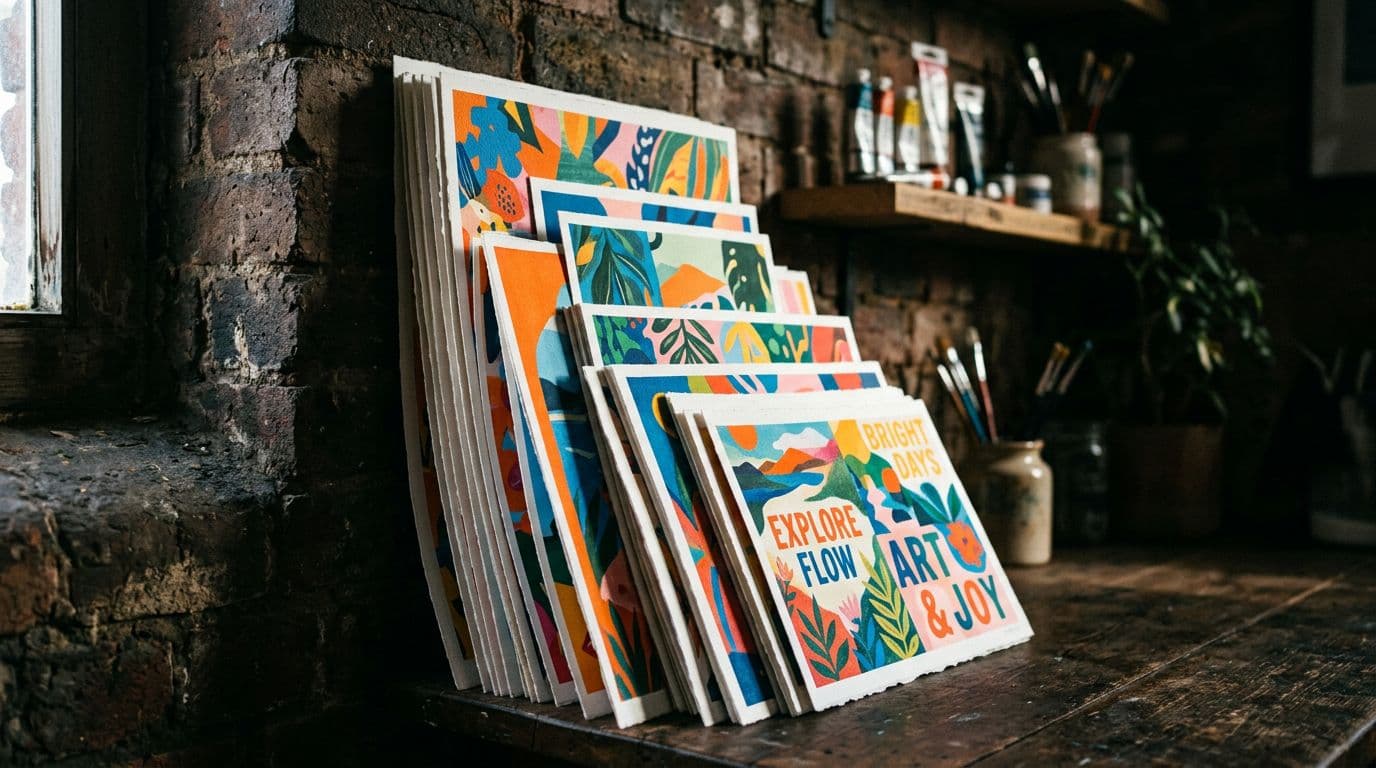
When it comes to visuals, listings that show scaled mockups in a nursery context consistently outperform flat files. I’ve run this test myself: the exact same design, different mockups. The lifestyle mockup that included a crib, a rug, and a frame converted 20–35% better than the floating image with a white background. Buyers judge scale first, style second.
Buyer timing and gifting behavior
Seasonality exists but it’s not brutal. Baby showers, holidays, and birth months spike interest, but parents refresh rooms constantly — toddlers move rooms, nursery themes change, and gift-givers want unique, personalized items. For a shop owner, that means you get both steady baseline demand and reliable spikes. My sales calendar reflects this: a steady stream of downloads with predictable peaks around Christmas and summer baby shower season.
Pricing signals and how Etsy’s fees play in
I run the math for every SKU before I list. With Etsy’s structure — $0.20 listing, 6.5% transaction fee, plus payment processing around 3% + $0.25 in the US — you should assume about 9–10% platform take on a download sale. If you sell a $6 printable, that’s roughly $0.54 gone before any ad spend. Add a modest CPC for Etsy Ads and you can eat a large chunk of margin quickly. That’s why bundles and personalization matter: they lift AOV so ad spend becomes worthwhile.
Product ladders and pricing that actually work
I think of every design as an entry point into a ladder: a cheap single that hooks the buyer, a bundled set to raise AOV, and a personalized or printed option for higher margins. That ladder is the single best habit I developed. Start with 10–20 singles at impulse prices, add 3–5 coordinated bundles, and then 2–3 personalized prints as a premium upsell. This is how you turn a steady course of $3–$8 sales into $20–$40 average orders.
Singles do the heavy lifting for visibility and test signals. I price my singles between $3.99 and $8.99 depending on complexity. For straightforward graphic name prints I aim for ~£4.99/US$5.99 because that hits impulse purchase behavior without killing margin. Bundles of 3–6 prints I price at $12–$25. If the design requires personalization, I add a small upcharge — usually $3–$7 depending on file complexity and the time needed to prepare custom files.
Personalization needs to be handled as a separate SKU or clear order instruction. I avoid manual messaging workflows unless the upsell justifies it. For example, I sell a personalized name print as a variant with an automated text field and a small fee. That way the buyer provides the name at checkout and I generate the file once payment clears. This avoids the confusion that causes delay and refunds.
How I decide precise prices
I start by modeling net margin after Etsy fees and a conservative ad spend. If a printable lists for $6, I subtract roughly 10% for Etsy fees and $0.50 hypothetical ad spend. If my time to prepare the file and respond to the buyer is minimal, that price is fine. For personalized prints I expect an extra 10–20 minutes of human time, so I tack on $3–$7. For physical POD prints I model the POD cost, shipping, and a target of at least $10 profit per sale. If I can’t hit that, I don’t sell printed SKUs.
Pricing anchors and add-ons
I always offer a framing or print mockup as an add-on. For example, a $5 printable with a $14 framed print option anchors perception: the printable feels like a deal and the framed print feels like a premium. That framing upsell pushes customers into a higher price bracket and is a reliable way to grow AOV. Bundles get a percentage discount over singles; that nudges value-focused buyers to spend more overall.
Templates, file specs, and personalization workflows
If you want to scale, your files must be predictable and printer-friendly. I keep a library of editable templates in PSD and layered PNG formats so I can swap text or color schemes without rebuilding a file. Every printable gets exported at 300 DPI and supplied in JPG and PDF. I also include a PNG when buyers want a transparent background and a short print guide explaining aspect ratios and bleed. That single decision — providing print-ready files — cut my refund rate in half.
Templates save time and ensure consistency. I have a base template for portrait nursery prints, a different set for landscape multi-print bundles, and separate PSDs for strictly personalized name prints. Each template includes guides for safe area and bleed, so buyers who send files to a local printer don’t get cut-off text. I keep a naming convention for files that includes the size, DPI, and color mode so nothing gets mixed up when I batch export.
How I automate personalization
I use a simple rule: if personalization is a small change (a name, date, or colour), I automate it as a variant or use a short form at checkout. If a buyer wants complex edits, I offer a custom listing. Automating small personalization reduces messaging, speeds delivery, and lowers the chances of errors. I also save prompt and design notes for each personalised order so I can quickly reproduce files.
Deliverables and the buyer experience
Every listing includes a clear download package description: sizes included, the file types, and a one-paragraph printing guide. That guide tells buyers which paper weight I recommend, how to set their printer to full bleed, and what frame sizes match the included variants. Clear instructions reduce confusion and chargebacks. I also keep a default message template for custom orders so the buyer knows exactly what information I need.
Mockups and visuals that actually convert
You can have the best design in the world, but if your mockups don’t show scale and context, buyers skip. I learned this after months of flat image testing. Changing to lifestyle mockups — prints shown in a nursery above a crib or beside a dresser — consistently improved click-through and conversion. Parents need to imagine the print on their wall. A well-chosen mockup does that faster than any sentence in your description.
High-converting shops use 3 mockup styles: lifestyle scale shots, framed close-ups, and a simple flat-on-white for clarity. I use a framed lifestyle image as the primary photo because that’s what appears in search results. Secondary images show measurements, printable file previews, and framed/ in-room comparisons. If you offer both printable and printed options, include a straightforward image that compares both so buyers know what to expect.
Creating mockups without spending a fortune
You don’t need studio shoots to get great mockups. I use layered PSD mockups where I can drop the artwork into a room scene quickly. Save 3–5 high-quality room scenes that match your aesthetic and rotate designs through them. For speed, batch-create mockups for an entire set and export thumbnails sized for Etsy. If you want to remove mockup work from your process, tools exist that automate it, and that’s where automation pays off.
Mockup details that build trust
Details matter. A displayed ruler or a visible frame size helps buyers understand scale. A close-up showing texture or paper grain — even if it’s simulated — reassures buyers. I also add a short overlay text to one image: “300 DPI | Print-ready | Includes A4, A3, 8x10” — this simple line answers a buyer’s first technical question.
How I A/B test visuals
I run small tests on new designs. Duplicate the listing, change the primary image, and run equal budget ads for a week. The listing with the higher CTR wins. That test tells me whether my mockup or my title is the limiter. I’ve found titles matter more once you have a decent mockup, but a weak mockup kills the listing faster than a weak title.
SEO and discoverability for nursery wall art Etsy
Etsy search cares about exactness and relevancy. Your title and tags must match buyer intent phrases. I don’t try to guess what Etsy wants; I watch what customers type. Phrases that perform for me include nursery posters Etsy, personalized nursery print, printable kids posters, boho nursery prints, animal nursery posters, and educational posters kids. I use those phrases naturally in titles, tags, and early description lines.
Etsy gives weight to attributes and categories, so fill every single attribute. If your design is neutral, mark it as neutral and include colour tags. If it’s for a baby shower, pick “occasion” attributes appropriately. Attributes are low-effort wins; they help your listing appear in filtered search results where buyers actually shop.
Titles, tags, and ranking tactics
Put the primary buyer phrase at the start of your title. For example: “Personalized Name Nursery Print | Boho Animal Poster | Printable Kids Room Art.” That title contains the high-intent phrase plus useful qualifiers. Use all 13 tags, and make them long-tail where possible — “dinosaur kids room poster printable” will catch more specific shoppers than “dinosaur poster.” I rotate tags every few weeks to broaden indexed keywords, then pause changes when performance stabilizes.
Visual SEO and off-site discovery
Pinterest and Google Images drive a lot of nursery decor traffic. Treat Pinterest like a visual search engine. Use lifestyle mockups on pins, and write descriptive pin titles with keywords. Many of my top-converting purchases started as Pinterest saves months earlier. Also, name image files with keywords before uploading (nursery-animal-poster-boho.jpg). That tiny habit helps external search engines index your images correctly.
Ads and measuring what works
I use Etsy Ads strategically — only on new listings I want to test. Start small, watch for conversion, and scale only winners. If a listing converts at 2% with a stable CPC, it’s worth scaling. If not, tweak the mockup or the title. Use UTM tags on social links so you can see whether Pinterest or TikTok delivers better ROAS through Google Analytics. I found Pinterest traffic tends to convert better for nursery items than short-form social, but that can vary by aesthetic.
Tools, AI models, and print-on-demand partners I actually use
I’m picky about tools because the wrong choice costs hours. For image generation, I use models that give predictable outputs and clear commercial terms. My top picks are GPT Image 1.5 for reliable composition and iteration, Nano Banana Pro and Nano Banana 2 for studio-quality control and accurate text rendering, and Seedream 5.0 Lite when I need ultra-high-res output and multiple reference images. I avoid Midjourney and Adobe Firefly for this workflow because they aren’t part of my pipeline.
For printing posters I recommend Printshrimp. Their pricing is aggressive for posters — an A1 poster around £11.49 including shipping — and the paper quality is museum-grade 200gsm. That pricing lets me sell a printed A1 at £34.99 and keep healthy profits after fees. Printshrimp’s same/next-day dispatch and regional fulfillment reduce shipping headaches, and that’s exactly what you want when offering printed SKUs.
Automation and listing tools
If you plan to publish dozens or hundreds of listings, manual mockup creation becomes the bottleneck. That’s when automation tools pay for themselves. This is exactly why we built Artomate — to automate the mockup-to-listing pipeline, generate SEO-optimized titles and tags, create mockups, and bulk upload listings. When I switched parts of my workflow to automation, I reclaimed hours each week that I now spend on design and testing.
Analytics and productivity tools I use
Etsy Shop Stats is my daily readout for impressions and conversion. I supplement it with Google Analytics for external traffic. For creative work I rely on editable PSD templates and a Prompt Log — I save every AI prompt, model version, and seed number. That log is my defense if questions about AI usage arise and it speeds up iterations. For batch exports and file naming I use simple scripts that maintain consistent file naming conventions, so I never upload the wrong size to Etsy.
Scaling: mass listing, automation, and operations
Scaling is where most sellers fail — they iterate well on a handful of designs and then get overwhelmed by the mechanics of listing dozens more. The truth is Etsy rewards catalog breadth. I built processes so I can publish 20–50 listings a week without sacrificing quality. Templates, batch mockup exports, and a publishing queue are non-negotiable.
A typical scaling cadence for me: design week, mockup week, publish week. On design week I create 30–50 design variants from templates. On mockup week I batch-drop those designs into 3–5 room scenes and export. On publish week I use CSV or listing automation to push the metadata and images to Etsy. That pipeline lets me test many niches quickly and identify winners to expand into bundles or printed products.
Where automation helps most
The time-savings are real and dramatic when you automate mockups, SEO meta, and listing uploads. Doing this manually takes me hours per design. Automating it slashes that to minutes. You still need human oversight for personalization and customer service, but automation removes the tedium of repetitive tasks. If you plan to run more than five listings a week, automation tools usually pay for themselves.
Teaming up and outsourcing
When sales reach a steady point, I outsource repetitive tasks like basic mockup creation and order file generation. Contract designers can maintain a consistent aesthetic if you provide good templates and a clear style guide. For customer messages and personalization confirmations, hire a VA with templates for replies — that keeps response times low and reduces cancellations.
Metrics I watch when scaling
I track impressions, CTR, conversion rate, and AOV religiously. Conversion rate tells me whether my listing is resonating. AOV shows whether my ladders — bundles and personalization — are working. If impressions are high but conversions are low, I change the mockups. If conversions are good but impressions are low, I rework the title and tags. Those two changes solve most visibility problems.
Common mistakes, legal risks, and the near-future outlook
I’ve seen sellers make the same mistakes repeatedly. The biggest are underpricing, bad files, and sloppy personalization flows. Underpricing burns out margins. Selling low-res files or failing to provide clear print instructions leads to refunds. And unclear personalization invites mistakes and disputes. Fix those three and you avoid the top three customer headaches I used to handle daily.
AI usage adds another layer. Etsy asks sellers to disclose AI assistance, and while enforcement has been light, transparency builds trust. I keep prompt logs and model records. If a buyer asks about my process, I can explain which parts were manual and which used AI. That honesty reduces friction and gives you a defensible position if policies tighten.
Intellectual property and safe prompts
Avoid prompts that ask for “in the style of” living artists or requests that replicate copyrighted characters. I never generate images that mimic famous characters. If a buyer wants licensed character art, I direct them to licensed providers. Keeping your prompts generic and documenting your sources is the safest path.
The near future: what I’m preparing for
Expect higher expectations around typography, personalization UX, and visual-first discovery. More buyers will expect printer-friendly variants and videos showing scale. POD margins will compress further, making partners like Printshrimp more valuable. Automation tools will move from a luxury to a necessity for anyone who wants hundreds of listings. I recommend keeping a prompt and export log now; it will save headaches later.
Quick checklist to avoid the big traps
- Always provide 300 DPI export files and a simple print guide.
- Model Etsy fees and ad spend before setting prices.
- Automate where it saves time and hire help for repetitive tasks.
- Keep prompt and file logs for AI-assisted work.
Final Thoughts
If you’re selling nursery posters Etsy or thinking about the children poster niche, focus on repeatable mechanics more than the perfect first design. Build a small product ladder: impulse-priced singles, bundles to increase AOV, and personalized or printed upsells. Invest in mockups that show scale, and automate the boring parts so you can publish more variations. Keep records of AI prompts and choose POD partners that let you keep margins — Printshrimp is the one I trust for posters. Small, steady improvements in titles, mockups, and personalization flow compound quickly. Start with a clear template system and a publishing cadence, then test and double down on what sells.
If you want, I can pull a crawl of top-selling nursery posters on Etsy and give you a report on exact price points and keywords in your target niche. Say which you want and I’ll pull the live data.

George Jefferson
Founder of Artomate
George has generated over £100k selling AI-generated posters on Etsy and built Artomate to automate the entire print-on-demand workflow. He writes about AI art, Etsy strategy, and scaling a POD business.
Learn more about me →