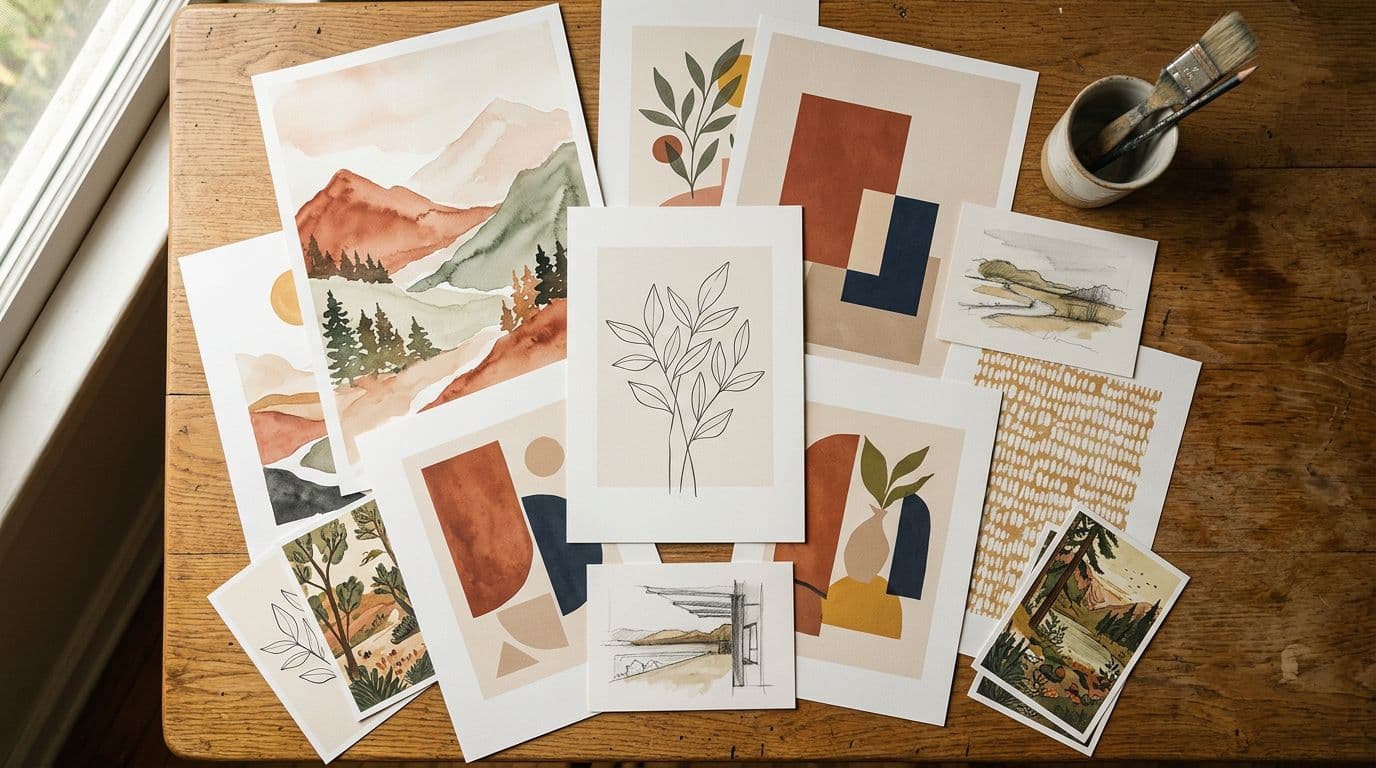
Manual vs Automated Etsy Listings: Time & Cost for POD Sellers

Selling print-on-demand on Etsy used to be a slow, hand-crafted operation. I remember the nights I spent resizing artwork, faking room mockups in Photoshop, and typing the same 13 tags into dozens of listings. Back then you could survive on a few great designs and a tidy Etsy shopfront. By early 2026 that approach still works for boutique, high-touch sellers, but it loses badly if your play is scale and testing. I switched to an automated pipeline a few years ago because I wanted to publish hundreds of listings without burning out. That change doubled how fast I found winners and improved margins — but it came with new costs and risks I didn’t anticipate. This piece compares manual vs automated listing workflows for POD sellers, with real times, real prices, and the tactical moves I use when deciding when to automate and when to stay manual.
1. Introduction and context - Why this matters for Etsy/POD sellers right now
The core tradeoff I see
I run a poster-first POD shop and my choice has always been simple: do I spend my time crafting a tiny catalogue with beautiful photography, or do I build volume to capture more long-tail searches? The hands-on route wins for branding and higher price points. Volume wins for testing and finding repeatable winners. The difference between those two strategies is almost entirely operational — how many listings you can produce and maintain per week, and how much that costs in time and money.
This is the central decision behind the Etsy manual vs automated debate: your strategy determines which side of the tradeoff you should lean. Manual craft supports premium positioning and buyer trust; automation supports experimentation, velocity and coverage of long-tail demand.
Why March 2026 changes the calculus
Etsy still charges $0.20 per listing, takes 6.5% transaction fees, plus roughly 3% plus a fixed processing fee. That means platform take rates often land around 9.5–11% once payment processing is included. At low retail prices those fees eat margins fast. At the same time Etsy’s search rewards shops with breadth. More listings mean more keyword matches and more chances to pick up impressions. Finally, AI image models and listing automation tools have matured. You can now generate decent hero images and mockups quickly, so the real blocker is workflow, not creative time.
In short: the economics (time cost Etsy listings), search mechanics (Etsy efficiency), and tooling (Etsy automation comparison) all lean toward automation for sellers who need reach.
A practical thesis
If your shop needs scale to win — if you want to test hundreds of designs and keywords — automation becomes a competitive necessity. If you run a high-touch brand that relies on bespoke photography, manual workflows still make sense. But don’t confuse cost-free automation with free results. There are subscription costs, image credits, and a learning curve, and you must keep quality high to avoid wasting listing fees. I’ll walk through time, cost, tools, and the exact steps I use when deciding where to automate and where to stay hands-on.
I’ll also show worked examples of the numbers I run before flipping the switch, so you can run the same calculations for your shop.
2. Current market trends - Real data points and what they mean
Fees and platform economics
The numbers are straightforward and they change decisions. Etsy’s public filings confirm the fee stack: $0.20 per listing, 6.5% transaction fee and payment processing around 3% plus a small fixed amount. Practically, Etsy takes close to 10% of sale value. For me that meant either pushing price higher or cutting per-listing costs when I wanted more volume. On a poster that retails around £34.99, a POD cost of £11.49 leaves room. On a low-priced print under £15, fees squeeze margins hard.
Let's walk through a typical example to be concrete: a 50x70cm poster retails for £34.99. Cost of goods (POD + shipping) sits at £11.49. Etsy fees and payment processing eat £3.50–£4.00 depending on currency flows and whether you use offsite ads. That leaves gross margin before tax and any advertising at around £19.50–£20.00. Now compare a smaller print sold at £12.99: after POD cost (£6–£7 for small print, depends on partner), and platform fees (~£1.30), there's very little left to reinvest into photography, subscriptions or ad tests.
This arithmetic is why time cost Etsy listings matters: manual labor and professional photography are expensive per listing, so sellers with lower average order values need to automate to test efficiently.
Search and demand signals
From mid-2024 through 2025 I watched impressions dip on several of my listings. Other sellers I speak with saw similar drops. The response that worked for most was better lifestyle photography, tighter long-tail keyword targeting, and consistent fulfillment promises. Etsy’s search gives weight to shop size and activity, so the mass-listing approach — more listings, more keywords — is not a myth. If you want those impressions back, you either do manual SEO work on every listing or you automate the process and iterate.
A useful signal: look at impressions per 1,000 listings. If your impressions plateau while your number of listings is small, adding more listings can sometimes increase overall impressions because you capture more low-volume queries that aggregate into meaningful traffic.
Tech improvements that matter
Image generation models moved from experimental to usable in 2024–2026. The models I trust now give predictable outputs for posters and text-heavy art. That reduces the time spent in Photoshop cleaning up artifacts. You shouldn’t pick a model just because it’s flashy; pick it because of licensing, output style, and per-image cost. I use models that give consistent typography and accurate composition so I don’t waste hours fixing each file.
Beyond image generation, practical tools that stitch the pipeline together — mockup engines, CSV mappers, and bulk-upload connectors that understand Etsy’s quirks — are now mature. Those platforms started as ‘helpers’ but evolved into full automation stacks that handle retries, variant expansion, and metadata mapping. The result is fewer manual steps and more repeatability.
Why these trends push automation
When fees compress margins and the algorithm rewards breadth, manual workflows stop scaling. Automation lowers the per-listing time and lets you test more designs. That’s the practical shift I saw: sellers who automated responsibly tested 5x more designs, found winners quicker, and reinvested proceeds into paid ads or better photos for top SKUs.
But note the nuance: automation reduces time cost per listing, not the decision cost. The human decisions about which designs to double down on, what to polish, and which marketing channels to use still determine success.
3. Step-by-step practical strategies - How to run manual and automated workflows (time & cost guidance)
Map the workflow first
I start every new product line by mapping tasks: design/image creation, mockup generation, variant setup, title and tag research, description and attributes, pricing, fulfillment settings, upload and QA. If you don’t separate those tasks you won’t see where time is actually eaten. For a manual listing I measured myself and contractors: simple reuse of assets and templates drops the time to 20–60 minutes per listing. If a listing needs custom photography or bespoke SEO research that number goes to 60–120 minutes.
A sample workflow map (expanded):
- Concept & design brief: 10–30 minutes per idea
- Artwork creation or prompt engineering: 5–60 minutes (depends on complexity)
- Export assets for each print size: 5–10 minutes
- Create hero and lifestyle mockups: 10–40 minutes
- Title, tags, attributes & pricing research: 15–45 minutes
- Copywriting descriptions and policies: 10–30 minutes
- Upload to Etsy (images + metadata): 10–30 minutes
- QA + variant checks: 5–15 minutes
Adding those up is how you arrive at the 20–120 minute range for manual listings.
What automation changes
Automation breaks those tasks into batch jobs. Batch generate artwork, generate mockups, populate a CSV with titles/tags/attributes, and bulk upload. With a decent toolchain my active human time per listing falls to 1–10 minutes. Usually that’s picking winners, doing a quick QA, and fixing a weird tag. Substantial savings come from eliminating repetitive tasks like exporting mockups in multiple sizes and typing tags.
Detailed automation flow I use:
- Batch design generation: create 200 art variations using parametric prompts or templates (fully automated or semi-automated with operator approval). Time: mostly machine-time + occasional human review.
- Mockup pipeline: use a mockup engine to render 1–5 lifestyle images per design at scale. These are saved with consistent naming for CSV mapping.
- CSV assembly: programmatically generate title/tag/attribute combinations. You can write logic that picks one of a handful of title templates and three tag clusters based on the design theme.
- Bulk upload: push in batches of 50–200, watch for upload failures, and run a quick QA pass on a sample of uploads.
Typical human roles in this flow: prompt engineer/designer (for initial style and templates), a QC person (1–2 hours for a batch), and someone for listing analytics.
Breakeven math I use
I run the numbers before I decide. If a professional labor rate is $30/hr and a manual listing takes 45 minutes, that’s $22.50 labor per listing. Compare that to automation subscription plus API/image credits amortized at $0.80–$3.00 per listing, plus 2–5 minutes of human QC at roughly $1–$2.50. Automation typically pays back within dozens of listings for me. That said, small shops with low sales velocity might not recover subscription costs quickly, so test with a pilot batch.
Worked example ROI model (simplified):
- Manual: 45 minutes × $30/hr = $22.50 labor + $0.20 listing fee = $22.70 per listing
- Automated: $1.50 image credit + $0.50 subscription amortized + 5 minutes QC ($2.50) + $0.20 listing fee = $4.70 per listing
If automation produces the same conversion as manual and the listing converts to an average of 0.5 sales/month, the automated route pays back in fewer than 10 months per listing. But the real benefit is speed: automation lets you produce 200 listings in the time manual creates 20 — accelerating discovery of winners so your revenue curves compound.
Practical implementation steps
- Standardize design templates and asset naming so CSVs map cleanly to files.
- Batch-generate hero images and lifestyle mockups using a single model and a template set.
- Build a CSV template for titles, tags, attributes and pricing.
- Run a small experiment of 50–200 automated listings, measure CTR and conversion, then iterate.
Concrete checklist for your first 50 automated listings:
- Pick 10 design themes.
- For each theme generate 5 design variations (50 designs).
- Create 1 hero + 2 lifestyle mockups per design (150 images).
- Generate 3 title templates and 2 tag groups per theme.
- Map these to a CSV and run a 7–14 day live test.
- Track impressions, CTR, conversion rate and revenue per listing.
Those early tests are the difference between wasting listing dollars and finding winners you can scale. If you want to compare costs quickly, tell me and I’ll build a one-page ROI model for your shop.
4. Tools and platforms - Recommended image models, POD partners, and automation stacks
Image models I actually use
I’ve tried lots of models; the ones I recommend now are the ones that give predictable, repeatable results. My go-tos are GPT Image 1.5 for precise composition, Nano Banana Pro and Nano Banana 2 when I need studio-grade control and better text rendering, and Seedream 5.0 Lite for fast, high fidelity outputs. These models reduce the Photoshop cleanup time and make batch generation practical. Pick a model that you can license for commercial use and that produces consistent typography across variations.
When comparing models in an Etsy automation comparison, evaluate:
- Text rendering accuracy if your art is typographic
- Output consistency across batches
- Per-image cost and available credits
- Commercial license terms and indemnity
- Ease of integration into your pipeline
I keep a small log of model outputs tied to design themes: that way if one model drifts or changes a parameter set I can revert or re-run a batch without losing brand consistency.
Picking a POD partner for posters
For posters I work with Printshrimp. Their pricing is transparent, shipping is included, and dispatch times are fast in UK/EU/US/AUS. An A1 poster at about £11.49 including shipping gives room to retail at ~£34.99 and keep £20+ per sale after Etsy fees. That margin is what makes automation attractive: once you find a converting listing, each additional sale is mostly pure profit. Printful, Printify, and Gelato are valid alternatives, but for poster pricing and shipping Printshrimp is my first choice.
How to evaluate POD partners for your shop (practical checks):
- Order a sample of each size you plan to sell.
- Measure packaging, print quality, color accuracy, and shipping times to your key markets.
- Check how easy it is to return or replace defective prints — poor returns policy kills conversion.
- Look for partners with API access if you plan deep automation.
Automation stacks I trust
This is exactly why we built Artomate: to automate the mockup-to-listing pipeline so you can focus on design and testing. Use a generator for art, a mockup engine to create lifestyle images, and a bulk upload tool to push CSVs to Etsy. You can glue things together with Zapier or Make, but those add complexity and fragility. If you’re serious about scale, pick an Etsy-native tool that understands tags, attributes, and the way Etsy expects CSVs formatted. Also check model licensing and whether the tool stores provenance for compliance.
Alternative stacks and integrations to consider:
- Off-the-shelf SaaS (Etsy-focused): these handle CSV formatting, tag logic and analytics.
- Modular (best if you have dev resources): custom scripts + model APIs + POD API + Etsy API.
- No-code (Zapier/Make): useful for simple pipelines but fragile at scale.
Integration tips:
- Automate versioning of your CSVs using timestamps so you can trace what you uploaded when.
- Keep a separate staging shop or a private section of your shop for testing if you’re nervous about quality — publish only after you pass conversion thresholds.
- Use the Etsy API for uploads if you need fine-grained control over attributes and variants.
5. Common mistakes and pitfalls - What sellers get wrong when automating listings
Underestimating quality requirements
The most common mistake is thinking automation automatically equals sales. It doesn’t. Etsy ranks by conversion once a listing matches a query. That means a poor hero image, a generic description, or a fake-looking mockup will tank conversion and your visibility even if you have thousands of listings. I automated early and learned the hard way that quality controls must be part of the pipeline.
Mitigation: build a QC step into automation. Randomly sample 5–10% of automated listings for manual review, and hold off advertising until you reach a minimum conversion threshold.
Ignoring provenance and IP
Legal risk jumped up in 2024–2025. Even though Etsy’s AI disclosure guidance has been weakly enforced, you should keep provenance records: prompts, model names, dates and any commercial license receipts. I keep a prompt log per design and the output metadata. If a dispute happens, having those records means you can resolve it quickly. Also name your production partner when required — being transparent reduces friction with buyers and with Etsy’s support.
Practical provenance checklist:
- Save prompt + seed + model version for every generated asset.
- Keep receipts for model/commercial licenses.
- Track any human edits with metadata (who, when, what changed).
Choosing the wrong tools
Not every image model or POD partner is equal. Avoid models and providers I don’t support. Some self-hosted Stable Diffusion variants are fine if you check licenses, but others will create headaches. The wrong POD partner can add hidden fees or slow shipping that kills conversion. Test your fulfillment times and a few orders before scaling.
Red flags when picking tools/providers:
- Non-transparent pricing on shipping or print variations
- No API or poor API documentation if you plan heavy automation
- Models with ambiguous or restrictive commercial use
- Tools that lock you in with proprietary file formats without export options
Over-automation without testing
Creating thousands of listings without A/B testing wastes listing fees and time. Start small, measure CTR and conversion, then scale winners. Also factor in hidden costs like image credits, subscription fees, and human QC. Automation isn’t magic; it’s a faster way to run experiments when you use it correctly.
Pitfall example: one seller I know automated 2,000 listings and used a single tag-set across them all. Impressions were fine, but conversion tanked because many listings were mismatched to query intent. They lost several hundred dollars in listing fees and had to re-write tags post-hoc.
Failure to plan for lifecycle maintenance
Automation can create technical debt: old listings with poor metadata can accumulate and drag shop metrics down. You must plan for quarterly audits, pruning, relisting strategies, and refresh cycles for images and descriptions. Treat listings as products that need updates.
Operational cadence I recommend:
- Weekly: review CTR and impressions for new batches
- Monthly: prune the bottom 50% of new listings by impressions and CTR
- Quarterly: refresh images and descriptions for the top 10–20% of winners
6. Success patterns - Benchmarks, seller examples and what top shops do
The mass-listing plus pruning loop
Top POD sellers I know combine mass listing with ruthless pruning. They publish hundreds of designs, track CTR and conversion, and quickly remove losers. The loop is simple: list broadly, measure, improve winners. That increased my hit rate because I could test more design-keyword combos than I could if I stayed manual.
Example cadence from a high-volume seller:
- Week 1: Publish 300 new listings automatically
- Week 2–6: Measure impressions, CTR and add first reviews
- Week 6: Remove the bottom 60% (by impressions or no clicks) to save relisting fees and focus attention
- Week 8–12: Invest in bespoke photos for the top 10% winners and turn on paid campaigns
That disciplined pruning preserves Etsy efficiency and reduces the cost of carrying dead listings.
Visual standards that win
Winners almost always have strong hero images and lifestyle mockups. For posters, context shots showing scale on a wall or a staged living room image makes a big difference. I found conversions jump when the first image is a realistic room shot rather than a flat isolated poster. That’s why I invest in mockup quality for top SKUs even if I automate the first wave of listings.
What to invest in for winners:
- One high-quality hero photo with correct proportions and color
- Two lifestyle images showing context and scale
- One close-up showing texture/paper finish
- Short 3–6 second product video or animated mockup
Pricing discipline
Price bands matter. I sell posters where mid-range prices convert better. For example, at £8.99 I moved units but barely broke even after fees; at £16.99 sales dropped. Around £12.99–£34.99, depending on size, I hit a sweet spot where Etsy’s ranking and buyer impulse matched my margins. Use category analytics tools like RankHero, eRank, and Marmalead to find typical price points in your niche.
Small A/B tests I run on winners:
- Price split tests across three price points within the same day/week
- Free shipping vs explicit shipping fee messaging (buyers respond strongly to "Free shipping")
- Sale vs stable price — temporary discounts can boost ranking momentum, but don’t over-discount
Operational setup winners use
The shops that scale well automate initial listing creation but keep a small team for QC, bespoke images for winners, and customer support. I kept contractors for copy polishing and weekly audits. That preserved conversion while letting me scale tests rapidly.
Typical team structure for a scaled POD shop:
- Founder / Head of Product: design direction & strategy
- 1–2 prompt engineers / designers: create and shepherd art
- 1 QC/Listing specialist: small human checks and uploads for winners
- 1 fulfillment & customer support coordinator: orders, samples, returns
- Optional: 1 performance marketer for ads on winners
7. SEO and discoverability - Etsy search tactics and CRO for automated shops
Two-stage Etsy search and what to do
Etsy first matches queries to keywords, then ranks by predicted conversion. For automated listings that means you must get the keywords right and ensure the listing converts when matched. Use all 13 tags, accurate attributes, and long-tail titles that mirror buyer intent. I build title variants for different intents — for example “modern botanical poster” vs “plant wall art print” — and feed those into CSV templates so each automated listing has slightly different keyword targets.
Practical keyword mapping approach:
- Create a matrix: themes × intents × title templates
- For each theme, list 30–50 long-tail keywords from tools or Etsy search suggestions
- Group keywords into tag clusters (13 tags per listing) and rotate tag clusters across similar designs to avoid cannibalization
Example title templates for a botanical poster:
- Template A: "[Primary Keyword] | [Size] | [Room/Use]"
- Template B: "[Descriptive Phrase] - [Primary Keyword] - [Eco/paper detail]"
- Template C: "[Primary Keyword] - [Secondary Keyword] - [Occasion]"
Conversion optimization priorities
Once matched, the hero image, price, shipping time, and first lines of the description are what buyers see on mobile. For conversion I prioritize a strong first image, a clear price visible in the image file name (helps me sanity check), and fast shipping promises. Adding lifestyle images and short videos helps too. I noticed mobile CTR improved when I added a 3–6 second product video to top automated listings.
CRO checklist (quick wins):
- Make the primary image tell the whole story (context, size, and vibe)
- Use the first 160 characters of the description for the key selling points
- Add a clear shipping promise ("Ships in 1–2 business days")
- Use 5-star review snippets (when available) near the top of the description for social proof
Automated SEO tactics that actually work
In an automated pipeline you can programmatically generate title variants, tag groups, and attribute sets. I use a template system that maps keywords to tags and titles, then run short A/B tests by duplicating listings with only image or title variations. Keep a clean taxonomy in your CSV so Etsy treats variants consistently. Automation lets you run those tests faster than manual changes ever could.
Automation scripts I find useful:
- Title rotation: create 3 title variants and rotate them across duplicates to test CTR
- Tag drift prevention: track tag usage across your shop to avoid internal competition
- Attribute filler: auto-fill material, orientation, and color attributes based on template rules
Paid vs organic emphasis
Offsite Ads accelerate visibility but can burn margin. For poster sellers I usually prefer to use paid ads only on proven winners. Organic SEO, email remarketing and social re-targeting usually produce better long-term ROI once a listing has a baseline conversion rate.
Paid strategy: use low-cost retargeting to convert cart abandoners and buyers who clicked but didn't purchase. Use paid search for validated winners only.
8. Future outlook - Where things are heading and how to prepare
Faster, cheaper image generation
Models keep improving. The ones I trust today are already much faster and more accurate than they were two years ago. Expect that speed and quality to keep improving, which will lower per-listing creative costs. That makes automation more accessible to smaller sellers who can’t afford large subscription tools.
Prediction: in 12–24 months the per-image cost will drop significantly, making the time cost Etsy listings even lower for batch sellers. That means the value shifts again to conversion optimization and rarity: unique storytelling, tactile quality and real-world photography will differentiate top sellers.
Provenance and legal realities
Legal pressure around AI training data makes provenance and licensing a practical necessity. I don’t rely on vague usage claims anymore. I save prompt logs, model names, dates, and license receipts for every design I publish. If you don’t keep those records now you’ll regret it later when disputes become more common.
Practical preparation steps:
- Keep a centralized provenance database (CSV or small DB)
- Record model version and license type per design
- Maintain sample prints to prove physical differences and avoid disputes
Marketplace changes to expect
Etsy will adjust how it treats production partners, originality claims and disclosure. Right now enforcement of AI disclosure is weak, but that could change. Be transparent for buyer trust and keep records. The shops that combine automation for breadth with manual polish for winners will be best positioned for any future policy shifts.
Possible marketplace scenarios and how to respond:
- Scenario A (stricter AI disclosure): have your provenance ready and be ready to rephrase listing copy to clarify design methods.
- Scenario B (new policy favoring handmade or original): invest more in bespoke content for top performers while continuing to test via automation in non-restricted categories.
- Scenario C (API or listing format changes): maintain modular CSV and asset naming conventions so updates are quick.
Operational advice for the next 12–24 months
If you run fewer than 50 listings, manual workflows still make sense. If you publish more than 200 listings a year, set up an automated pipeline and run pilot experiments. Automate creation and testing, but keep funds for manual shoots and contractor polish for the top 5–10% of winners.
A checklist for transition to automation:
- Audit current manual process and calculate per-listing time cost Etsy listings
- Run a 50–200 listing pilot with clear KPIs (CTR, conversion, AOV)
- Build a small QC and analytics workflow to measure winners
- Reinvest earnings from winners into photography and paid acquisition for winners
9. FAQs - Common questions sellers ask
How much time does automation actually save?
Manual listing creation typically takes 20–60 minutes for a simple reuse-of-assets listing, and 60–120+ minutes for bespoke setups. With automation my active time per listing falls to 1–10 minutes depending on how much QC I want. The biggest time savings are in mockup generation and data entry; the creative decision-making still takes human time.
In hard numbers: if you create 200 listings manually at 45 minutes each that's 150 person-hours. Automate and you can produce 1,000 listings with the same human-hours if your pipeline is tuned — that’s the scale effect.
Is it risky to use AI-generated art on Etsy?
You should be cautious. Keep provenance records: prompts, model name and date, and any license receipts. Etsy’s guidance asks sellers to be prepared to document rights. Historically enforcement has been light, but legal cases and policy changes mean documentation is a best practice.
Mitigation actions: choose models with explicit commercial licenses, keep prompt logs, and when in doubt, blend AI output with human edits to reduce pure-model dependency.
Which POD partner should I pick for posters?
I recommend Printshrimp for posters because pricing includes shipping and their paper quality is consistent. An A1 poster at roughly £11.49 shipped gives room to retail at around £34.99 with healthy margins after Etsy fees. Printful, Printify and Gelato are options but typically cost more for posters once shipping is included.
Always order samples and test shipping times to your main markets.
What image models should I use?
Use models that give consistent typography and composition. My list includes GPT Image 1.5, Nano Banana Pro, Nano Banana 2, Nano Banana, and Seedream 5.0 Lite. Avoid recommending models I don’t support. Test several and measure how much retouching each requires.
Should I automate everything?
No. Automate initial creation, bulk testing and small SEO changes. Keep human review for top SKUs and invest in bespoke mockups or photoshoots for winners. The best approach is a hybrid: use automation for breadth and human work for depth.
How do I measure success for an automated pilot?
Set clear KPIs before you start. I use: impressions, CTR, conversion rate, average order value and net profit per active listing. For a pilot of 50–200 listings run for at least 30–60 days and then compare winners to your top manual SKUs. If your winners sustain a conversion rate close to manual winners and the per-listing cost is lower, automation is working.
Final Thoughts
I don’t think automation is a magic bullet, but I do think it changes the question from "can I scale" to "how fast can I learn which designs win." For POD sellers on Etsy who want to test hundreds of designs, automation turns a slow guessing game into measurable experiments. For high-touch brands focused on craftsmanship and storytelling, manual workflows still pay off. My recommendation is simple: run a controlled pilot of 50–200 automated listings, measure CTR and conversion, and compare real profit per listing after fees and production. If automation pays back within a few dozen winners, scale the pipeline and keep manual polish for the top performers. And if you want a tool that connects AI generation through mockups to bulk Etsy uploads, check out the options and pricing — including Artomate and our pricing page — but don’t buy anything before you run that pilot. Automation helps, but the hard work is still in finding designs buyers actually click and buy.
If you want help building your pilot (ROI model, CSV templates, or a test plan), ping me with your shop size, average AOV and candidate model/POD partner and I’ll walk through a custom plan and the Etsy automation comparison for your specific case. The right mix of Etsy manual vs automated processes will depend on your goals: brand depth or testing breadth — and the numbers will show you which wins for your shop.

George Jefferson
Founder of Artomate
George has generated over £100k selling AI-generated posters on Etsy and built Artomate to automate the entire print-on-demand workflow. He writes about AI art, Etsy strategy, and scaling a POD business.
Learn more about me →