How to Find Profitable Poster Niches on Etsy in 2026

Selling posters on Etsy still feels like one of those businesses where a small, practical change can make the difference between hobby money and a real shop that pays rent. I watched that shift up close: two years ago I was manually creating mockups and copying tags across ten listings. Now I run experiments with AI art, test micro-niches in a morning, and scale winners to hundreds of listings. The tools and platform signals changed fast in 2025, and they changed what works. If you want to find profitable poster niches on Etsy in 2026 you need a method that combines focused keyword research, quick prototypes, sensible pricing, and automation to scale. I’ll walk through the exact steps I use, the tools I trust, common mistakes to avoid, and how to stay on the right side of Etsy’s rules and real-world regulators.
The 2026 Poster Opportunity: Market Signals and Why Breadth Wins
What the numbers mean for small sellers
Etsy’s marketplace is big now — tens of millions of active buyers and billions in marketplace GMS. That matters because Etsy’s search rewards breadth: every listing is another set of keywords, another chance to show up in a search or a category feed. I learned this the hard way. For a year I focused on perfecting a single bestseller. It sold, but growth plateaued. When I started publishing dozens of narrow variations in related niches my impressions and orders rose, not because each listing was amazing, but because the shop had more entry points for buyers.
That doesn’t mean spam the site with junk. It means you should plan to test many related ideas. The economics also favor posters: production costs for standard poster sizes have dropped and POD partners now often include shipping in the price, so margins on larger prints commonly land in the £10–£25 range. That margin gives you room to test prices, run small ads, and still make money.
Why the tooling shift matters
Image-generation models now produce print-ready outputs much faster than before, and POD fulfillment is quicker and cheaper. That compresses the time from idea to live listing from days to hours. For me, the biggest advantage is iteration speed. I can push three design variants for a keyword in one afternoon, list them, watch traffic for a week, and kill or scale within thirty days.
But the shift also raises a new operational bar: if you want to run hundreds of listings you will need automation. Manually generating lifestyle mockups, writing SEO-optimized titles and tags, and uploading listings is slow and boring. Automation tools let you focus on design decisions because they handle repetition.
What Etsy actually rewards
Etsy search mixes keyword relevance with conversion signals like CTR, favorites, and orders. That’s why quick testing and breadth work: more listed keywords increases the chance that something matches a buyer’s query, and if one listing converts well Etsy will show it more. I’ve found that targeting mid-price ranges (roughly $15–$45) hits a sweet spot — buyers perceive value, and you keep healthy margins. Poster niches that are too cheap or too bespoke often struggle with conversion or margin.
How I Discover Poster Niches: Practical Keyword Research Workflow
Starting with Marketplace Insights and seed keywords
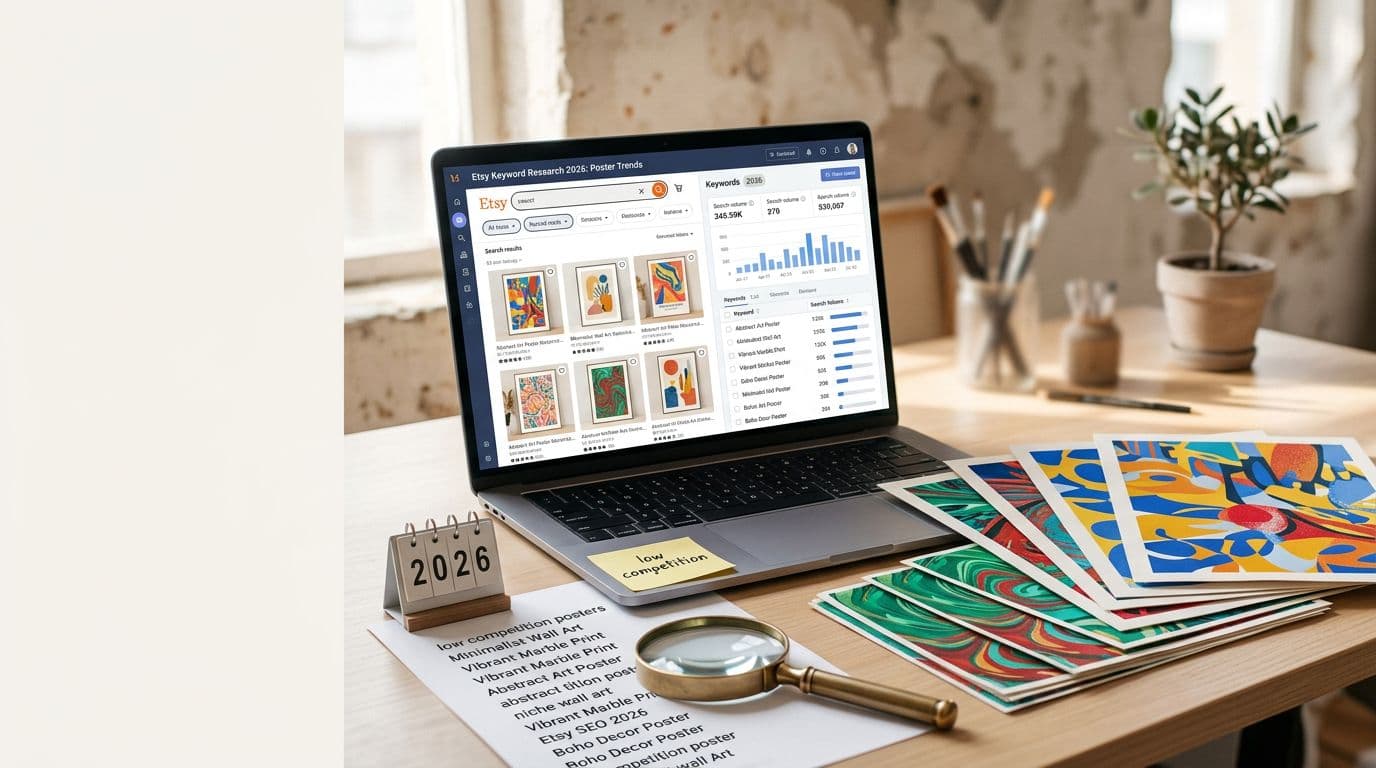
I start with Etsy’s Marketplace Insights inside Shop Manager because it gives the freshest signals about what’s rising in Home & Wall Art. I export a list of 10–15 rising long-tail phrases: two-to-four word queries that show intent, like "nursery moon poster" or "botanical kitchen print." Long-tail phrases are gold because they reveal what buyers are actually typing and they usually have less competition.
Make a list and don’t overthink it. I usually pick 12 seeds in one session and promise myself I’ll test the top 4 first. That keeps the project moving.
Verify with SEO tools
Next I run those seeds through one or two SEO tools — I use eRank and eHunt most of the time. Look for steady search volume, the number of competing listings, and median price. I’m looking for keywords that have consistent monthly volume and median prices in the $15–$45 band. That’s my profitability window.
Here’s how I score candidates: steady search volume gets a thumbs up, fewer than about 1,500 direct competing listings is manageable, and median price in my band means I can offer tiered SKUs without tanking margin. If a keyword passes those checks it moves to the competitor audit.
Competitor audit that actually helps
Open the top 20 listings for the keyword and note image style, mockup choice (lifestyle vs flat-lay), price point, delivery speed, and tags used. I literally copy the top seller's first image style into a spreadsheet so I can see patterns. If every top result uses a warm nursery room mockup, buyers expect to see that. If every top seller offers framing, consider adding a framed SKU.
The point isn’t to copy, it’s to understand what converts. Match buyer expectations, then add one or two differences — a colorway, a bundled set, a slightly different composition. Those small differences are how you win tests.
Validating Niches Without Wasting Money
Prototyping three clear SKUs
For every keyword I validate I create three prototypes: a cheap printable, a mid-priced bundle, and a premium physical option. My typical pricing is £8–£15 for a printable, £20–£35 for a 3–5 image bundle, and £50+ for a premium framed print. I do this because buyers have different intents; some want an instant digital file, others want a ready-to-hang physical product.
I list all three because they give different signals: the printable tells you there’s demand; the bundle tests whether buyers will trade up; the framed option checks AOV potential. If the printable gets impressions but no orders, the problem is either the mockup or the price point.
Mockups and image strategy for conversion
I always include seven images: a hero lifestyle shot that shows scale, a framed-in-room photo, a close-up texture shot, a packaging or fulfillment photo, alternate colorways, a sizing guide, and a mockup showing framing options. Buyers need context. Early on I learned that listings without a scale photo confuse shoppers and don’t convert.
If you can’t photograph a real room, use high-quality mockups that show realistic scale. Low-effort mockups look cheap and reduce trust. I run A/B tests on main images: if a lifestyle mockup beats a flat-lay in CTR, I use it for the top-of-listing.
Tracking the right signals
Don’t obsess over raw views. Capture the conversion funnel: views → favorites → carts → orders. I look for conversions above 1–2% as a viability signal. If a listing gets consistent views but a conversion below 1% after two weeks, I either change the hero image and title or drop that variant.
Also keep an eye on favorites and message volume. Favorites show interest from shoppers who aren’t in buying mode that day, and messages can reveal friction points — shipping time, framing options, or product sizing confusion.
Designing Posters That Convert: Models, Mockups and Human Edits
Which image models I use and why
I pick models that give predictable composition and strong typography. Right now my go-to list includes GPT Image 1.5 for predictable results, Nano Banana Pro and Nano Banana 2 for studio-level control, Nano Banana (original) for fast iterations, and Seedream 5.0 Lite when I need high-res stylized outputs. I test two models side-by-side for each style because text rendering and subject consistency still vary between models.
I don’t recommend Midjourney or Adobe Firefly — I avoid them for production pipelines. Instead, test the models above to see which handles the typography and small details of your style best. For type-heavy posters, prioritize a model known for text fidelity.
Human edits are non-negotiable
AI outputs are a starting point. I always open generated images in an editor, clean up type, fix proportions, and add subtle textures. Small human edits fix the things models often miss: awkward letter spacing, hands, or uneven edges. Those fixes make prints look professional and reduce refund risk.
Treat the model output as a layered file. Export to PSD or Affinity format, tidy up the typography, and save versions for different aspect ratios. If a design will be sold in multiple sizes, check composition at each ratio before you upload.
Mockups and scale shots that sell
Buyers respond to context. I make sure the first image shows scale: a poster over a sofa, a nursery wall, a kitchen shelf. Framing matters. I include at least one framed and one unframed room shot. For packages I show how posters are rolled, backed, and protected.
If you use generated mockups, ensure the perspective and aspect ratio are accurate. Misleading mockups create returns and bad reviews. When in doubt, order a sample print from your POD partner and photograph it in a real room. One sample saves a lot of headaches.
Pricing Posters for Profit (Specific numbers I use)
Price tiers that work
I price with clear tiers: printables at £8.99–£12.99, bundled sets at £24.99–£34.99, and physical framed prints from £49.99 upwards. Those exact numbers came from testing. At £8.99 my printable sells but margins are small after platform fees. At £12.99 sales slow a bit but margins are workable. The bundle at £29.99 is where I see the best AOV for thematic sets.
Price your single physical prints so you net at least £10 after POD cost and Etsy fees. With our recommended POD partner you can often make £10–£25 profit on larger sizes. If your cost for an A1 print including shipping is about £11.49 you can list at £34.99 and have healthy profit after fees.
Shipping and free-over thresholds
I prefer to bake shipping into product price for physical prints. Free-shipping messaging improves conversion and Etsy ranking. If you can't absorb full shipping cost then set a free-over threshold — for example free shipping on orders over £40 — that nudges buyers to add a bundle.
Be transparent about dispatch times. If your POD partner dispatches same or next working day, say it. Fast fulfillment increases conversion and reduces queries.
Pricing experiments I run
I test three price points over four weeks for each winning design: the base price, a 10% higher option, and a 10% lower option. If the lower price increases conversion enough to offset margin loss I keep it; if the higher price keeps decent conversion I keep the lift. I also test framing upsells as a separate SKU rather than bundling the cost into a single product because separate SKUs let me measure upsell conversion rates precisely.
Fulfillment and POD Partners That Protect Margin
Why Printshrimp is my poster partner of choice
For posters I use Printshrimp because their pricing and included shipping make a big difference to margins. An A1 poster from them is around £11.49 including shipping, which lets you sell at £34.99 and keep a solid profit after Etsy fees. In my shop switching to that partner moved several designs from marginal to profitable overnight. Faster dispatch from regional hubs also cuts buyer complaints.
That said, Printful, Printify and Gelato still have uses. Printful is reliable and good for special formats. Printify can be cheaper on some SKUs if you manage factory selection. Gelato works well when you need specific regional footprints. But for pure poster economics, Printshrimp beats the others in most of my tests.
How I structure SKUs and sizes
I list multiple sizes as separate SKUs so Etsy sees more keywords and buyers can choose easily. Common sizes I offer: 8x10, 12x16, A3, A2, A1, and 24x36. I ensure aspect ratio consistency across mockups and product images. If a design needs cropping at smaller sizes I edit separate files to guarantee composition quality.
I also use print-on-demand bundles: a 3-pack of coordinating botanical prints sells well at a mid-price point. Bundles let me increase AOV without increasing acquisition cost much.
Order fulfillment tests I run
Every new POD partner gets a sample order from me. I order the actual SKU, inspect color, paper weight, packaging and shipping time. If the print photos match my mockups and packaging is secure I let the partner into rotation. It sounds slow, but a single bad quality run creates refund work that costs far more than the time spent testing.
SEO and Listing Optimization That Actually Works
Title, tags and the 160-character rule
Put your strongest long-tail keywords at the start of the title and in the first 160 characters of the description. That first line appears in search snippets and seems to influence both Etsy and Google snippets. Use all 13 tags and be precise about attributes like room type, orientation, and color because filters drive visibility.
I write titles like this: "Nursery Moon Poster, Neutral Moon Wall Art, Baby Room Print, Unframed" — that structure puts intent and descriptors early so shoppers and search both see the match. Avoid stuffing unrelated phrases; relevance wins.
Images drive CTR more than anything else
If your hero image doesn’t get clicks you don’t get to prove conversion. Use a real-looking lifestyle shot as the main image. Test a couple of thumbnails to see which one increases CTR. Video thumbnails, when available, boost CTR further. I make short loop videos that show the poster in a few room types and use them for higher-ticket framed options.
Off-site, I treat Pinterest like search. I pin keyword-optimized images and link back to the Etsy listing. Pinterest traffic is high intent for home decor and often converts better than TikTok for posters because the buying journey is more visual-search driven.
Listing copy that reduces questions
Write the first 160 characters to answer purchase friction: size, frame options, dispatch time, and how the poster is packaged. If you use AI in the creative process add a short disclosure line like "AI-assisted design; final artwork edited and curated by [Your Shop Name]." That helps comply with Etsy policy and reassures buyers.
Track listing-level metrics and iterate. If a listing gets traffic but no favorites, change images. If it gets favorites but no orders, revisit price or shipping.
Scaling With Automation and Bulk Listing (How I run 500+ listings)
When automation pays for itself
If you’re uploading more than five listings a week automation pays for itself quickly. I used to spend a day making mockups and writing descriptions for five designs. Once I moved to an automated pipeline I could create 100 mockups and draft 50 SEO-optimized listings in the same time. That change let me run more experiments and find winners faster.
This is exactly why we built Artomate — to automate the mockup-to-listing pipeline so you can focus on design and validation. Use automation to duplicate winners, generate alternate colorways, and push multiple size SKUs to your POD partner with consistent SEO templates. Automation removes the drudgery and makes scale realistic.
How I structure bulk uploads
I save a prompt template, three mockup styles, and a title/tag template. For each winner I create 3–10 listing variations: colorways, size bundles, framed/unframed. Then I bulk-upload. Each variation becomes another entry point for search and often brings a few extra orders a month. The math compounds: 20 winners with 10 variations each is 200 listings, and each listing can pick up small, steady sales.
I also batch-generate lifestyle mockups for each variation so the first image is always unique. That prevents Etsy from de-prioritizing duplicates within a shop.
How I monitor scale without losing control
Automation must not mean autopilot. I set dashboards that show views, favorites, conversion, and refund rates across new listings. If a variant drops below 1% conversion I pause the batch and investigate. I also keep logs of generation prompts, model versions and any human edits so I can trace provenance if a dispute arises.
If you want to compare automation pricing and capabilities, check the tool pricing page to see whether the platform supports bulk uploads and mockup automation before you commit. Automating right saved me months of tedious work and let me focus on the creative parts that matter most.
Compliance, IP and AI Disclosure: How to Stay Out of Trouble
Document everything
When you generate art with an AI model keep a record: prompts, model name and version, reference images and timestamps. I store this in a simple folder per design that includes the original prompt and the final exported JPEGs. If Etsy or a regulator asks about provenance you’ll be glad you kept that history.
This is practical, not paranoid. I once had a question about whether a background texture looked too similar to a copyrighted image. Because I kept the prompt and model output history I could show the process and avoid a takedown.
What to say about AI on your listings
Etsy asks sellers to disclose AI assistance. I put a short line in the listing description: "AI-assisted design; final artwork edited and curated by George at [Shop Name]." That’s honest and it reassures buyers. The FTC is also watching claims about AI, so be truthful about the role you played in the creative process.
Keep edits and customizations documented. If you alter an AI output materially — you cleaned up typography, added textures, or composited elements — say so. That’s defensible and it builds trust.
IP pitfalls to avoid
Avoid reproducing exact celebrity likenesses or copyrighted art styles without permission. Even stylized or altered versions can create friction. If you want to sell a niche that involves public figures or famous brands, either secure a license or avoid it. I’ve found plenty of profitable niches that don’t flirt with legal gray areas.
When in doubt, change the concept. For example, instead of a poster of a specific character, make a stylized mood poster that captures the vibe without copying a protected design.
Future Outlook and Tactical Roadmap for 2026+
What’s likely to change next
Image models will keep getting better at text and subject consistency, which reduces the grunt work for many poster styles. That means iteration cycles will be faster and the barrier to entry will drop further. But it also means storefront curation and brand identity will matter more because everyone will have access to similar generation capabilities.
POD margins will compress slowly, but partners that include shipping and have fast dispatch will win out. Printshrimp’s current economics make them a strong choice for posters, and I expect partners that optimize regional dispatch will get more of the market share.
Tactical roadmap to stay competitive
Keep a rolling list of 50 seed keywords. Test 8–10 each month, launch 3 variants per keyword, and aim to scale the top 10 winners every quarter with 5–10 variations each. That cadence gave me compound growth where the shop feeds itself. Use SEO tools to surface new rising phrases and treat Pinterest as an ongoing traffic channel.
Keep a compliance folder per design and update it with the model version you used. If policy or regulation tightens, you’ll be ready.
Where to focus your energy
Spend most of your creative time on two things: original composition and mockup realism. Those are the elements buyers actually notice. Use automation for repeatable tasks. If you want to test a tool for automating mockups and bulk uploads, look at platforms that support both generation and Etsy posting so you can shorten the time from idea to live listing.
Final Thoughts
Finding profitable poster niches on Etsy in 2026 is less about magical insight and more about a repeatable loop: discover, prototype, validate, and scale. Do your Etsy niche research with Marketplace Insights and SEO tools, validate with three price-tier prototypes, and focus on mockups that show real scale. Price so you can absorb Etsy fees and still profit, use a POD partner that includes shipping to protect margins, and automate the boring parts so you can test more ideas faster. Keep good prompt records and disclose AI assistance simply and honestly. If you want, I can run a live keyword sweep for your shop or compare print outputs across the models I mentioned. I’ve built these steps from real attempts, wins and mistakes — and this process is what turned a slow side hustle into a scalable shop.

George Jefferson
Founder of Artomate
George has generated over £100k selling AI-generated posters on Etsy and built Artomate to automate the entire print-on-demand workflow. He writes about AI art, Etsy strategy, and scaling a POD business.
Learn more about me →