Etsy Print on Demand 2026: What Changed and What Actually Works
I remember launching my first poster listings on Etsy back in 2019 and thinking the only challenge was finding a good mockup photographer. Fast forward to 2026 and the problem is different: the tools make design cheap, policies ask for more transparency, and the marketplace rewards shops that move fast and stay organised. That’s exciting because you can iterate ten times faster than before, but it’s also dangerous if you don’t keep records and optimise conversion first. In this article I’m writing from my experience running a POD shop and building tools to automate the boring parts. I’ll explain what changed since 2024, which AI image models I actually use, where margins are hiding, how to automate without burning money, and the concrete actions I take when a listing converts under 2%. If you want examples, I’ll show pricing benchmarks, a shipping math example, and the exact SOP I use for prompt logs and mockups. Read this if you want a practical playbook for Etsy print on demand 2026, not theory.
What actually changed since 2024 for Etsy POD
The headline is simple: faster AI, clearer rules, and a marketplace that rewards scale. AI models are now good enough to produce production-ready poster art and detailed apparel designs, so the cost of a new concept is almost zero. That shifts the bottleneck from design creation to operational hygiene — licensing, mockups, listing quality, and fulfilment. Etsy’s policies updated their Creativity Standards in mid-2025 to require accurate labeling of production partners and to ask sellers to explain their role when AI was involved. They still rarely punish non-disclosure, but the public expectation has shifted toward transparency and traceable rights, and buyers notice vague listings. Because of that I treat prompt logs and license notes as business records, not optional extras.
Traffic and ranking signals changed too. Etsy now weights listing quality signals more heavily: photos, video, shipping terms, and conversion metrics matter more than pure keyword stuffing. That’s why I stopped obsessing about 40-word title hacks and focused on 7–10 strong photos and a short mobile-first product video. The other major change is the economics. Fees are still the basic ones you know — $0.20 per listing, 6.5% transaction fee, plus payment processing — but offsite ads and shipping economics mean you must model profit per SKU. For posters, switching to a lower-cost partner can double your margin overnight. I know that because I tested a shift to a new poster fulfilment partner and my per-item margin jumped from single digits to mid-20s percent within a week.
AI acceleration and what that means
AI image models are faster and better. That raises the sensible question: if anyone can make a design, how do you win? You win by speed, testing, and a reliable fulfilment stack. I run dozens of small experiments a month. Most fail, a few win, and the winners scale. That’s possible because generating a design now takes minutes instead of hours.
Policy clarity and practical effects
Etsy’s Creativity Standards ask sellers to describe their role and list production partners. Practically, I put a one-line disclosure in the product description and keep a separate prompt+license log for each design. That protects me if a buyer or Etsy asks about provenance.
Ranking and buyer behavior shifts
Etsy rewards listings that convert. That means better photos, clearer shipping, and rapid early sales. I focus heavily on generating the first 5–10 sales for a listing through low-budget ads and social seeding because that initial proof changes how Etsy treats the item.
Which AI image models I actually use for POD
There’s a lot of hype around models, but I only use a handful that give predictable, licensable results. You want output that needs minimal cleanup, renders text accurately for typography-centric posters, and has clear commercial terms. I keep a short list of models for different jobs and record which model and prompt I used for every design.
GPT Image 1.5: my go-to for predictable composition
I use GPT Image 1.5 for iteration and cases where I need predictable edits. It’s fast, handles prompts reliably, and the licensing terms are straightforward. When I need to tweak composition or generate multiple variants of a poster concept, this model gives consistent results without surprises. For example, when I needed ten seasonal colorways of a botanical print, GPT Image 1.5 produced consistent framing so my mockups all looked like part of the same collection.
Nano Banana family: studio quality for hero shots
When I need hairline detail, realistic texture, or multi-reference consistency, I switch to Nano Banana Pro or Nano Banana 2. These models render typography cleanly and keep subject consistency across edits. I use Nano Banana 2 when I want a high-resolution hero image for product pages or marketing banners. The output needs little retouching and prints well, which saves time and reduces failed print proofs.
Seedream 5.0 Lite and other options
Seedream 5.0 Lite is my pick when I want a stylised look with accurate text. It sings on stylised poster art and complex spatial scenes. I also keep a few Stable Diffusion variants and Leonardo.ai in my toolkit for quick, cheaper drafts, but I only use them when I’m comfortable with the licensing terms. I never use Midjourney or Adobe Firefly for production art in my shop.
How I pick a model for a new product
I decide based on three things: final use (print vs. social), text fidelity, and speed. If I’m making 100 test SKUs and need fast drafts, I pick GPT Image 1.5 or a Stable Diffusion variant. If it’s a hero product that will go to paid ads and deserves a polished product page, I use Nano Banana 2 or Pro. I keep the model name and prompt in a single CSV row for every design so I can show commercial rights if needed.
Shipping, POD partners and how I protect margins
If design got cheaper, fulfilment became the margin battleground. In 2026 I found that posters are the easiest way to get big margin swings. The difference between an A1 printed for £11.49 delivered and an A1 priced at £18 can be £10 profit per sale or £20. That’s why I switched poster fulfilment partners and stayed with the one that consistently beat alternatives across price and dispatch.
Why Printshrimp matters for poster sellers
I recommend Printshrimp for posters because the pricing is clear and the included shipping makes margin math simple. Their A1 example at around £11.49 including shipping means I can sell at £34.99 and reliably clear £20-plus profit depending on Etsy fees and a modest ad spend. What matters more than the headline price is the combined cost of production plus delivery and the dispatch speed. Printshrimp dispatches quickly from multiple regions which reduces refund requests for long shipping windows and keeps reviews positive.
Comparing Printful, Printify and Gelato
Printful and Printify are fine for broader catalogs but they often add shipping or have variable quality across providers. I use them for apparel when I need a specific product not offered by Printshrimp. Gelato is useful for international fulfilment and when I want local print partners. My rule of thumb is simple: if a partner’s total landed cost gives me under 20% net margin after fees and ads, I don’t use them for growth SKUs.
Shipping strategy that actually works
Etsy’s algorithm and buyer psychology favour low or included shipping. I generally fold shipping into price for standard posters and offer free shipping for UK/EU/US where my POD partner covers distribution. For larger or heavy items where free shipping kills margin I set a small shipping fee and clearly state delivery expectations. I always model fees: $0.20 listing fee, 6.5% transaction fee, and payment processing. That gives a practical expected take-home number I use to decide price points.
Listing setup and conversion optimisation
I’ve stopped treating titles and tags as the whole game. You still need them, but photos, video, and shipping beat keyword tricks. When I work on a listing I follow a short checklist: great hero photo, lifestyle mockups, mobile-first short video, full attributes, all 13 tags filled with long-tail phrases, and a readable title that highlights the product and usage. That process lifted conversion across my test listings by an average of 1.5 percentage points.
Photos and mockups that convert
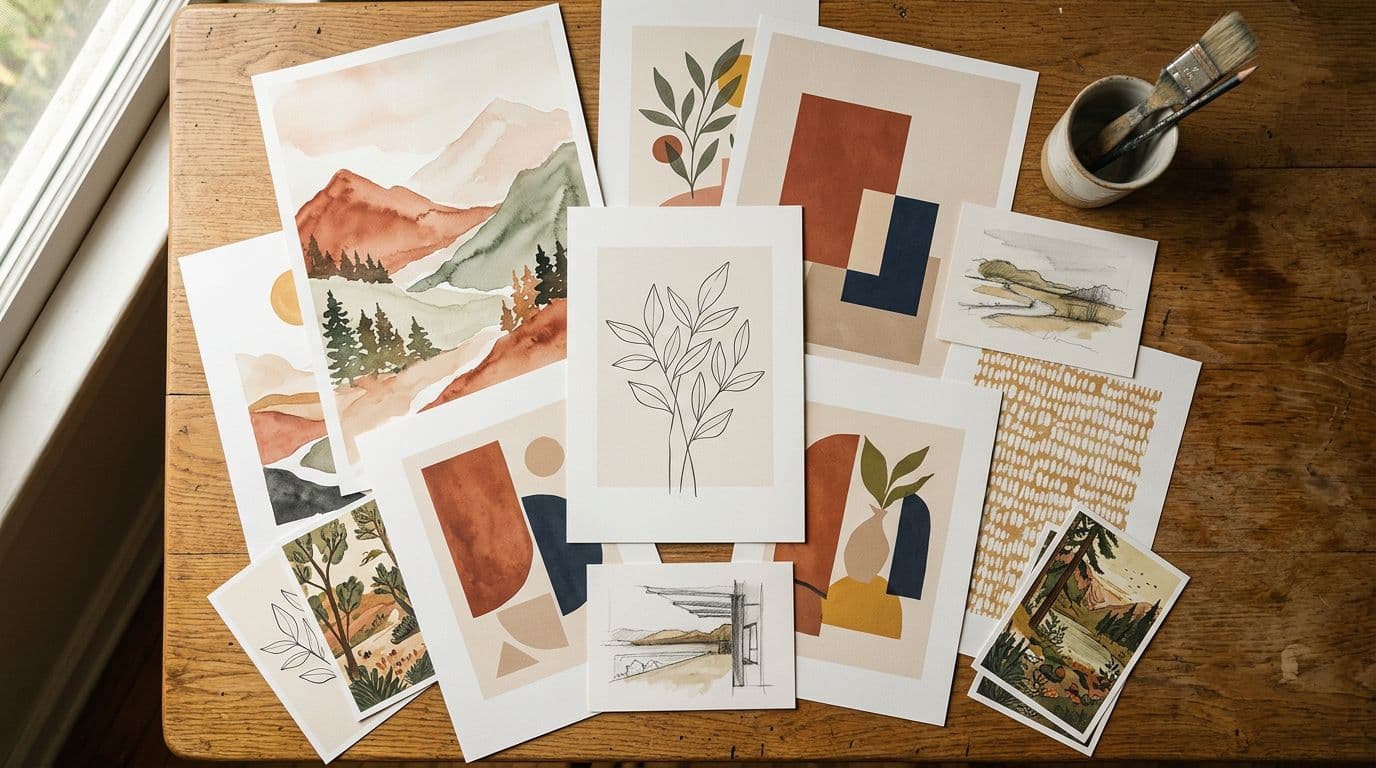
People buy with their eyes. A flat product photo is fine for technical items but not for posters or wall art. I use 7–10 images showing scale, framing, texture, and multiple room styles. I include a close-up that shows paper texture and a styled image that shows how the print looks on a real wall. If you only do one thing, spend time on a realistic room mockup and one close-up of the print surface.
Video and mobile-first creatives
A 6–12 second looped video does more than 10 static images for mobile shoppers. Short clips that show a poster being rotated or a t-shirt being worn while the camera pans convert better in my tests. I treat video as a ranking signal now and make a version sized for vertical viewing first, not the desktop crop.
Titles, tags and attributes that actually matter
Write titles that read like something a buyer would type. Put the main search phrase first but keep the rest readable. Fill all attributes precisely because filters use those values. For tags, use a mix of exact phrases and descriptive long-tail phrases. I track which tags lead to traffic in my analytics so I can refine them monthly.
Automation and scaling: how I build SOPs that actually ship listings
Etsy rewards volume. I don’t mean spam listings, I mean many well-optimised variations that test different keywords, colours, and mockups. Automating mockup creation and uploads is the only way to run hundreds of SKU tests per month without drowning in admin. That’s why automation tools are core to my stack. Tools like Artomate automate mockup generation and bulk listing creation so you can focus on which designs win.
Mockup automation and templates
I create PSD-style templates with layered rooms and scale points so I can batch-render dozens of colourways with consistent shadows and perspective. One template saves hours. I store a small library of room styles and swap reference images to get variety. The key is consistency: buyers should see different mockups but the product presentation should be recognisably the same across variations.
Bulk upload and task automation
Bulk upload saves time but you must be careful with metadata. I build scripts that write a CSV with title variations, tag sets, prices, and shipping profiles, then validate it before upload. That prevents mistakes like mismatched shipping or wrong sizes. A single bad upload can cost hundreds in refunds if shipping times are wrong.
Measure then scale
Automation without measurement is just fast failure. For every batch I track Visits, Orders, Conversion, AOV, and ROAS per ad. I keep a simple dashboard and only scale patterns that show conversion above my threshold, usually 2.5% for new listings. If a listing hits the threshold, I double exposure and add variants.
If you upload more than five listings a week, automation pays for itself within a month. This is exactly why we built Artomate — to handle the repetitive mockup-to-listing tasks and keep your prompt logs and mockups linked to each SKU.
Pricing and profitability — exact numbers I use
I price with two goals: cover fees and signal the right buyer. For posters I have a standard baseline price matrix. For apparel I use slightly different margins because returns and print failure rates are higher. Pricing is not just math, it’s a signal: set the price too low and buyers assume low quality; set it too high and you kill impulse buys.
Poster pricing example math
Here’s a real example I ran this year. A1 poster printed and shipped for £11.49 via my poster partner. I sell at £34.99. Etsy fees average roughly 10% overall when you include listing and payment processing. So my calculation looks like this: Revenue £34.99, production £11.49, Etsy take roughly £3.50, payment processing £1.20, net before ads £18.80. That’s roughly £18–£20 profit depending on currency swings and offsite ad attributions. If I add a £4 CPA for ads I still clear about £14 per sale. That’s sustainable and lets me run modest campaigns.
Apparel and higher failure risk
T-shirts usually retail $18–$29. I aim for a net margin around 30–40% after production and fees. Hoodies are priced higher because returns and complaints scale differently. For apparel I budget a higher contingency for returns and print failures. If a particular supplier has more than a 2% failure rate, I either fix the SOP or drop them.
Pricing tactics that work now
Offer free shipping when math permits, use tiered pricing for bundle offers, and run limited-time discounts through coupon codes. My sweet spot for impulse posters is £12.99 to £16.99 when the production cost is under £6, but that only applies to smaller formats. For A1 and A2 sizes I use the £24.99–£34.99 band depending on paper and framing options.
Legal hygiene, licensing and record-keeping I follow
Don’t treat licensing as someone else’s problem. I keep a simple prompt and license log for every design. That includes the model name, model version, date, the prompt used, and which plan or API key I used. If a buyer asks where the art came from, I can show a record. If a takedown occurs, I can show steps taken and licenses purchased. That has saved me time and headaches.
Prompt logs and why they matter
A short CSV row per design is all you need. Date, prompt text, model name/version, any reference images, and license plan. Add a quick note on whether the design needed manual edits. I also store the final file name linked to the listing ID. This is the same SOP I use across all shops so it's easy if I ever need to provide proof.
Model licenses and commercial terms
Only use models with clear commercial terms. My go-to models are ones I can point to in an audit. If the license is murky, I don’t use the model for product-facing art. That’s not paranoia, it’s business. I avoid prompts that recreate copyrighted characters, logos, or living artists’ identifiable styles.
Handling takedowns and complaints
If you get a takedown, respond calmly, show your prompt log, and be prepared to swap the design if needed. Protect yourself by avoiding borderline prompts in the first place. I treat takedown risk as a cost of doing business and write it into my SOPs: if a listing is flagged, unlist, review prompt log, and make a safe replacement within 48 hours.
Common mistakes that keep sellers from scaling
I see the same errors again and again. The worst is scaling bad listings. Some sellers create hundreds of listings with the same weak photo and poor shipping details and then wonder why their ads fail. Scaling amplifies mistakes. Fix the conversion drivers first, then scale.
Underestimating the importance of visuals
A weak mockup kills conversion. I’ve run experiments where replacing a single flat photo with a lifestyle room shot increased conversion by 40%. That difference is often the margin between an experiment that’s profitable and one that’s not. Spend time on at least three strong lifestyle mockups and one detail shot.
Over-reliance on a single supplier or model
If your whole business depends on one POD partner or one image model you’re vulnerable. Price changes, TOS shifts, or a slowdown can break your pipeline. I maintain two poster partners and two image model providers so I can switch quickly. That redundancy costs a bit but it’s insurance.
Not automating prompt and asset management
Manual naming and loose files are where chaos starts. I name every file with the listing ID, model, and prompt code. That lets me run audits and find originals quickly. Without that you will waste hours and make mistakes when refunds or disputes arrive.
Growth channels that actually drive traffic in 2026
Etsy’s search is still the backbone but social drives velocity. Short-form video platforms are now where buyers discover new art and products. I use a combination of organic short videos, low-cost paid social, and targeted Etsy Ads to seed new listings. The goal is to get the first 10 sales and some reviews quickly so Etsy starts treating the listing as relevant.
TikTok and Instagram short-form content
Short, snackable videos work best. I show a poster going from the design phase into a real room, or a quick wardrobe change for apparel. Those videos don’t have to be slick. The important part is authenticity and a clear product shot. If a video gets you five sales in a week it’s worth dissecting and scaling.
Pinterest and visual search
Pinterest still drives discovery for home decor. I pin high-resolution lifestyle images and link back to Etsy listings. Pinterest traffic converts later but the AOV tends to be higher for decor buyers. I treat Pinterest as a long-term discovery engine that supports Google indexing.
Etsy Ads and paid testing
I use Etsy Ads sparingly at launch to get initial traction. The test is simple: if conversion is above 3% with an ad test, I scale. If conversion is under 2% I pause ads and fix photos, shipping, or descriptions. Ads simply speed up validation; they don’t fix a bad listing.
The next 12–24 months: what I’m preparing for
The next stretch will be about better text fidelity in models, more formalised provenance rules, and faster social-commerce features. Models will get better at rendering legible type in multiple languages which makes multi-language posters easier. At the same time I expect policies to push sellers toward better records and clearer production partner declarations. I’m preparing by tightening SOPs, diversifying partners, and pushing automation further so I can scale the winning ideas faster.
Practical checklist I’m using right now
- Keep prompt and license logs for every design.
- Maintain at least two POD partners for critical categories.
- Use at least one high-quality model for hero images and a faster model for drafts.
- Automate mockups and bulk uploads while validating metadata before posting.
This short checklist keeps me out of trouble and focused on growth. It’s simple but it has to be practised daily.
How to invest time this year
Spend 70% of your time on three things: designs you want to scale, listing quality, and creating SOPs that let you iterate quickly. The last 30% is traffic testing and distribution. When you automate the dull parts you free time for the activities that move the needle.
Final Thoughts
Etsy print on demand in 2026 rewards speed, organisation, and honesty. AI made design cheap, but that only helps if you treat fulfilment and listing quality like the real work. Keep clear prompt and license logs, use production partners that give you margin, and automate the mockup-to-listing pipeline so you can run the volume tests the platform rewards. Focus first on conversion — better photos, a short mobile video, and accurate shipping will beat keyword tricks every time. If you build a small set of SOPs, maintain redundancy in partners and models, and measure the right metrics, you’ll be able to scale without turning your shop into a manual grind. If you want to automate mockups and bulk uploads, tools like Artomate and the pricing tiers on Artomate show how automation can turn hours of manual work into minutes. Run the experiments, document the wins, and focus on the listings that actually convert.

George Jefferson
Founder of Artomate
George has generated over £100k selling AI-generated posters on Etsy and built Artomate to automate the entire print-on-demand workflow. He writes about AI art, Etsy strategy, and scaling a POD business.
Learn more about me →