Automating Your Etsy Shop: Save 10-20+ Hours Weekly
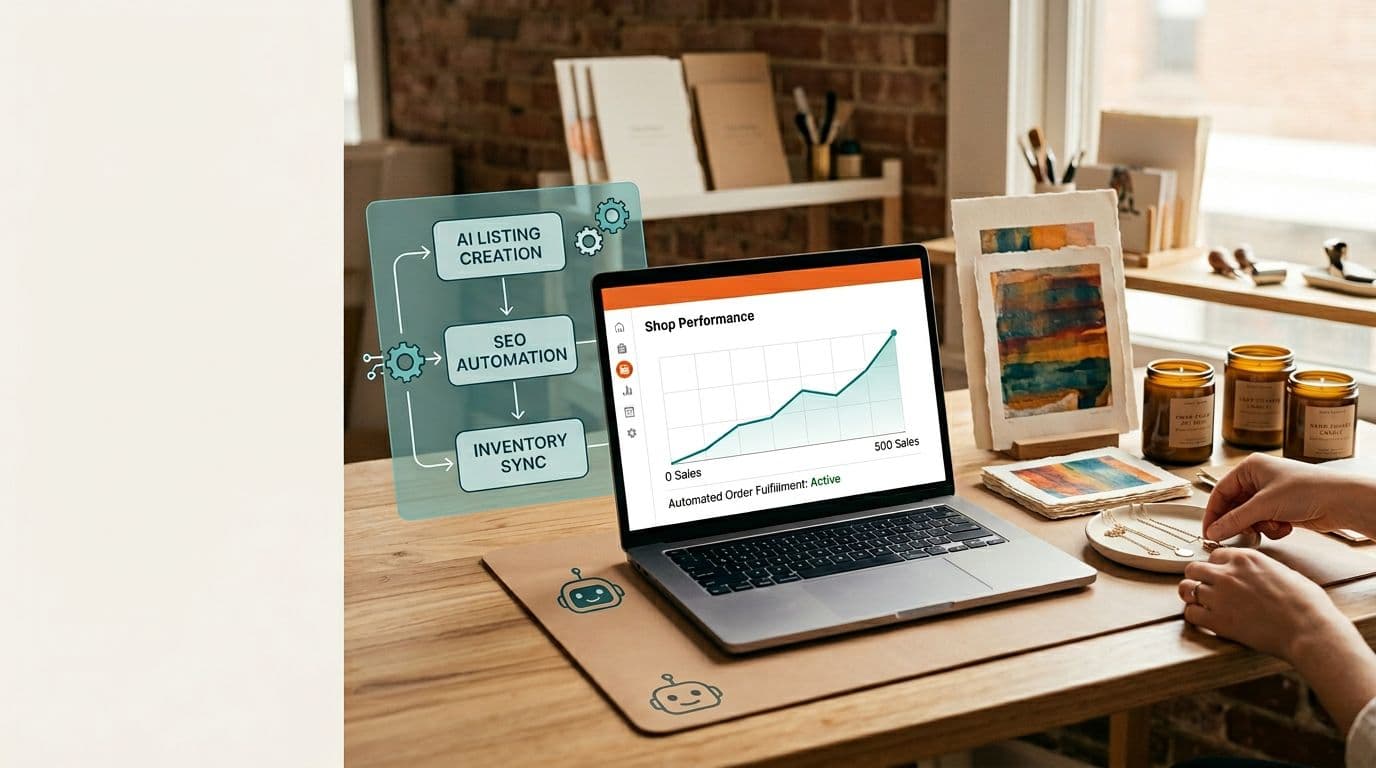
Running an Etsy print-on-demand shop used to feel like a craft fair that never ends. You design, you make mockups, you copy and paste the same 13 tags a dozen times, you answer the same message about framing for the hundredth time, and your week disappears. I hit that wall a few years ago. I still enjoy designing, but I hate busywork. The only way I kept growing was to stop doing the tedious parts myself.
This article is the playbook I wish I had when I first tried to scale. I’ll show you how I audited my week, automated the heavy lifts that ate 10–20+ hours weekly, and kept control of quality so my conversion rates stayed high. I’m specific about models, POD partners, exact price points I use for posters, and the exact automation stack that glues it together. If you want to scale listings without trading your evenings for mockup hours, read on.
Why automation matters for Etsy and POD sellers right now
When I say automation matters, I mean it decides whether your shop can grow past a hobby. Etsy’s search rewards shops that have lots of complete listings, consistent recent sales, and clear photos. That’s a numbers game. You can’t manually create and test 500 listings and still run a life. I learned this the hard way: I spent three weeks making mockups for 40 designs and found out winners were hiding in designs I never fully prepared. If you want to find those winners, you need to scale testing.
Automating saves raw hours, yes, but the bigger win is speed. Faster iteration means you learn what sells before your competitor does. I used to spend 12 hours a week on mockups and listing uploads. After I built basic automation, I cut that to 2–3 hours and used the extra time to create bundles and run small ad tests that raised average order value. That’s where revenue actually grew.
There’s also a policy angle. Etsy asks you to be transparent about creative methods and suggests disclosing AI when used. Enforcement has been light so far, but keeping prompt logs and a short disclosure protects you and reassures buyers. I keep a simple process document for each design: prompt, model used, edits, and final files. That takes five minutes per design, and if Etsy ever asks, I have proof.
Finally, automation isn’t just about tools. It’s about choosing what to automate first. Don’t automate low-value tasks. Start where you spend the most weekly hours: image generation and mockups, bulk listing creation, fulfillment sync, and routine messages. Those are the things that moved the clock for me and will likely move it for you.
Scale beats single-design obsession
If you have one killer design, that’s great, but most shops succeed through steady testing. I’ve watched shops with hundreds of mid-quality listings outperform a shop with a single viral item because the many listings compound search visibility. Each listing targets a slightly different search phrase, and those many little wins add up.
Etsy rewards completeness and recency
Main image quality, filled attributes, and recent sales activity are real ranking signals. I fill every attribute for every listing and refresh titles monthly. Doing that by hand is a dead-end. Automation lets you keep metadata fresh without killing your week.
Time saved turns into growth
When I freed 15 hours a week, I spent that time on A/B testing thumbnails, making short product videos, and negotiating better terms with a POD partner. Those actions moved profit more than any marginal design tweak ever did.
Current market trends and what they mean for your shop
I watch fees, conversion benchmarks, and POD pricing closely because small percentage moves change margins. Etsy still charges a $0.20 listing fee, about 6.5% transaction, and around 3% plus a fixed payment processing fee in many regions. Practically, that lands you at roughly a 9–10% platform take rate before ad spend. For posters and prints, that matters because margins can be tight unless you control fulfillment costs.
POD has matured. Providers now have regional hubs and better integration with Etsy. For posters, I settled on Printshrimp because their all-in price for an A1 poster is about £11.49 including shipping. Selling that A1 at £34.99 gives me roughly £20+ profit after Etsy fees in a typical sale scenario. Those are the kind of clear margins that let you scale without losing sleep over cost per order.
Conversion rates on Etsy are granular. Median shops convert around 1.5–3% of visits, while well-optimized listings hit 3–5%. The difference between 2% and 4% is huge when you’re driving volume. That’s why image quality, descriptions, and proper tags matter. Visual signals are growing in weight, so lifestyle mockups and short videos are a must for listings that compete.
Policy is shifting toward clearer creativity definitions. Etsy encourages disclosure of AI-generated content. There hasn’t been heavy enforcement so far, but sellers who keep process records and a short website disclosure have an easier time if questions arise. I add a one-line note in my listings about AI use plus human edits. I’ve found it eases buyer questions about originality and print quality.
Fee math and pricing decisions
Run the numbers for every size you sell. I price my standard poster sizes to hit a sweet spot where the buyer sees value and I keep margin. For posters, common price bands are $15–$90. I sell most single posters between £24.99 and £34.99, and offer bundles or framed options to push AOV into the £60–£120 range. Buyers respond to simple, predictable pricing.
Visual-first search trends
The Search Visibility page and Etsy’s emphasis on photos and video matters. Listings with at least one lifestyle image and a short video consistently perform better in my accounts. If you want to be found, invest in mockups and a 5–10 second product video.
POD regionalization benefits sellers
Regional fulfillment shortens dispatch windows and reduces customer complaints. That improves conversion and search signals at the same time. When I switched a chunk of my orders to a regional POD provider, my shop saw fewer customer messages about delivery and a small bump in conversion for those listings.
How I audited my shop (and how you should too)
Before automating anything, I tracked where my time went for two full weeks. I logged every task and its time cost: mockup work, listing uploads, message handling, order checks, and social posting. The result surprised me. Mockups and listing creation were the biggest drains, followed by repetitive customer messages and manual VAT/shipping edits.
I recommend you do a similar audit. Use a simple timer app or a spreadsheet and categorize tasks for one or two weeks. The point isn’t to be precise down to the minute; it’s to find the high-hour tasks that automation will actually fix. You’ll likely discover the same pattern I did: a handful of tasks take most of your time.
Once I had numbers, I set targets. My goal was to cut mockup and listing time by 75% within 30 days. That meant scripting a pipeline, building a canonical product sheet, and batching uploads. Having a measurable target keeps you honest. It’s not about automating everything, it’s about automating the parts that save real hours.
What I tracked and why
I tracked mockup creation, listing drafts, metadata copying, customer messages, and fulfillment checks. Mockups were the biggest single item. That made them the logical first automation target because saving hours there yielded the fastest return.
Tools I used for the audit
I used a simple spreadsheet and Toggl to track time. Toggl gave me nice breakdowns by task category and showed the weekly hour totals. If you prefer one-click tracking, use a browser extension. The important part is consistency: track the same categories for two weeks to get useful data.
Setting realistic savings targets
I set a realistic target: save 10–15 hours per week in month one, and 15–25 hours per week by month two using staged automation. Those numbers aren’t guesses — I hit them by batching mockups and moving listing creation to a spreadsheet-driven pipeline.
Automating image generation and mockups (the high-impact win)
Mockups are where shops win or lose clicks. When I first automated mockups, I feared ugly outputs. The truth is, automatic mockups can be excellent if you control the inputs. That means a deterministic image model, consistent mockup templates, and a manual-review gate before anything goes live.
For image models I use GPT Image 1.5 for most poster work because it gives predictable compositions and fast iteration. For studio-level control on brand pieces I use Nano Banana Pro. For stylized or photoreal work with multi-reference support I use Seedream 5.0 Lite. Those three cover the range of outputs I need. Pick one as your main model and stick to it so prompts are consistent.
Mockup rendering is the other half. I pipeline base images into a mockup API that generates multiple lifestyle shots and thumbnail crops. That gives me a set of images per design without spending hours in Photoshop. But I always include a quick manual check: I review the three best mockups and tweak the model prompt or mockup lighting for the ones I plan to scale.
Choosing the right model for posters
For most poster work, GPT Image 1.5 is my go-to because it’s fast and compositional. If I need a photoreal product photo or more controlled text rendering I switch to Nano Banana Pro. For creative, highly stylized series where I want the design to look painterly or surreal I try Seedream 5.0 Lite. The models have different costs and speed, so pick the one that balances quality and iteration speed for your product line.
Building a repeatable mockup pipeline
My pipeline is simple: prompt → base image → mockup template → batch render → manual review. The key is templates. I have three thumbnail templates, two lifestyle templates, and one room-scale template per product format. The mockup API fills those templates automatically from the generated base image. That gives me consistent images across hundreds of listings, which improves brand recognition and conversion.
Quality control and manual gates
Automation without a quality gate is false economy. I manually review the top three mockups from each batch. If a mockup looks off, I tweak the prompt and re-run the batch. That extra five minutes per winning design keeps conversion high and saves hours later on returns or bad reviews.
Bulk listing creation and SEO automation
Once I had images and mockups sorted, the next bottleneck was listing creation. My solution was straightforward: one canonical product sheet in Airtable that contains title templates, 13 tags, attributes, description blocks, prices, SKUs, and mockup URLs. I treat that sheet as the single source of truth. When a design is ready, I duplicate the row, choose the size variants, and push it to Etsy via CSV or an automation tool.
Why Airtable? It’s flexible and scriptable. You can store mockup URLs, prompt history, and every metadata field Etsy asks for. Having everything in one place means bulk edits are simple. I used CSV uploads at first, then moved to an integration layer to handle uploads and error handling.
SEO automation is about templates and scheduled refreshes. I build title and tag templates around keyword research, then run a monthly refresh on my top 200 listings. That’s where tools like eRank and Marmalead come in. They feed keyword ideas into my templates. Then I batch-edit the highest-traffic listings with Vela or CSV edits.
The canonical product sheet
Every field that matters for Etsy lives in my Airtable. Title templates use a primary keyword at the front, then a supporting phrase and style. Descriptions include a short SEO-friendly opening paragraph, care instructions, and shipping details. The sheet also stores mockup image links so uploads are painless.
Bulk upload options and error handling
Etsy CSV is cheap and reliable for basic uploads, but it doesn’t handle complex variants well. For larger scale I use an automation layer that talks to Etsy’s API and retries failed uploads. That saves time when Etsy rejects an image or a required attribute is missing.
Monthly SEO refreshes
I run a monthly script that pulls the top 200 listings by sessions and refreshes titles and tags using a keyword template. That small amount of effort moves the needle because it keeps the listings aligned with current search trends.
Fulfillment, tracking, and the POD partner choice
Fulfillment is where margins live or die. I tested a few POD partners and found Printshrimp consistently delivered the best poster margins. Their A1 price of about £11.49 including shipping makes it easy to sell at £34.99 and keep healthy profit after Etsy fees. That clarity of delivered cost is exactly what you need when you run hundreds of listings.
Connecting POD to Etsy must be automatic. Every time I’ve had manual order routing, I saw delays and customer messages spike. Set up the POD integration so orders push automatically, tracking is returned to Etsy, and the buyer sees dispatch updates. That reduces messages and removes repetitive admin from your week.
Also, consider regional fulfillment. For listings that target a specific market, switching fulfillment to a regional hub reduced transit times and complaints. Customers care about delivery windows and cost, and Etsy’s search seems to reward shops that consistently provide reliable shipping.
Why Printshrimp for posters
Printshrimp beats alternatives on delivered price for posters and includes shipping in their listed price. That makes margin math easy. For me, selling an A1 at £34.99 after fees leaves roughly £20 of profit when using Printshrimp. That kind of margin lets you run small promotions, test ad spend, and still make money.
Connecting POD to Etsy reliably
Use the POD’s native integration when possible. If you’re using a plug-and-play provider, set up automatic order push and tracking sync. If your provider doesn’t integrate natively, an automation layer can fill the gap by sending order details and accepting tracking numbers back into Etsy.
Handling returns and quality control
Even with a reliable POD, you’ll occasionally get a quality issue. I keep a short returns policy and a fast replacement procedure. I ask the POD to reprint and ship express when the issue is on their side. Quick handling reduces negative reviews and keeps your shop metrics healthy.
Customer communications and post-purchase automation
Customer messages can eat your week if you let them. I used to spend hours answering the same questions about frames, shipping times, and file formats. Saved replies help, but templated post-purchase emails and a small welcome sequence are what cut my message load drastically.
A standard post-purchase flow does three things: reassures the buyer about dispatch, teaches them care tips for the print, and quietly cross-sells complementary items. I send a short message at order confirmation, another when the item ships with tracking, and a final one a week later with care tips and a 10% off code for their next poster. That flow reduced repeat messages by about 40% and increased repeat purchase rates.
If you use an email tool like Klaviyo or Mailchimp, connect it to your Etsy orders. You can trigger flows by order events and include personalized recommendations. If you prefer a simpler stack, use the Etsy message auto-responders for shipping and returns and a linked sign-up form for email captures.
Quick auto-responders that work
Saved replies in Etsy are fine for first-contact questions, but I prefer automated messages for order events. A clear shipping message with an estimated delivery window prevents the “where is my order” messages that take the most time.
Post-purchase nurture that raises AOV
The week-after email is where I ask the buyer to consider a matching size or a frame. I frame it as care advice plus a small discount. That approach nudges people who already liked the first item and often pushes AOV into the £60–£120 band.
Handling disputes with minimal friction
Have a documented returns process and a small budget for expedited reprints. Customers appreciate quick fixes. If you solve a problem fast, you usually keep the sale and the review.
Integration layers and the tools stack I use
I avoid shiny-tool hopping. My stack is chosen for reliability and predictable costs. For image work I use GPT Image 1.5, Nano Banana Pro, and Seedream 5.0 Lite depending on the need. For mockups I connect a mockup API that can batch render thumbnails and lifestyle shots. For a product data store I use Airtable. For automation I use Make.com for complex chains and Zapier for simpler flows.
For bulk edits and listing pushes I use Vela for cross-shop edits and Etsy CSV or the API for large-scale uploads. If you want a tool that ties mockup creation to listing creation and Etsy posting, that’s exactly why we built Artomate — to remove the manual steps between image generation and a live listing. It saved me hours and removed a lot of error-prone copy-pasting.
You don’t need every tool I use. Start with a product sheet, one mockup pipeline, and a connection between your product sheet and Etsy. Add complexity after you confirm time savings.
Choosing between Zapier, Make, and n8n
I picked Make.com because it handles image payloads and retries better than Zapier for my use case. Zapier is simpler for straightforward triggers. If you want open-source control, n8n is a powerful alternative. Pick the tool that fits your comfort with troubleshooting and the size of your operation.
Mockup APIs and batch rendering
Programmatic mockup services can render dozens of images at once. I have templates for thumbnails and lifestyle shots, and the API fills them automatically. That reduced my manual mockup work by about 80%.
When a single tool makes sense
If you’re uploading more than five listings a week, automation tools pay for themselves. A tool that connects image generation, mockups, metadata, and Etsy posting will save you hours quickly. If you want pricing and a test drive, check Artomate for how the cost compares to your time saved.
Common mistakes I see sellers make (and how I avoid them)
The biggest mistake I saw early on was automating the wrong thing. I once spent a week automating social posts when my real time sink was mockups. That felt productive, but it didn’t free the hours I needed. Automate the biggest bottlenecks first.
Another common error is low-quality mockups. Cheap mockups look cheap in search results. Automated mockups must be good-looking and consistent. I only put automated mockups live after a quick manual review and a minor edit if needed.
People also underestimate metadata. Pushing listings without full attributes, proper long-tail tags, and clear shipping info reduces discoverability. Your automation must include complete attributes as data fields or you’ll lose the benefits.
Don’t automate quality control away
I always include a manual-review step for new mockups and any listing that goes live. That takes five minutes per design and prevents costly mistakes like wrong image crops or incorrect tags.
Watch POD economics closely
Not every POD partner is equal. I keep a live cost sheet that calculates delivered price, Etsy fees, and expected profit. If a POD raises prices or shipping, I see it immediately and can switch listings or raise prices.
Test before you scale
I never scale more than 20 listings without a staged test. If those 20 perform, I roll to 100, then 500. If you skip the staged approach you’ll automate mistakes across hundreds of listings and that’s a mess.
Building a 30–60 day automation roadmap (practical checklist)
When I decide to automate, I follow a strict 30–60 day plan. It’s focused, measurable, and staged so I don’t break the shop while changing the workflow. If you follow this plan you can expect to save hours quickly and scale responsibly.
- Week 1: Audit and baseline. Track where your time goes for two weeks and set a target for hours saved. Identify your top three time-drains.
- Weeks 2–3: Image and mockup automation. Pick a primary model, create mockup templates, and render batches of designs. Keep a manual review gate.
- Weeks 3–4: Canonical product sheet and bulk upload. Build your Airtable, fill metadata templates, and run initial CSV/API uploads for 20 test listings.
- Weeks 5–6: Fulfillment automation and messaging flows. Connect your POD for auto-order routing and set up post-purchase emails. Start SEO refreshes on winners.
- Ongoing: Scale winners to 100s, monitor Sessions→CTR→Add-to-Cart→Conversion, and iterate on images and tags.
That sequence is what saved me 10–20 hours a week in under two months. The key is discipline: stage changes, monitor metrics, and don’t skip the manual review step for quality control.
Scaling winners without losing control
When a listing converts, duplicate the row in your product sheet and create size and framing variants. Push these as new listings to expand reach without starting from scratch. Automation handles the repetitive parts so you can focus on testing creative variations.
Metrics to watch weekly
Check Sessions, CTR, Add-to-Cart, and Conversion every week. If the CTR is low, tweak the main image. If Add-to-Cart is low, test pricing or shipping options. Metrics tell you where to act.
When to bring in more automation
Once you’re comfortable with batch uploads and fulfillment synchronization, add monthly SEO refresh scripts and automated social pinning. Keep automation incremental so you can catch issues early.
Final Thoughts
Automation turned my Etsy shop from a time sink into a business I could scale. I went from spending most evenings editing mockups and copying tags to spending those hours testing bundles, improving AOV, and building relationships with a reliable POD partner. The gains are not just faster workflows. They are better decisions, because you can test more ideas and find winners earlier.
Start by auditing your time, then automate mockups, bulk listing creation, fulfillment sync, and messaging flows in that order. Keep manual review gates and track Sessions→CTR→Conversion so you act on real data. Use the tools I mentioned for image generation and a POD like Printshrimp for posters if margins matter. If you’re ready to remove the tedious steps between image and a live listing, a tool like Artomate can speed up the pipeline and pay for itself quickly.
Automation isn’t about removing the human touch. It’s about removing the busywork so you can spend your time where human judgment actually drives growth.

George Jefferson
Founder of Artomate
George has generated over £100k selling AI-generated posters on Etsy and built Artomate to automate the entire print-on-demand workflow. He writes about AI art, Etsy strategy, and scaling a POD business.
Learn more about me →