AI Text Rendering on Posters: Which Models Get Typography Right in 2026?
Typography has been the thing that trips up more new poster sellers than almost anything else. I remember launching a small quote-poster collection in 2023 and celebrating when the AI sketches looked perfect on screen, only to get a refund request because the printed quote looked like a jumble of letters. Fast forward to 2026 and the models are dramatically better at short, decorative text, but the gap between “nice on a phone” and “crisp at 24x36 inches” still exists. That matters because for many of us on Etsy the text is the product: event posters, custom name prints, typographic quotes. Buyers expect readable letters at print resolution and consistent brand fonts across sizes. I've spent months testing the new generation models, running print proofs with Printshrimp, and rebuilding my workflow so I can iterate fast without sacrificing final typographic quality. In this article I’ll tell you which models actually make usable text today, why you still need a hybrid production pipeline, exact pricing and mockup tips that save refunds, and how to scale listings without drowning in mockups. If you sell posters for a living, this is the workflow I’d use right now.
Market trends and the model landscape in early 2026
The platform and model context matters because it changes how you prioritise speed versus precision. Etsy doubled down on discovery features in late 2025 and their 2025 results confirmed more buyers and higher competition. That means two things for poster sellers: volume matters, and images need to convert immediately. Shops that win usually combine lots of listings with photographs and mockups that show real legible text. I watch conversion rates closely; average Etsy conversions still sit around 1–3%, and the difference between a 1% and a 3% listing can be the difference between a side hustle and a full‑time shop.
A practical bit on fees: Etsy still charges $0.20 per listing and 6.5% transaction fee on price plus shipping, with payment processing around 3% plus a small fixed fee depending on the country. Plan for a rough 10% total cut when you do your math because it keeps pricing realistic.
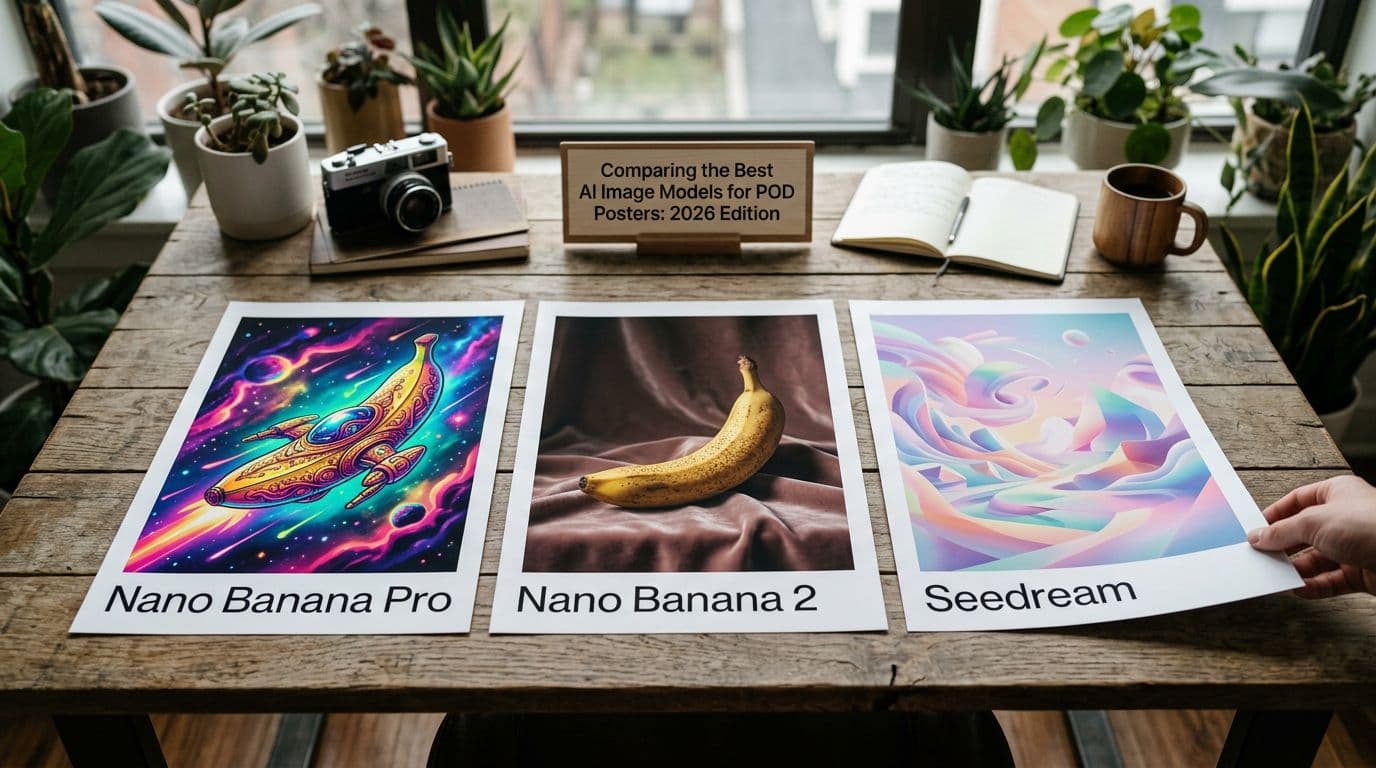
On the model front, 2025–2026 brought big improvements in AI text rendering. Short labels, single words, and decorative little captions are getting much cleaner. The models I rely on fall into a Tier 1 set: GPT Image 1.5, Nano Banana Pro, Nano Banana 2, Nano Banana, and Seedream 5.0 Lite. Each one has different strengths. GPT Image 1.5 is predictable and fast for iterations. Nano Banana Pro and Nano Banana 2 give studio‑quality control and the best multi‑reference consistency. Seedream 5.0 Lite is great when you want stylised outputs and surprisingly good type in some runs.
That said, technical progress hasn’t erased practical problems. Text rendered in a raster image can still blur or misalign at print sizes. Models handle short phrases better than long copy. And the legal side matters: courts and policy bodies continue to emphasise human authorship in copyright disputes, so documenting prompts and edits is something you should do now because it pays off later. For me, that means experimenting fast with models but keeping a strict production step where I replace mission‑critical text with vector type before I hit print.
Etsy’s business signals and why they matter
You want to be where the buyers are and what Etsy rewards is activity. More listings equals more keywords indexed and more search entry points. I treat model experimentation as research: generate hundreds of backgrounds and textures, then pair the winners with precise typographic layers and multiple mockups. This is how I scale without losing control of the final product.
POD economics are the floor of your business
If your margins are too tight, nothing else matters. I use Printshrimp for posters because their delivered pricing is straightforward: an A1 poster around £11.49 including shipping. That lets you sell A1 at £34.99 and still walk away with £20+ after fees and cost. Those numbers let you run ads and cover returns without the shop bleeding out.
Model improvements and legal context
A model that looks great on screen might still create text mistakes when printed. Expect this until models either export vectors or we use reliable model‑to‑vector converters. Until then, the right approach is hybrid: use models to design and compose, then add accurate type as vector layers. Also save your prompts and edits. Courts are paying attention to authorship, and having a clear edit trail helps if ownership is ever questioned.
Why typography in AI images is a different problem
People assume text is just another visual element and that a photorealistic model will get letters right. It’s not. Characters are highly structured. Fonts have consistent stroke widths, discrete shapes for each glyph, predictable kerning pairs, and baseline rules. AI image models optimise for visual plausibility, not typographic correctness. That’s why a model can render realistic wrinkles on a shirt but substitute the letters in a word with plausible‑looking garbage.
When you scale artwork for print, you also amplify any imperfections. A 512px screenshot that looks fine at 100% will show jagged strokes and mis‑kerned letters at 300 DPI printed across a 24x36 inch poster. I test prints at the actual sizes I plan to sell because pixels lie when you zoom. Early in my experimentation I printed a best‑looking image at 18x24 inches and the wordspacing fell apart. I learned the hard way that readable on‑screen ≠ readable in print.
Models struggle for three technical reasons. First, glyph identity is discrete. A model trained to hallucinate plausible patterns can produce a letter that looks right, but not the letter you need. Second, kerning and optically consistent spacing require strict rules that raster synthesis doesn’t apply. Third, many models were trained on web‑images where text is photographed, distorted, or low resolution. They learn the look of text, not the precision of fonts.
That’s why I treat AI text rendering as a prototyping tool, not a production method for critical copy. If I need an event date, a name, or a long quotation to be perfect, I always replace it with vector text in Illustrator or Affinity. That step gives me exact fonts, correct kerning, and crisp, resolution‑independent edges.
Why some models handle short text better
Some of the newer studio models are trained with stronger text supervision and more diverse type references. Nano Banana Pro and Nano Banana 2, for example, were noticeably better at short labels and single words in my tests. GPT Image 1.5 was steady for iterating layouts without surprising changes. Seedream 5.0 Lite gave surprisingly accurate decorative text when I constrained the prompt. But even the best models occasionally swap a letter or smear a serif, so treat them as a faster sketching stage.
Practical consequence: separate creative and production stages
I don’t try to force a single model to do everything. I use AI for backgrounds, textures, composition, and rough text placement. Then I add clean vector type. That separation costs a little time, but it saves refunds and brand headaches. It also makes scaling predictable because you can swap text across hundreds of images once the layout is fixed.
My hybrid production workflow: step by step
I built my process around two goals: test designs fast, and produce print‑perfect files reliably. If you sell posters, you need both. Here’s the pipeline I use and recommend.
Step 1 — Model pick and concept exploration
Start with a Tier 1 model for exploration. For stylised studio variants I use Nano Banana Pro or Nano Banana 2. If I want quick, repeatable changes I pick GPT Image 1.5. For more experimental, search‑augmented looks I run Seedream 5.0 Lite. I try to run small batches of 20–30 variations so I can see which compositions consistently leave usable negative space for type. The goal here is speed, because a lot of ideas fail, and fast failure means you find winners quicker.
Step 2 — Prompt for layout not exact copy
Instead of telling the model to render the exact quote, I ask for layout cues. For example: "Poster with warm textured background, clear 30% top margin reserved for two lines of headline text, soft vignette." That gets you an image where you can drop real type later. If you try to have the model write the full quote, you’ll end up fixing typos and spacing later. Use the model to define mood and composition, not to guarantee spelling.
Step 3 — Export the best assets and add vector text
Export the largest raster available and import into Illustrator or Affinity. I place real text using licensed fonts, set kerning pairs manually if needed, and then convert to outlines if the printer needs them. This is where you make the artwork production‑safe. Converting to vector gives you perfect edges at any size and removes the biggest single cause of refunds: unreadable or misspelled copy.
I also check with my POD partner for file requirements. Printshrimp, for example, expects correct bleed and profiles and will throw back files that are not set up properly. I always order a printed proof the first time I release a new design.
Automation and documentation — the final steps
When a design proves itself, you want to scale listings without rewriting everything. That’s where automation pays. Automation tools justify themselves when you’re uploading more than a few listings a week because Etsy rewards more inventory. If you want to bulk‑list winners and regenerate mockups, automation tools pay for themselves fast. You can check pricing and plans before committing at the official pricing page: https://artomate.app/pricing.
Also, save all prompts, model names, timestamps, and final file versions. I keep a simple CSV with version notes so I can show provenance and authorship if ever asked.
Tools and platforms I actually use (and why)
Picking tools is half taste and half cost math. I care about speed when experimenting, fidelity for the final print, and predictable delivered costs for margins. Here’s what I use.
Model stack and where I run them
For design exploration I run Nano Banana 2 or Nano Banana Pro for studio‑quality imagery and GPT Image 1.5 when I need repeatable iterations quickly. Seedream 5.0 Lite I pull for certain stylised briefs where the model’s web‑search capability gives interesting cues. For Nano Banana 2 you can use hosted endpoints like Replicate (google/nano-banana-2) if you prefer an API. I avoid Midjourney and Adobe Firefly for my production pipeline because they don’t fit my iteration speed or licensing needs.
Print partner: why Printshrimp is my go‑to
Printshrimp gives me consistent, delivered pricing, which matters more than base cost. An A1 poster is about £11.49 including shipping. That lets me price at £34.99 and keep healthy margins—typically £10–£25 profit on larger sizes depending on how I tier prices. They offer 200gsm museum‑grade paper with satin or matte options and same or next‑day dispatch from multiple regions. Quick dispatch reduces complaints and increases repeat customers. I tried Printful and Printify for some SKUs, but they either added shipping fees or the delivered cost pushed margins down.
Design and automation tools
For type control I use Adobe Illustrator for final files and Affinity when I want a cheaper, fast alternative. Photoshop is for raster cleanups and mockup composition. For listing automation I use tools that let me upload multiple mockups and metadata in batches. This is exactly why we built Artomate — to automate the mockup‑to‑listing pipeline so I can focus on design instead of clicking the upload button 500 times.
I track asset versions in a simple folder structure and use a CSV for metadata: SKU, prompt, model, output file, final file, POD SKU. That file is my single source of truth when a buyer asks about a print or when I need to regenerate a mockup.
Model experimentation and cost control
Run small batches to test text behaviour. You’ll burn credits if you blast a model with hundreds of high‑res generations before you know what works. I try 20–30 low‑res runs to find a look, then upscale the winners. Replicate and hosted endpoints usually provide predictable per‑call pricing so you can budget experiments.
Common mistakes I see (and how I avoid them)
After watching dozens of sellers flounder, a few mistakes show up again and again. They’re avoidable and they almost always come down to one thing: treating the AI render as a finished product.
Mistake: trusting raster text as production text
The most common error is assuming the on‑screen renders are good enough to print. I used to do this and learned the hard way when a best‑looking image printed with jagged serifs and a missing letter. The fix is simple: replace all mission‑critical copy with real vector text before printing. It costs a few minutes per design and saves refunds.
Mistake: skipping proper color profiles and bleed
Sellers sometimes export RGB JPGs and expect POD partners to guess the profile. The result is often colours that look muddy or oversaturated on print. I set the correct CMYK profile my POD partner requests and include 3–5mm bleed depending on the printer. Printshrimp has clear guidelines—use them.
Mistake: not documenting your AI process
Because legal scrutiny of model training data is still active, I document prompts, model names, timestamps, and edits. If someone questions authorship later, this file goes a long way. I also include a brief AI disclosure in the description because it builds trust even though enforcement on Etsy has been light.
Mistake: mass‑listing low quality variations manually
Etsy rewards scale, but not sloppy scale. Uploading hundreds of variations with inconsistent mockups makes your shop look cheap. Use automation to keep mockups consistent. I prefer to automate the repetitive parts and reserve manual work for the things that actually change conversion—main image, price point, and first two lines of the description.
Mistake: ignoring font licensing
Placing a licensed font into a product without checking terms can get you into trouble. I use commercial licenses for fonts I sell on, or use Google Fonts for everything else. If you sell a design that relies on a paid font, keep the license record in your asset CSV.
Success patterns and real benchmarks I follow
I don’t like theory without numbers. Here are patterns and benchmarks I use to judge whether something is worth scaling.
Listing volume and conversion targets
High‑performing shops I watch have lots of listings—often 500–2000—and they test variations methodically. My personal rule is to treat designs with a CTR that beats similar listings and a conversion above 2% as worth scaling. If a listing hits 3–4% conversion, I pour more mockups and sizes into it because that pays off.
Mockups and showing legibility
Your primary image must show the product at a scale where typography is readable. I always include a closeup image that shows text at printed scale. That single extra image reduces buyer confusion and refunds. Lifestyle photos are great for conversion, but buyers want to see what the print actually looks like when framed.
Price testing and profit math
Price too low and you won’t cover ads and returns. Price too high and you’ll tank CTR. I price common sizes around these benchmarks because they work for me: 12x16 prints at £12.99, A2 at £19.99, A1 at £34.99. With Printshrimp’s A1 at about £11.49 delivered, that A1 price leaves around £20 net after Etsy fees and cost. Those numbers let you run ads and still make money. Adjust by region and by your own ad performance, but use those numbers as a sanity check.
Cross‑sell and collection strategy
Group related designs into collections so buyers see alternatives. Collections increase average order value because buyers often like multiple sizes or matching pieces. I create three cohesive sizes per design and a discounted bundle option to lift AOV.
SEO and discoverability for text‑heavy posters
If your poster relies on text, your metadata should be explicit. Buyers search for phrases like “typographic quote poster” or “custom name poster” and Etsy heavily weights title relevance and tags. I write the most important keyword in the very first line of the description and use all tags relevant to the design.
Title and first lines
Put your primary keyword in the title and the first 160 characters of the description. For a typographic quote poster I might use: “Typographic Quote Poster — Custom Inspirational Quote, A1 A2 A3, Gift for Home Office.” The first line must match major keywords and quickly describe the product so the search algorithm picks it up and buyers immediately know what they’re looking at.
Images and alt text
Etsy uses the primary image heavily in CTR, so make that image count. Use the second image as a closeup showing readable type. Fill alt text with natural language that mirrors search terms: “Closeup of typographic quote poster showing serif font and readable letters at print scale.” That helps both Etsy and external search.
Offsite Ads and Google traffic
Offsite Ads can bring volume but at a cost. Only turn them on for proven winners. For outside search, keep a simple shop page or blog with landing pages for best sellers and submit a sitemap. Structured data on your site for products and reviews helps Google index your items. I also run targeted social campaigns showing closeups of type on TikTok and Instagram; those videos often convert higher than cold traffic because they demonstrate legibility.
Future outlook: what I’m betting on for AI poster typography
I expect the next big improvements to be tooling that bridges raster generation and vector type. Model‑to‑vector transcoders, or direct vector exports from models, will change the workflow because they’ll let you keep the creative speed of AI while producing print‑ready type. Right now, hybrids win. I suspect we’ll see more tools that export layered files or provide type‑aware outputs that are easy to swap into production files.
On the marketplace side, Etsy will likely add features that reward shops producing many high‑quality SKUs. That pushes sellers to automate and to maintain consistent mockups. Legal pressure around model training data will also push sellers to document their prompts and production steps, which improves buyer confidence. If you can show a clear authoring trail, that becomes a trust signal.
From a model perspective, the ones I favour will improve their AI text rendering further. Nano Banana 2 and Nano Banana Pro will tighten up letterforms for short text, GPT Image 1.5 will keep delivering predictable iterations, and Seedream 5.0 Lite will keep surprising on stylised outputs. Even so, I expect the print accuracy gap to remain for long copy until vector outputs are standard.
Where you should invest time today is in a repeatable pipeline: fast model exploration, clear negative space in compositions, vector text replacement, and automation for listings. Those four steps give you speed plus the production safety you need to scale. If you can do those consistently, you’ll be in a strong position whatever the next model update brings.
Short practical checklist for the next six months
- Keep using Tier 1 models for exploration and never ship critical text rendered only in raster.
- Order physical proofs for any new size or paper type before you list broadly.
- Save prompts, model names, and edits in a versioned file for provenance.
- Automate repetitive listing tasks once a design proves itself to scale quickly.
Final Thoughts
AI text rendering has come a long way in 2026, but the line between a pretty on‑screen image and a print‑ready poster is still real. From my testing, Nano Banana Pro, Nano Banana 2, GPT Image 1.5, and Seedream 5.0 Lite are the models I trust for exploration because they cut iteration time and give better short text results. I still build a production step where I replace any mission‑critical text with vector type, proof it with my POD partner—Printshrimp—and only then scale listings with automation. That workflow keeps returns low, margins healthy, and buyers happy. If you take one thing away: use AI to move fast, but use vectors for anything that needs to be exact. Your refund rate will thank you.

George Jefferson
Founder of Artomate
George has generated over £100k selling AI-generated posters on Etsy and built Artomate to automate the entire print-on-demand workflow. He writes about AI art, Etsy strategy, and scaling a POD business.
Learn more about me →