AI Art Trends That Are Selling on Etsy Right Now in 2026
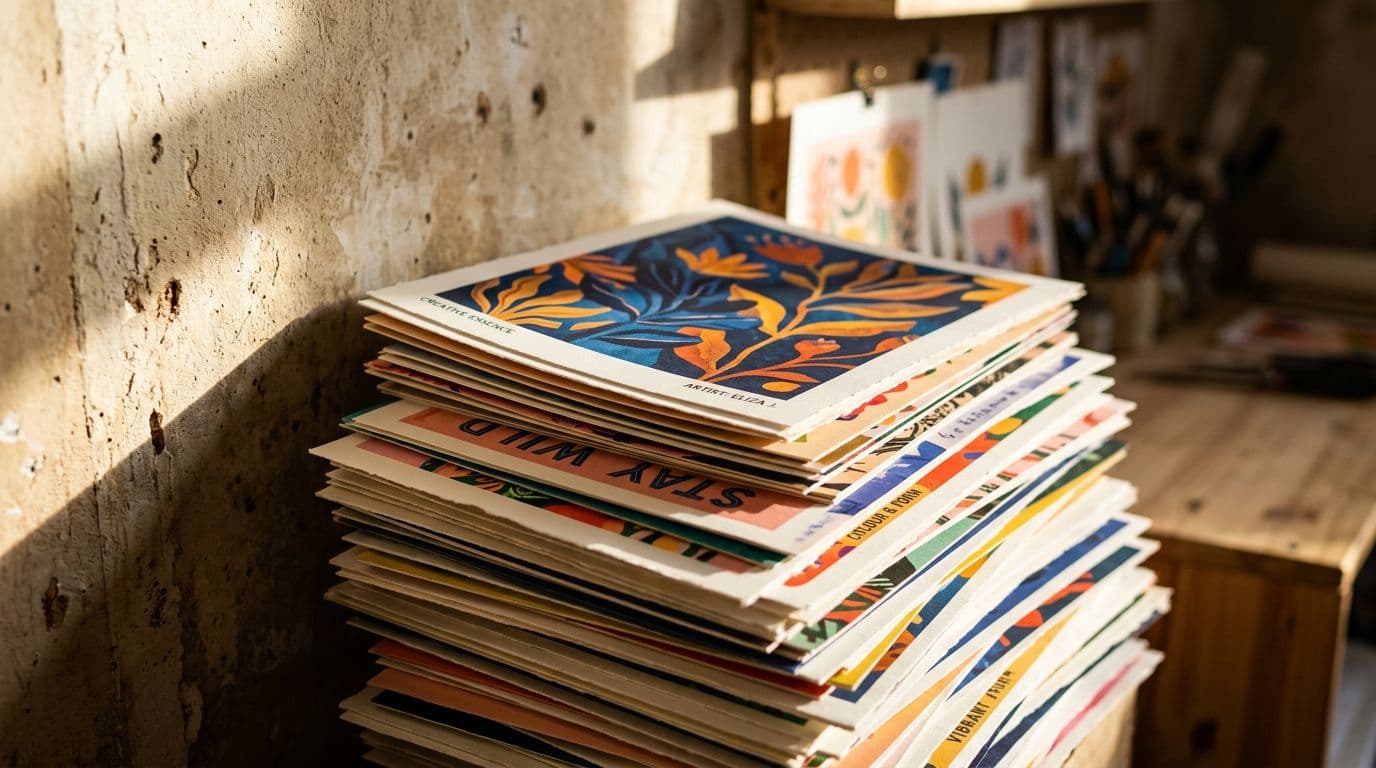
I remember the first time I pushed an AI-generated poster live on Etsy. I was nervous, partly because it felt like cheating and partly because I had no idea how buyers would react. Within two weeks it paid for the test prints and then some. That little payback convinced me to stop overthinking and start treating AI as a production tool, not a magic wand. Fast forward to 2026 and the market has shifted again: model quality, speed, and multi-image consistency mean you can iterate dozens of poster variants in the time it once took to make one mockup. That matters because Etsy now rewards scale, conversions, and variety. If you want to sell AI art on Etsy this year, you need a plan that covers the right styles, reliable models, crisp mockups and a workflow that scales. I’ve built shops that follow this approach, and in this article I’m sharing exactly what’s working for me — the niches that actually sell, the models I use, how I price posters, and the automation I rely on so I’m not chained to my laptop all day.
The headline here is simple: AI art trends 2026 are driven by a mix of improved generator fidelity and changed buyer behavior. Buyers expect higher print quality, clearer typography and believable compositions. They also expect quick shipping and clean product pages. The shops that win combine design sensibility with a repeatable production pipeline, not endless tinkering.
Market Snapshot: Why This Matters for Etsy and POD Sellers
Etsy is still massive in buyer terms. The 2025 filings show roughly 86.5 million active buyers and about 5.6 million active sellers, so you're working in a crowded but very engaged marketplace. For a print-on-demand poster seller that means two practical realities: first, buyers shop visually and often, and second, the platform rewards shops that publish lots of listings. I learned this the hard way. When I had a dozen thoughtful listings I got some traction. Once I pushed to a few hundred variants, impressions and sales scaled noticeably.
The 2026 shift isn’t just numbers — it’s how Etsy uses engagement signals differently. Visual discovery has been prioritized: the platform's internal ranking models now fuse click-through rates, dwell time on listing pages, and short-form engagement into a single 'visual relevance' score. Shops with high-performing thumbnails and short videos see outsized boosts in impressions. That’s where AI art Etsy sellers can win because AI makes rapid iteration of visuals cheap.
Why model quality matters now
The jump in model quality between 2024 and 2026 is not subtle. Generators now deliver consistent subjects, readable typography, and richer textures. That matters because a poster that looks great on screen but prints poorly kills conversion and returns. I only use models that give me predictable, high-res outputs that translate to print without too much manual rescue. That saves hours per SKU.
Model improvements also mean fewer manual edits. In the early days I would fix text placement, redo backgrounds and spend time removing artefacts that showed up in print. Today's models reduce that work: they now render edge-clean subjects, realistic fabric textures, and plausible shadows more consistently. But this also raises the bar for differentiation — sellers need better mockups, better curation of color palettes and intentional design choices to stand out.
Why speed beats perfection
Speed is a competitive advantage. Etsy rewards freshness and volume because more listings mean more keyword coverage. You don’t need every design to be a masterpiece. You need fast, good-enough variants that you can iterate on once you have buyer signals. I run dozens of prompt variations, live-test a handful, and scale winners. Doing that manually is impossible at the volumes that win.
This is where a production mindset helps. Instead of spending days on a single poster, aim for an ‘MVP’ poster that meets a minimum quality bar: readable text, printed-friendly contrast, and a believable composition. Launch, measure, and iterate. Your second and third versions should improve color matching and typography, not reinvent the concept.
Platform and legal context
Etsy says sellers should disclose AI use. Practically, enforcement through 2026 has been minimal. Still, I add a short AI-use line in my descriptions because it builds trust. More importantly, I log prompts and edits. If a dispute ever appears, having records of human intervention and design choices makes you look professional and reduces risk. Treat documentation like insurance.
Beyond disclosure, stay aware of copyright developments. Through 2026 there have been waves of litigation and policy updates around datasets and training data provenance. As a seller your safest course is to (a) avoid uploading high-profile copyrighted images as seeds without permission, (b) keep a log of prompt iterations and seed/source images, and (c) be ready to demonstrate human creative choices — color grading, layout, typography — that make the final poster your own piece of work. These steps don't just reduce legal risk; they also give buyers confidence when you explain how the art was made.
What Buyers Are Clicking: Current Market Trends
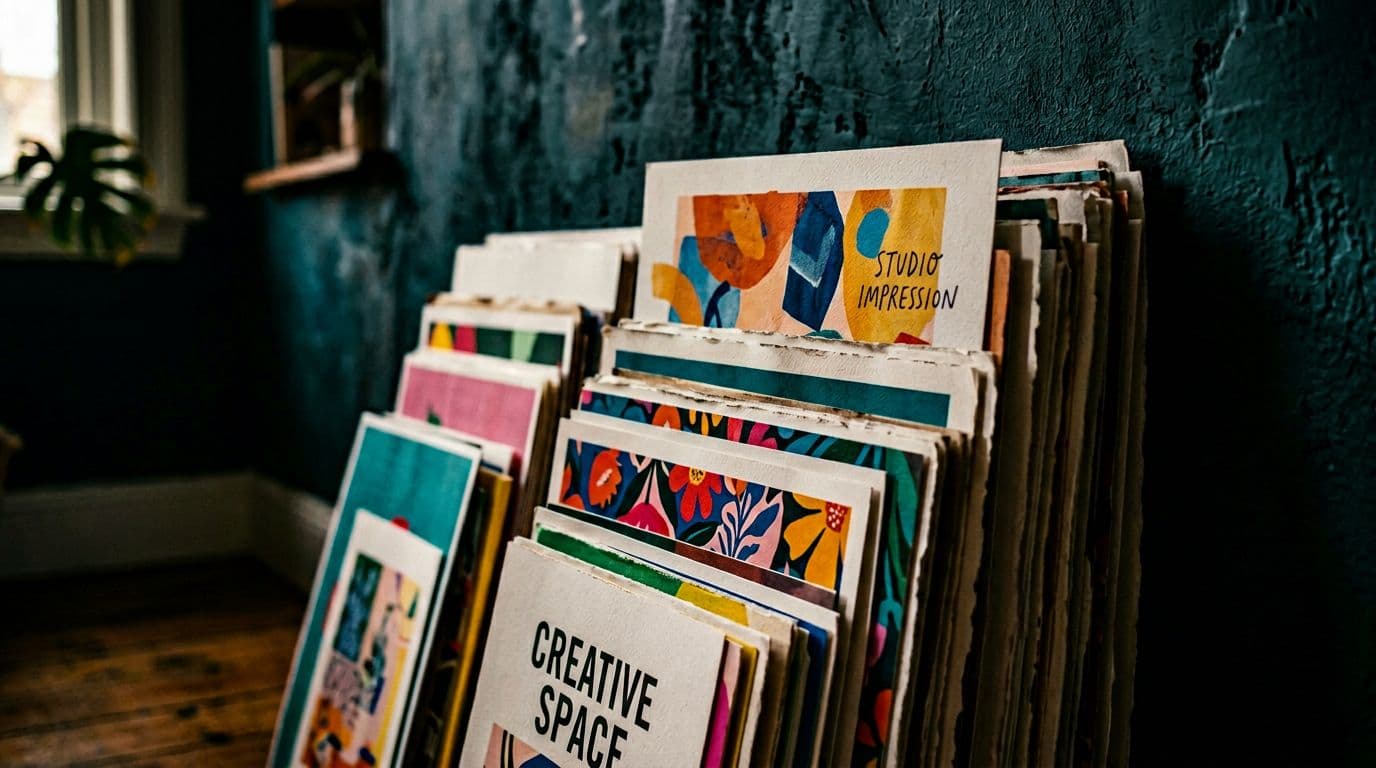
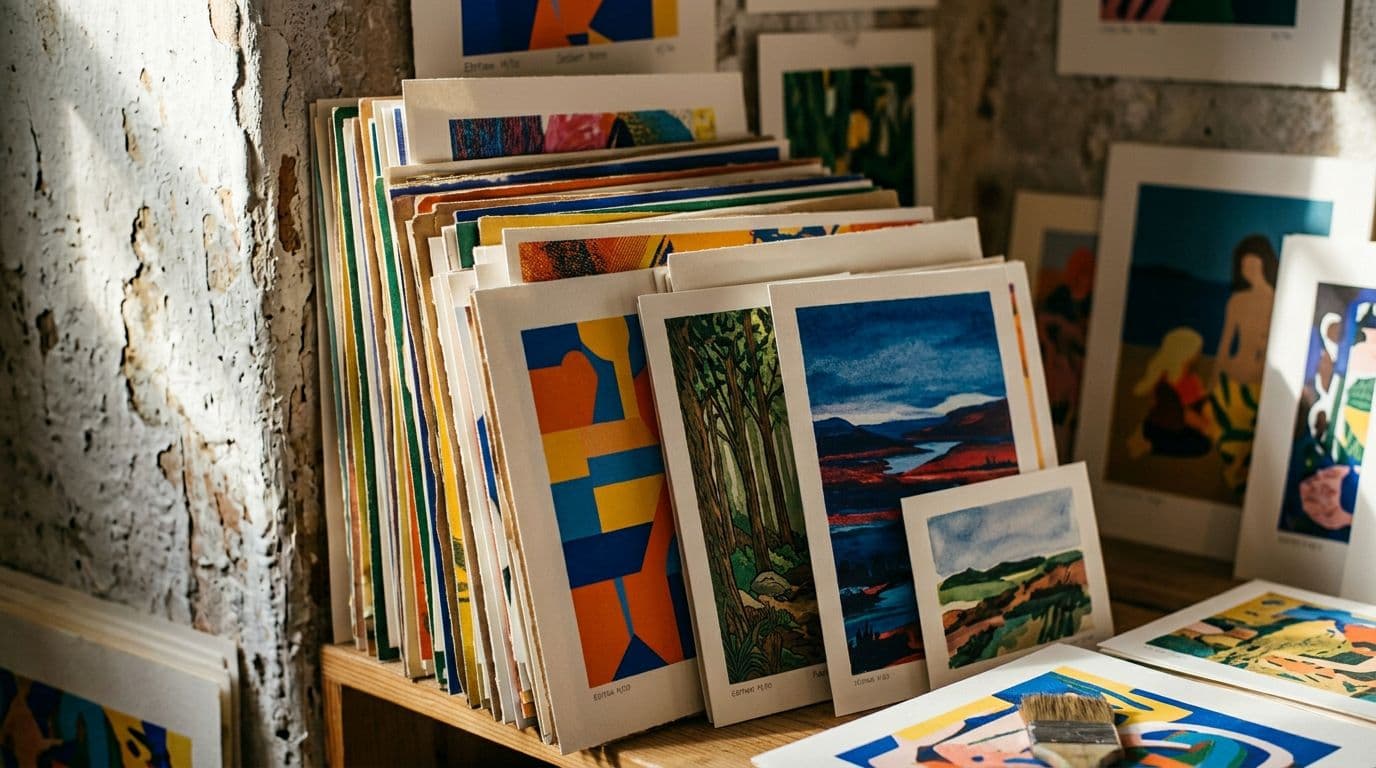
If you want to sell posters that actually move, follow the data rather than your favourite style alone. In early 2026 the consistent winners on Etsy are minimalist line art, typographic quote posters, city and map prints, personalized pet portraits, vintage scientific prints, textured film-look photography, and mid-century inspired compositions. I run a split-test matrix on these styles every month because they are easy to produce with AI and they consistently show clicks and conversions.
Think of these categories as product families. Each family has its own buyer intent, price sensitivity and visual language. Knowing which family you’re operating in helps you choose paper stock, frames to partner with, keywords and ad creative.
Top performing categories and why they convert
Minimalist line art sells because it fits modern decor and scales well across sizes. Buyers often search for "neutral wall art" or "scandinavian line drawing" and these pieces act as safe purchases for new homeowners and gifts. Minimalist works also print cleanly on lower-cost paper stocks, which makes margins predictable.
Typography sells because buyers gift quotes for occasions and it’s simple to localize. A single typographic layout can be quickly adapted to multiple languages and occasions (birthdays, weddings, graduations) making it a natural high-rotation SKU. In 2026, typography rendered by AI is much more reliable; still, readability in print remains the primary constraint.
City and map prints win when they combine accurate cartography with an aesthetic overlay — think vintage color palettes or modern duotone treatments. These are great for anniversaries, moving gifts and tourist memorabilia. A single city map can be sold in multiple sizes and finishes, which increases average order value.
Personalized pet portraits convert because they solve an emotional need — people pay fast when it's about their pet. I learned that pet portraits need a clean subject and a convincing background; half-baked composites tank the conversion rate. Offer multiple styles (watercolor, pop art, film grain) and give buyers the option to upload a photo for a more accurate rendering.
Vintage scientific prints and educational lithographs hit a niche that loves authenticity: detailed botanical plates, labeled star charts, and anatomy diagrams with aged paper textures. These pieces attract collectors and buyers seeking conversation pieces for study rooms or offices.
Textured film-look photography and mid-century inspired compositions appeal to those furnishing thoughtful living spaces. These buyers typically spend more on framing and prefer prints that look curated. Small adjustments like warm color grading, film grain or simulated halation can increase perceived value significantly.
Specific trending poster styles to test
- Minimalist continuous-line faces with a muted palette and subtle paper grain.
- Bold typographic statements in condensed sans-serifs for gift occasions.
- Stylized city map posters with two-color duotone schemes and a faint texture overlay.
- Commissioned pet portraits with a clean cutout subject and stylized background options.
- Botanical plates with hand-annotated labels and slight aging effects.
- Film-still posters: moody, high-contrast scenes with grain and light leaks.
- Mid-century geometric abstractions using accent colors and subtle gradients.
Each of these trending poster styles has its own best practices for prompts, mockups and metadata. For example, the city map product benefits from including the city's common nicknames and neighbourhoods as tags, while a pet portrait needs attributes like "custom" and "photo required".
Pricing and buyer thresholds
The median poster price on RankHero sits around $24.99 and most listings fall in the $10–$35 band. I price standard wall posters in the $20–$35 bracket. Here’s why: at $12 you barely cover POD and fees, and at $50 you shrink the impulse buyer pool. If you want premium prices, add archival paper, limited editions or signed prints, and clearly mark those upgrades. I’ve had the best margins when I keep a predictable standard tier and a distinct premium tier.
Practical tip: test three price points per design if you can — entry ($17–$22), standard ($24–$35) and premium ($50+). Run the experiment for at least 30 days with similar ad spend and traffic sources. Often the standard tier produces the best unit economics and the premium tier serves buyers who are more likely to buy add-ons like framing or expedited shipping.
Visual-first discovery is winning
Etsy has invested in visual discovery and short-form content. Listings with lifestyle mockups and short videos get more impressions and convert better. Social channels like TikTok and Pinterest drive offsite traffic to Etsy listings. I treat my listing’s first two images as ad creative and my short product video as the hook. That combination raises CTR and gives Etsy’s algorithm signals it can reward.
In practice, this means creating a content calendar that redistributes your best-performing listing visuals into short clips and Pins. The time you spend reformatting a mockup into a 6–10 second vertical video often gets better ROI than another design iteration, because the same design can earn multiple impressions across platforms and search queries.
A 30-60 Day Test Plan: Practical Steps to Start Selling
You can get a realistic feel for what sells in a month if you focus. My 30–60 day test plan is blunt but practical: pick three to five styles, run high-volume micro-tests, and double down on winners. I used this exact approach to discover which trending poster styles worked for my audience.
A test plan is a discipline. It forces you to generate measurable hypotheses, collect data and make decisions quickly. Below I expand the plan with concrete templates, sample prompts and a spreadsheet layout you can copy.
Week 1–2: Choose styles and seed keywords
Pick three focused styles: I suggest minimalist line art, typographic quote posters, and personalized pet portraits. Use tools like RankHero, eRank or Marmalead to pull seed keywords and price anchors. Seed keywords tell you what buyers type and what price points are common. I open a spreadsheet with columns for keyword, median price, competition signal and target SKU count.
Concrete sample spreadsheet columns:
- SKU ID
- Style family
- Primary keyword
- Long-tail variants
- Median price
- Target print sizes
- Model(s) to use
- Mockup template ID
- Proof ordered (Y/N)
- First-week impressions
- CTR after one week
- Conversion after two weeks
Example seeded keywords for a minimalist line art test:
- minimalist line art poster
- continuous line face print
- modern minimalist wall art
- neutral line drawing print 12x16
When choosing styles, also map buyer intent: is the buyer searching to gift, decorate, or commemorate? Pet portraits are emotional purchases; typographic posters are often gift-driven.
Week 3–4: Generate, proof and mockup
For each style, generate 10–30 variations using the models you’ve decided on. Export in POD-ready resolution — I aim for 3000–6000px on the long edge depending on the final print size. Don’t publish raw generator previews. Order at least one printed sample for each style and adjust color profiles and crop for bleed. Create 8+ images per listing, including a lifestyle shot and a detail shot. Add a short 5–10 second looping video; it lifts conversions.
Practical prompt examples (tailor to your chosen model):
- Minimalist line art (for GPT Image 1.5): "Clean continuous line portrait of a woman, single unbroken line, muted beige background, centered composition, 3000 px long edge, minimal grain, print-ready crop with 0.125 in bleed".
- Typographic quote poster (for Nano Banana Pro): "Bold condensed sans-serif quote 'Be Kind' in black, high contrast, white textured paper background, 300 DPI, kerning adjusted for print, leave space at bottom for optional personalization".
- Pet portrait (Seedream 5.0 Lite): "Golden retriever headshot, clean white cutout subject, soft painterly background in dusty blue, natural eye catchlight, print-ready high-res".
Proofing checklist:
- Print proof ordered for each style and major colorway.
- Typography test at expected viewing distances and sizes.
- Edge bleed and aspect ratio verified for every print size.
- Color profile adjusted (sRGB to CMYK or printer-recommended profile).
Mockup checklist:
- 1 hero lifestyle shot (framed and staged).
- 1 scale shot with ruler or wall context.
- 1 texture/detail shot.
- 1 flat-lay or staged close-up.
- 1 short looped video (5–10s).
- 3 optional color variants shown as thumbnails in the listing.
Week 5–8: Publish, monitor, iterate
Publish a batch of listings so you have coverage across long-tail keywords. Front-load the primary keyword in the title, use all tags, fill attributes, and include the short AI disclosure line. Run small Etsy Ads budgets to get initial impressions and measure CPC on seed keywords. Track impressions, CTR, and conversion daily. Expect 1–3% conversion initially. Double down on winners by creating more variants and scaling their ad spend.
A/B testing plan for weeks 5–8:
- Week 5: Run ad tests for top 5 seed keywords at $2–$5/day per listing to get traffic signals.
- Week 6: Swap primary thumbnail on listings with low CTR. Keep the same ad budgets.
- Week 7: Increase spend on listings with >2% conversion and CTR in the top quartile.
- Week 8: Add variants (colorways, sizes) for winners and publish 10 derivative listings.
Decision rules:
- If a listing has good impressions but CTR <1.0% after 7 days, change thumbnail and headline.
- If CTR >1.5% but conversion <1% after 14 days, focus on product images, price or proof quality.
- If conversion >2% and CPC < target CPA, scale ad spend and create more variants.
This cadence lets you eliminate flops quickly and amplify winners without wasting time tweaking designs that don’t resonate.
Models and Tools I Trust for Predictable Poster Output
Not all image generators are equal for print work. Over the past year I settled into a small, trustworthy stack that gives me predictable results for posters. I use specific models depending on the task: one for tight composition and text, another for rich textures, and a backup for fast iterations. That multi-model approach saved me when a single model update changed colour response overnight.
In 2026, model selection matters not just for style but for workflow reliability. Some models offer deterministic seeds and better inpainting utilities; others are faster and cheaper. I route tasks accordingly.
My top models and where I use them
I use GPT Image 1.5 for precise composition and predictable iterations. For studio-grade textures and accurate typography I prefer Nano Banana Pro or Nano Banana 2. Seedream 5.0 Lite is my go-to when I need ultra-high-resolution stylised or photoreal outputs. For quick experimentation I still rely on the original Nano Banana because it’s fast and cheap to run. I avoid recommending Midjourney or Adobe Firefly for production workflows because they don’t fit my pipeline.
How I route tasks:
- GPT Image 1.5: typographic posters, minimalism, anything that demands repeatable composition and reliable cropping.
- Nano Banana Pro/2: textured backgrounds, film grain, paper textures and typography-heavy layouts with subtle lettering nuances.
- Seedream 5.0 Lite: pet portraits, photorealistic city scenes and high-detail botanical plates.
- Nano Banana (original): rapid ideation and large-batch iteration when cost matters.
Why multi-model matters
Models have different strengths: one nails texture and light, another gives clean typography. When a launch depends on readable type and a consistent subject — like a pet portrait or a typographic print — I route prompts to the model that delivers the cleanest result. Switching between models is a small overhead that saves wasted mockups and reprints.
Cross-model consistency tips:
- Use the same reference palette when switching models. Paste hex color values into prompts to keep variations consistent.
- For multi-image consistency (e.g., a three-panel city set), lock down a seed value and match camera angles and brightness keywords.
- Export in a lossless format (PNG/TIFF) and run a single pass of color grading in one editor to uniformize texture and contrast across images.
Prompt engineering and reproducibility
Keep prompts short but precise. Include color profiles ("print-ready, 300 DPI, sRGB"), composition cues ("centered subject, 0.125 in bleed"), and medium emulation if needed ("watercolor on textured paper"). When you get a result you like, save the exact prompt and random seed. Version your prompts in a document and note model version numbers — both can impact output months later.
Negative prompts and cleanup
- Use negative prompts to avoid unwanted artefacts: "no extra limbs, no text artifacts, no fingerprints." Negative prompts have become particularly useful for pet portraits where glasses or collars can confuse the model.
- Use inpainting for clean cutouts and small corrections rather than re-generating a whole image.
Upscaling and final output
- Use a dedicated high-quality upscaler only once you've approved composition and color. Upscaling early can lock in artefacts.
- Save the final in PNG or TIFF with an embedded color profile that your POD partner supports.
Tools and automation I use
For keyword research I use RankHero and eRank, and I track prices against the RankHero median of $24.99. For POD I rely on Printshrimp for posters — A1 pricing around £11.49 with shipping included makes margins predictable. For the repetitive parts of the workflow I automate mockup creation, metadata population and bulk uploads. This is exactly why we built Artomate — to remove the grunt work of mockup and listing creation so I can focus on design and testing. If you’re doing more than a handful of listings a week, automation pays for itself.
Other useful tools:
- Color palette generators (Coolors, Adobe Color) for consistent colorways.
- Lightroom/Photoshop for batch color grading, bleed and crop adjustments.
- Runway or CapCut for fast product videos.
- A project management board (Trello, Notion) for tracking SKU progress and proofs.
Mockups, Videos and the Visuals That Lift Conversions
You can write the most beautiful description, but buyers decide in the first two images. I treat thumbnails and the first lifestyle photo as the single most important conversion lever. Spend the time here and you’ll see measurable lifts in CTR and conversion.
In 2026 the combination of AI art trends 2026 and visual-first discovery means mockups are not optional — they are a top conversion lever. Below is a step-by-step breakdown of how I build visuals that sell.
How I create mockups that sell
I make at least one staged lifestyle shot per listing — framed on a wall, with believable lighting and props that signal the intended room. I include a close detail shot that shows paper texture and a scaled shot so buyers can judge size. I also add a clean flat-lay or framed-on-easel for clarity. I avoid default stock mockups that scream template. I want buyers to imagine the print in their home.
Step-by-step mockup workflow:
- Select a staged room template that aligns with the target buyer (bedroom for minimalist art, living room for mid-century pieces).
- Insert the product in high quality into the mockup, paying attention to perspective and shadow.
- Add a scaled shot with a common sized frame (11x14, 16x20) to help buyers estimate size.
- Export a close-up texture shot showing paper finish (matte vs satin) with fine detail visible.
- Create a flat-lay for clarity and a separate 'framed-in-context' shot with a styled set.
- Build a 5–10s video from the same assets with a slow pan or reveal.
Mockup software and assets:
- Use Photoshop or Affinity for the highest control.
- For faster workflows, use Placeit, Smartmockups or Artomate's templates.
- Create or buy a small set of lifestyle backdrops so your shop has a coherent aesthetic.
Why short videos matter
A 5–10 second looping video that shows the poster in a real room or a slow reveal of details works wonders. Videos increase dwell time and give Etsy more engagement signals. I make my videos from the same mockup assets and add subtle motion to shadows or a camera pan. Runway and mobile editing apps make this quick. The investment is low and the returns are fast: listings with a short video often outperform text-only ones by a healthy margin.
Video storyboard examples:
- 0–2s: Hero frame in a living room. 2–6s: Slow zoom on detail; reveal texture. 6–8s: Quick size comparison overlay. 8–10s: Call-to-action frame with 'custom options' text.
- For pet portraits, show the original user photo (if permitted) morphing into the final stylized portrait.
Accessibility and captions
- Add short captions or text overlays describing size and finish (e.g., "A2 on satin archival paper").
- Use subtitles or text for the key selling point ("Custom pet portrait — upload a photo") so viewers who watch without sound still understand the offer.
Mockups, color and print proofing
Always order a print proof. Colors on a screen often shift when printed, especially saturated tones and dark blacks. I proof prints on the paper finish I plan to sell and tweak the profile until the physical match is acceptable. For me this step reduced returns and negative reviews. It’s boring but necessary.
Practical proofing steps:
- Order proofs in all paper finishes you offer (matte, satin, gloss) because color and contrast vary.
- Keep a proof log: date, printer, paper type, model prompt, adjustments made.
- If you sell internationally, test print samples from each regional POD hub to check color shifts and shipping tolerances.
Pricing, POD Partners and Real Margin Numbers
Pricing is where a lot of sellers trip up. Underprice and you scramble for volume. Overprice with no clear premium and you see tumbleweed. I price with the buyer’s psychology and the POD economics in mind. I also standardize on a POD partner for posters to remove variability.
In 2026, buyers expect transparent shipping and crisp delivery windows. Part of your pricing must reflect reliable fulfillment — cheap but inconsistent shipping costs you in returns and bad reviews.
The numbers I use
RankHero shows a poster median of about $24.99 and most sellers cluster between $10 and $35. I price standard posters in the $20–$35 bracket. A1 posters printed via Printshrimp cost around £11.49 including shipping, and that gives a healthy margin when you sell at $34.99. Etsy fees are about 10% practical rule of thumb including listing, transaction and payment processing. I include those in my margin calculations and I always test a price point for a month before changing it.
Example margin calculation (rounded, illustrative):
- Retail price: $34.99
- POD cost (A1): £11.49 (~$14.50)
- Etsy fees (~10%): $3.50
- Shipping included or buyer-paid: if you offer 'free shipping', incorporate average actual shipping cost of $4.00
- Gross margin: $34.99 - $14.50 - $3.50 - $4.00 = $12.99
- Advertising and other overhead: $3.00 per sale (varies)
- Net margin: ~$9.99 per unit
This is why the $20–$35 bracket works: it leaves room for ads and occasional discounts while remaining a perceived impulse buy.
Why Printshrimp is my default
Printshrimp beats most competitors on poster pricing once you include shipping. They use 200gsm museum-grade paper, offer satin, matte or glossy finishes at no extra cost, and they dispatch from regional hubs same or next day. That consistency removes fulfillment friction. I run blind-buy tests across suppliers and Printshrimp consistently matched my expected quality for the price.
How to test POD partners:
- Order blind buys of five popular SKUs from each partner.
- Evaluate shipping time, print color, paper weight, packaging and corner protection.
- Track returns or complaints over three months to identify long-term reliability.
Other POD options to keep on your shortlist:
- Local print shops for small runs or premium editions (good for signed/numbered prints).
- Regional POD services for faster delivery in large markets (US, EU, UK, AU).
- Hybrid models where you carry a small in-house stock for bestsellers to offer expedited shipping.
Premiums and limited editions
You can charge $50+ for limited editions if you add clear value: archival paper, signed prints, numbered runs or bundled framing. Don’t randomly mark up the same file. Make the premium meaningful. I’ve sold several thousand standard prints and a smaller number of premium editions. The premium editions inflate lifetime value and give you room to experiment with lower-priced entry points.
Premium offer checklist:
- Certificate of authenticity (digital or printed).
- Signed and numbered copy.
- Archival paper and a visible description of permanence (e.g., "resists fading for 80+ years").
- A limited run count and scarcity language.
SEO and Discoverability: How I Rank Listings in 2026
Etsy’s ranking signals are still about relevance and listing quality. That hasn’t changed. What changed is the visual-first discovery and the platform’s internal AI signals. If you want impressions, you need to think of keywords, thumbnails and performance together.
In practice that means combining SEO fundamentals with creative testing. Keywords get you in front of buyers; images get them to click; conversion metrics make Etsy keep showing your listings.
Title, tags and attributes I use
Front-load your primary keyword in the title. Use all 13 tags and aim for a mix of short and long-tail phrases. Fill every relevant attribute — filters drive a surprising amount of traffic. I use a template for titles and tags so I don’t forget attributes. For example: "Minimalist Line Art Face Poster, Abstract Woman Print, Modern Wall Art". That covers short searches and some longer tail combinations.
Title template examples by category:
- Minimalist line art: "Minimalist Line Art Face Poster, Neutral Wall Art, Modern Abstract Print, 8x10 11x14"
- Typographic poster: "Custom Quote Poster, Personalized Typographic Print, Motivational Wall Art, Gift for Mom"
- Pet portrait: "Custom Pet Portrait, Personalized Dog Poster, Watercolor Pet Print, Upload Photo"
Tags to include (mix of short and long tail):
- primary style, e.g., "line art poster"
- occasion or intent, e.g., "gift for new home"
- size, e.g., "11x14 print"
- finish, e.g., "matte print"
- niche modifiers, e.g., "scandi decor", "mid century modern"
Thumbnail and CTR optimisation
Treat the thumbnail as ad creative. Test multiple images by swapping them and tracking impressions and CTR. A higher CTR lifts ranking, so a small change in image composition can create large shifts in impressions. I run image swaps on low-traffic listings to find better thumbnails before scaling creatives across winners.
Thumbnail tests to try:
- Text overlay vs no text overlay.
- Close-up texture vs full-room shot.
- Bright vs muted backgrounds.
- Lifestyle with person vs empty room.
Interpretation: a higher CTR with low conversion means your thumbnail promises something the listing fails to deliver. Fix the product images and copy. A high CTR and high conversion is a winner.
Offsite traffic and social signals
Short-form social content sends quality traffic to Etsy. TikTok and Pinterest are especially reliable for posters. I push a short video and a direct link to a single best-performing listing. Offsite Ads still work for many sellers; treat them as paid discovery rather than a long-term channel unless they produce consistent positive ROI. Keep tracking keywords with RankHero or eRank and refresh titles before peak seasons.
Offsite content tips:
- Use one strong listing as your landing page for ads to keep conversion signals stable.
- Reuse mockup assets for video content and create native vertical edits for TikTok and Instagram Reels.
- Pin your best images on Pinterest with keyword-optimized descriptions — Pins drive long-tail traffic that converts over weeks.
Common Mistakes Sellers Keep Making (And How I Avoid Them)
I see the same errors over and over. Most of them are avoidable with a few simple practices I adopted after wasting time and money.
Publishing generator previews without proofing
A generator preview is not a product image. Early on I published raw outputs and got returns for colour and crop issues. Now I always order a printed proof and swap the generator preview with a professional mockup before I press publish. That single habit reduced my returns and lifted conversion.
Checklist to avoid this mistake:
- Never publish raw generator previews.
- Order proofs for each major colorway and size.
- Use consistent mockup templates for cohesion across listings.
Not documenting creative steps
People assume AI output is free of copyright risk. I document prompts, seed images and edits. If someone questions authorship, I have a record showing my creative decisions. I also include a short disclosure line in descriptions because it builds trust and reduces friction at purchase.
Documentation practices:
- Store prompts and seeds with timestamps.
- Save before/after edit layers and note the human edits made.
- Keep a changelog for each SKU that lists print tests and mockup changes.
Low volume and slow iteration
Sellers who try to perfect one design never get the signal needed to scale. I create lots of variations quickly, test small batches and double down on winners. Automation is not optional if you aim for hundreds of listings. Using tools to automate repetitive tasks saved me hours per week and let me focus on ideas.
What to automate first:
- Bulk mockup generation.
- Metadata population (titles, tags, attributes).
- Batch exports for multiple print sizes.
Ignoring POD variability
Not all printers are the same. I ran blind buys across providers and settled on Printshrimp because it balanced cost and paper quality. If you rely on a cheaper, inconsistent POD partner you’ll suffer returns and unhappy buyers. Standardize and re-test periodically.
If you must use multiple POD vendors (regional hubs), add a note in your shop policy so buyers understand potential slight variations between prints.
Scaling: Automation, Metrics and the Next 12 Months
If you want to play at scale, you have to automate and treat your shop like a small product catalogue. That’s the difference between a hobby and a full-time income. I use automation to create mockups, populate metadata and batch-upload variants. That gives me time to design and test new concepts.
Scaling is not just about tools — it’s about process discipline. I’ll unpack how I structure teams, delegate tasks and the metrics I watch so you can replicate the approach.
What I automate and why
I automate mockup generation, multi-size exports and metadata population. Doing these by hand takes hours per SKU. Automation reduces human error and gets winning designs live sooner. This is exactly where Artomate fits into a workflow: it handles mockup creation and metadata so I can focus on testing and design. If you’re uploading more than five listings a week, automation pays for itself.
Automation priorities as volume grows:
- Mockup template engine for consistent visuals.
- Metadata templating for titles/tags/attributes.
- Bulk uploader to Etsy with scheduled publishing.
- Proof tracking system that logs printed proofs and outcomes.
Delegation and outsourcing
- Hire a VA for community management and simple listing tweaks.
- Hire a freelance mockup editor for high-touch product photos.
- Use a contract designer for limited editions or key seasonal launches.
Metrics I track weekly
I watch impressions, CTR, add-to-cart rate and conversion for each SKU. I also watch CPC on seed keywords. If a listing has good impressions but low CTR, I change the thumbnail and the first two images. If CTR is good but conversion is low, I look at price, product images and reviews. Track these metrics and you’ll quickly learn which levers move the needle.
Monthly KPI dashboard suggestions:
- New listings published.
- Impressions per listing (30-day rolling).
- CTR per listing.
- Conversion rate per listing.
- AOV (average order value).
- Advertising spend and ROAS.
- Returns and negative reviews percentage.
Action triggers:
- If a listing’s conversion drops by >20% month-over-month, order a proof and check for supplier changes.
- If ad ROAS drops below target, reduce spend and test a new creative.
Where I expect things to go in 2026
Models will keep improving at text rendering and multi-image consistency. Multi-character subjects will be easier to manage and multimodal generation will make short-form videos even easier to create. Platform policies and copyright law may shift, so keep your records and be ready to show human edits. For sellers, speed and repeatable workflows will remain the strongest advantage. If you can generate, proof, mockup and list quickly, you’ll outrun shops that try to be perfect at every step.
I also expect niche specialization to deepen. Shops that zero in on a micro-niche — e.g., botanical prints of endangered plants, city maps with transit overlays, or pet portraits in Renaissance style — will capture loyal audiences and higher price points. That’s true of AI art Etsy sellers who can match trending poster styles with focused community building and offsite content.
Final Thoughts
Selling AI art on Etsy in 2026 is not a mystery if you treat it as a systems problem. Pick the right niches, use reliable models, proof prints, and focus on strong mockups and short videos. Price sensibly around the category medians and standardize on a POD partner like Printshrimp so margins aren’t a guessing game. Automate the boring parts of the pipeline so you can run high-volume experiments and double down on winners. I learned that the shops that win are not the ones with the fanciest designs, but the ones that move quickly, measure the right things and keep improving. If you take one thing away, make it this: document your creative steps, invest in mockups and video, and build a repeatable workflow. You’ll save time, avoid headaches, and actually start making money sooner.
One last practical note: bookmark this list of priorities when you start the next quarter — it will keep you focused on ROI instead of perfection.
Quarterly checklist:
- Run a keyword refresh for your top 20 SKUs using RankHero or eRank.
- Order proof samples of any SKU with recent declines in conversion.
- Create short videos for your top 5 listings and test them on TikTok and Pinterest.
- Add 10 new variants for winners and remove the bottom 10% of listings by conversion.
The market for AI art Etsy sellers is healthier and more accessible than ever, but winning requires more than a single viral piece. It requires a process that combines design, proofing and automation. Embrace the production mindset, use the right tools, and keep testing — AI art trends 2026 will keep evolving, and the sellers prepared to scale will take the lead.

George Jefferson
Founder of Artomate
George has generated over £100k selling AI-generated posters on Etsy and built Artomate to automate the entire print-on-demand workflow. He writes about AI art, Etsy strategy, and scaling a POD business.
Learn more about me →